Why Real-Time Dictation Feels More Reliable
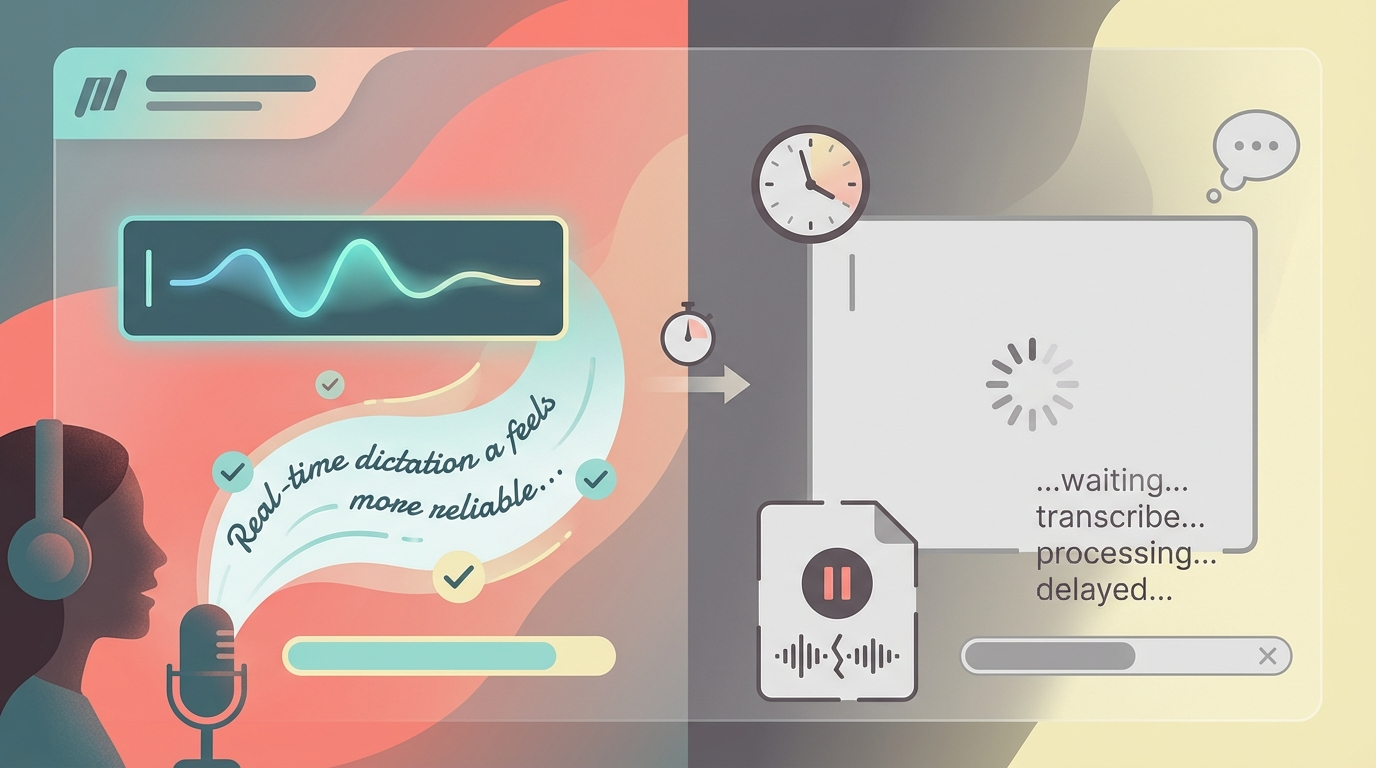
Most voice to text apps still work like a drop box.
You press a shortcut. You talk. You stop. Then you wait to find out whether the machine understood you.
That delay sounds small on paper. In actual work, it is the whole game.
If you use dictation once a week for a random note, maybe it does not matter. If you use voice typing for emails, client updates, code comments, CRM notes, or invoices, it matters a lot. The difference between real-time dictation and record then transcribe is the difference between steering a car through the windshield or checking the dashcam after you parked.
What Most Dictation Apps Still Get Wrong
Most dictation software treats speech like a file.
It captures audio first. Then it processes it. Then it pastes the result back into your app when the model is done thinking.
That works fine for one-shot transcription. It breaks the feeling of flow.
You do not know if the app heard you correctly until the end. You do not know where it will place punctuation. You do not know whether it caught the project name, the client name, or the one word that actually mattered.
So you wait.
And once you are waiting, you are not really dictating anymore. You are supervising a machine.
Why Real-Time Dictation Feels More Reliable
Reliability is not just raw transcription accuracy.
Reliability is whether you trust the system enough to keep using it.
Real-time dictation feels more reliable for a few reasons.
1. You can see mistakes while they happen
When words appear as you speak, your brain can correct course instantly.
If the app starts drifting, you notice it immediately. You slow down. You repeat the phrase. You change wording. You do not have to finish a whole paragraph before discovering the transcript went sideways.
That feedback loop changes the experience completely.
2. There is no dead zone after you stop talking
The worst part of record-then-transcribe is the little vacuum after speech ends.
You stop. The app spins. You wait. Maybe it is two seconds. Maybe it is five. Maybe it is longer if the model or network decides to have a mood.
That tiny delay is enough to break momentum dozens of times per day.
Real-time voice typing removes most of that dead zone. You are not waiting for a text dump. You are watching the text form in the actual input field where you need it.
3. You trust the cursor more than a hidden buffer
A lot of transcription apps feel like they are doing work somewhere else and then throwing the result over the wall.
That is fine for recorded meetings. It is not fine for interactive work.
When the text shows up directly where your cursor already is, the software feels less like a separate tool and more like an extension of your hands. Or your mouth, I guess.
That is a big reason people keep using a dictation app instead of bouncing off it after the novelty wears off.
The Real Workflow Problem Is Not Accuracy Alone
By 2026, basic speech to text accuracy is not the moat anymore.
Most decent tools can transcribe clean English in a quiet room. Great. Commodity achieved.
The harder question is what happens in the messy version of real work:
- switching between apps all day
- mixing short bursts with long thoughts
- changing languages mid-flow
- dictating proper nouns, project names, and technical terms
- needing the text to appear now, not after a pause
That is where real-time dictation starts to pull away.
It is not just about having a better model. It is about having the right interaction model.
Built-In Dictation Is Fine Until It Is Not
This keeps coming up because it is true.
Built-in Mac dictation works fine until it does not. That last 20 percent is where most of the frustration lives. Wrong language. Wrong punctuation. Weird lag. Lost focus. Output appearing in the wrong place. Restarting a session because the app got confused.
For casual use, sure, it is good enough.
For people who actually want to use a dictation app on Mac or Windows as part of daily work, good enough usually becomes annoying enough pretty fast.
Where Superscribe Fits
Superscribe was built around this exact gap.
Not around “wow, transcription is possible now”. Around “why does this still feel so clumsy in real workflows?”
So the product focuses on a few things that matter more than a benchmark screenshot.
Live streaming into any input field
Instead of waiting for a full transcript dump, Superscribe streams words directly into the active input field while you speak.
That means email drafts, chat boxes, notes, browser fields, and anywhere else you already work.
99+ languages with auto-detection
No tiny language picker. No restarting because you switched languages mid-thought.
You speak. It detects.
Automatic project matching and time tracking
This is the weird part that turns out to matter a lot.
Most voice tools stop at text. Superscribe also tracks the time spent dictating and semantically matches work to the right project.
So voice notes do not just become text. They can become usable work logs too.
That is especially useful if you bill by the hour and hate reconstructing your week like a forensic accountant.
What to Look For in Voice To Text Software
If you are comparing tools, the checklist should be simpler than most review sites make it.
Ask these questions:
- Does it stream text live, or make me wait until I stop talking?
- Does it work in the apps I already use?
- Can I notice mistakes early, or only after the whole block is done?
- Does it handle multilingual dictation without babysitting?
- Does it help with the work after transcription, or only the transcript itself?
That last one matters more than people expect.
Transcription is not the finish line. It is the first mechanical step.
Real-Time Dictation Is Better for Certain People
This is not universal.
If you mostly upload recorded audio and want a transcript later, record-then-transcribe is fine.
If you are using voice typing as an active input method during the workday, real-time wins almost every time.
Especially if you are:
- a freelancer writing updates while juggling clients
- a consultant logging work as it happens
- a founder bouncing between Slack, docs, and support
- a developer dictating comments, prompts, or rough drafts
- anyone who hates losing momentum to little delays all day
The Bigger Point
People usually describe dictation tools in terms of accuracy.
The better framing is control.
Real-time dictation gives you control while the sentence is still alive.
Record-then-transcribe gives you a verdict after the fact.
That is why one feels dependable and the other often feels vaguely annoying, even when both are technically pretty accurate.
If you want to try the real-time version of this, Superscribe was built exactly for that workflow.
Speak. Track. Bill.
Related reading
Try Superscribe free
Dictate into any app. Track your time automatically. No credit card required.
Get Started