
Set up Superscribe on your iPhone
Install the app, sign in, and verify your number and caller ID. Pick a plan (it costs less on the web than in the app), forward your calls if you want to, add the dictation keyboard and make your first call.
The notes after a call are the job nobody usually gets to.
Superscribe does it for you, on your own number, with no bot on the line. The notes, tasks and Pipedrive entry get written while you are already on the next call.


No new number to give out, no bot on the line, no change of carrier. Superscribe works behind the number you use today.
In the app, tap Activate, then call the code it copied in your normal Phone app.
The number they always had. Your carrier passes the call on to Superscribe.
It rings on your iPhone, and on your Mac or PC if you like. Calls you make show your number too.
Tap Deactivate. You keep your carrier, your contract and your number.
After the call come the notes, the follow-up and the CRM. Superscribe does that part while you move on.
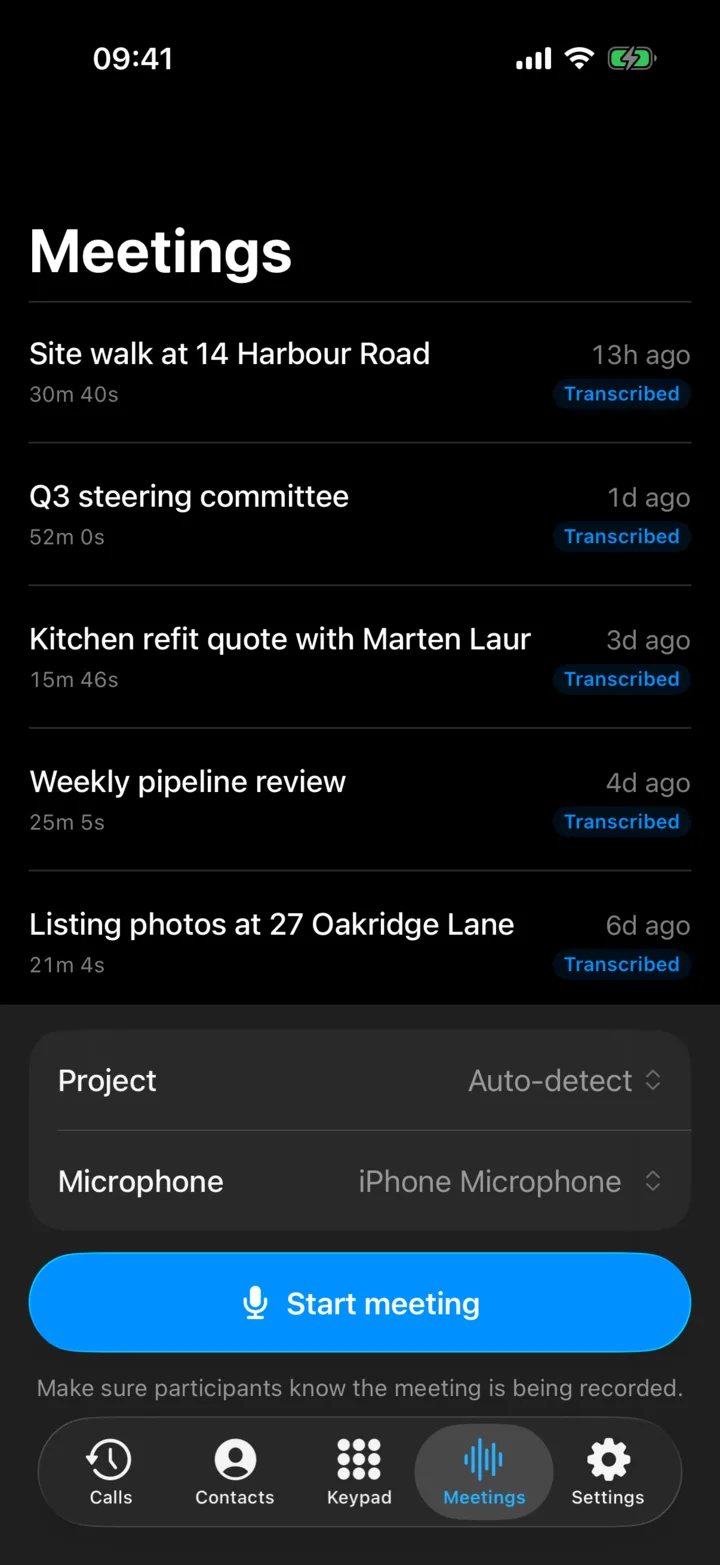
Answer on your iPhone as usual, or tap Start meeting for the people in the room. You can add people by phone. No bot joins.
The whole conversation is written down with names. In meetings every speaker is kept apart, and you can search it all later.
A short summary, what was decided and what to do next: the viewing to book, the plan to send, the call to make.
The summary, the decisions and the next steps go to the right person and deal, found by phone number. The call log can carry the recording.
Siim, who makes Superscribe, sets it up with you on your own number and answers your questions.
Three short videos, in English and Estonian: set up the app, find any call, and put it in Pipedrive.
Install the app, sign in, and verify your number and caller ID. Pick a plan (it costs less on the web than in the app), forward your calls if you want to, add the dictation keyboard and make your first call.
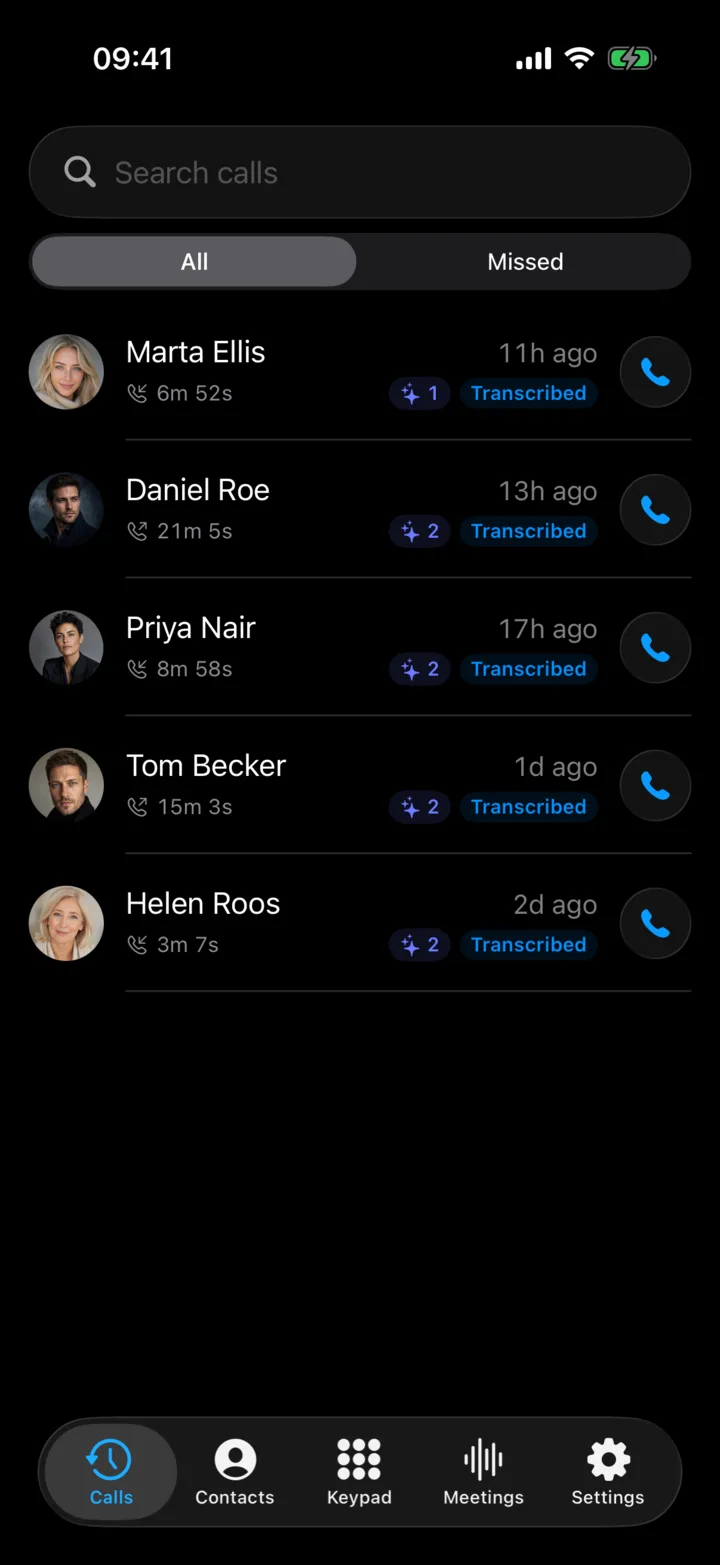
Search for what was said. Open a call to see its summary, follow-ups and transcript, play the audio from any line, and put the call in a project.
Pick a note style and language, choose automatic or after you approve, and send the notes that wait for you. Notes, tasks and meetings are added to the person Superscribe finds by phone number.
Superscribe Phone is free on the App Store. The plan costs less when you buy it on the web: see the price.
The Superscribe keyboard works in every app on your iPhone. Tap Speak and talk, in English or in a smaller language like Estonian. The words appear in the message while you are still speaking.
The keyboard comes with Superscribe Phone. It uses the same dictation as the Mac and PC app, so every plan includes it.
Pricing
Hang up. The notes are done. You pay for minutes, not for people: more minutes make room for more people.
One plan
About 1,890 minutes a month. Set to 1,900: €289 a month + VAT.
Counted with 21 workdays a month and half of the calls going out.
€49a month + VAT
€60.76 with 24% VAT (Estonia)
One person for every 150 minutes, at least 2. There is no price per person: more minutes make room for more people.
Each minute of a call you make counts as 2. A call you get and a meeting count minute for minute. Dictation is free: Superscribe Pro dictation is included for everyone on the plan. Calls to Bulgaria, Croatia, Cyprus, Ireland, Latvia, Lithuania, Malta, Slovakia, Slovenia, and Switzerland count more, and so do some numbers in other countries. See the call rates.
Calls still ring. Calls out and new notes wait for next month. Or the owner turns on pay per minute: €0.15 a counted minute.
Billed monthly. No yearly contract.
Only need dictation on your computer? See Superscribe Pro
One Superscribe wherever you take calls. The Mac and Windows app sits in the menu bar, and everything lands next to your phone calls.
Answer on your Mac or PC, or call out from your own number. The notes are written like on your phone.
Any video call, and no bot joins. Every speaker is kept apart, and once someone says their name, the transcript uses it. Superscribe notices when the call starts and asks if you want to record it.
Speak, and the text appears where your cursor is. On your own Mac or PC it is free and works offline.
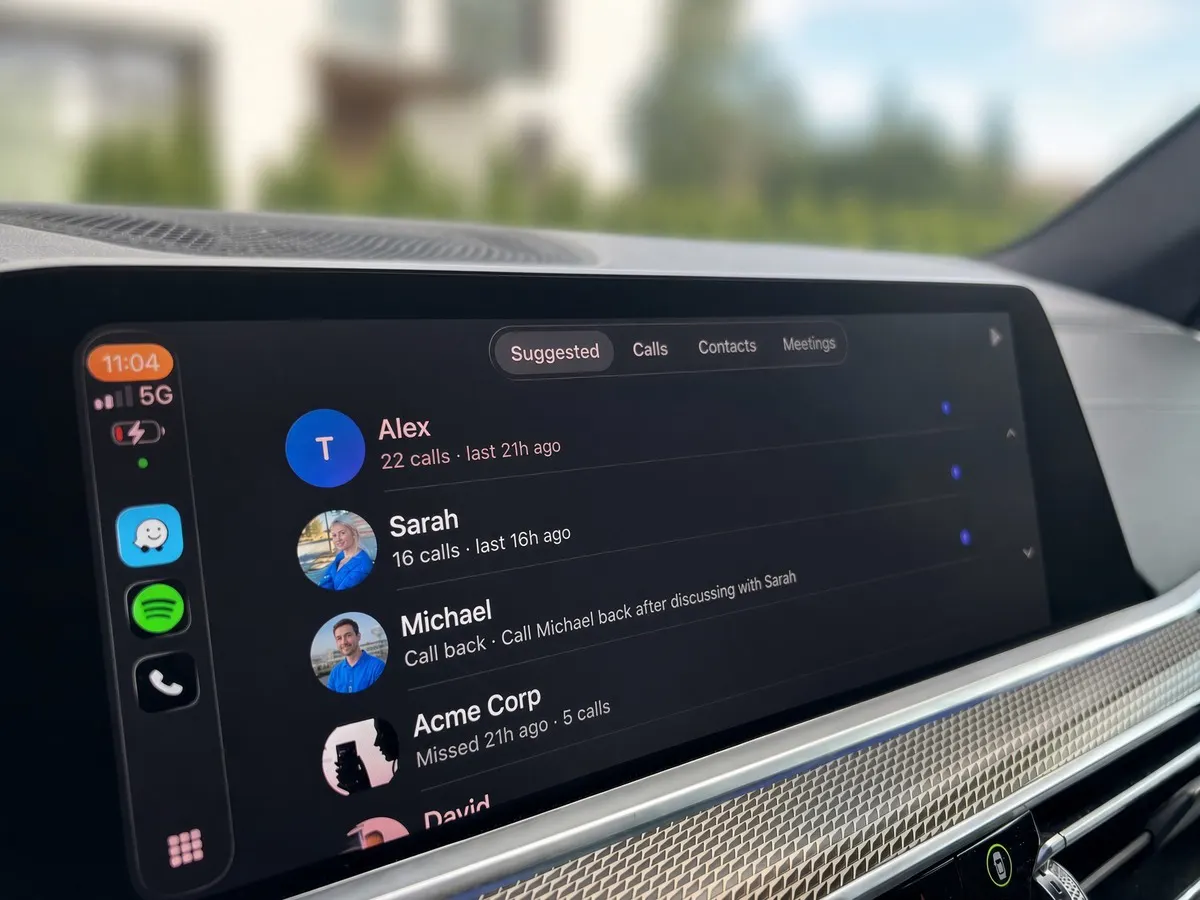
Calls, contacts and meetings on the CarPlay screen, each call with its gist. Call back with one tap.
Calls and meetings on your Mac or PC are included in the plan above. Dictation on your own device is free, with or without a plan.
No account? Superscribe Lite dictates on your device only, free: macOS · Windows
Only need dictation? See Superscribe Pro.
Use your existing number and turn business calls into notes, tasks, summaries, and follow-ups.
 superscribe.io