Meeting minutes
Meeting minutes that write themselves, with no bot in the room
Most meeting tools need a video link and a bot to join it. Real meetings happen in a room, on a site, or on a phone call. Superscribe Phone records the room on your iPhone, names the speakers, and hands you the minutes, the decisions and the follow-ups when you stand up.
Superscribe Phone
Put the phone on the table. Skip the minutes.
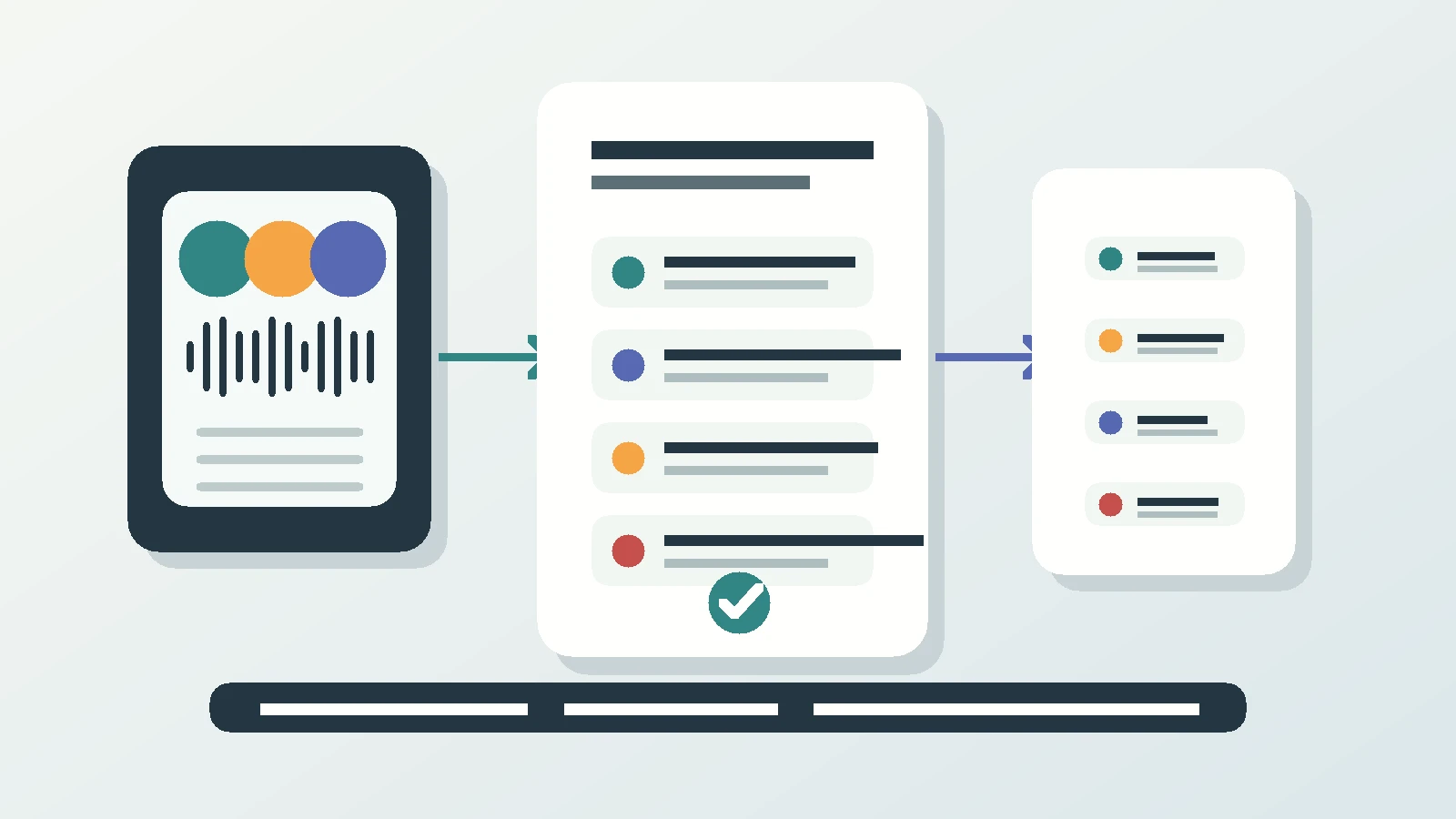
One transcript with every speaker named, a summary of what was decided, and the follow-ups as one-tap suggested actions. Filed to the project and pushed to your CRM.
A site walk, minuted from a phone on the table
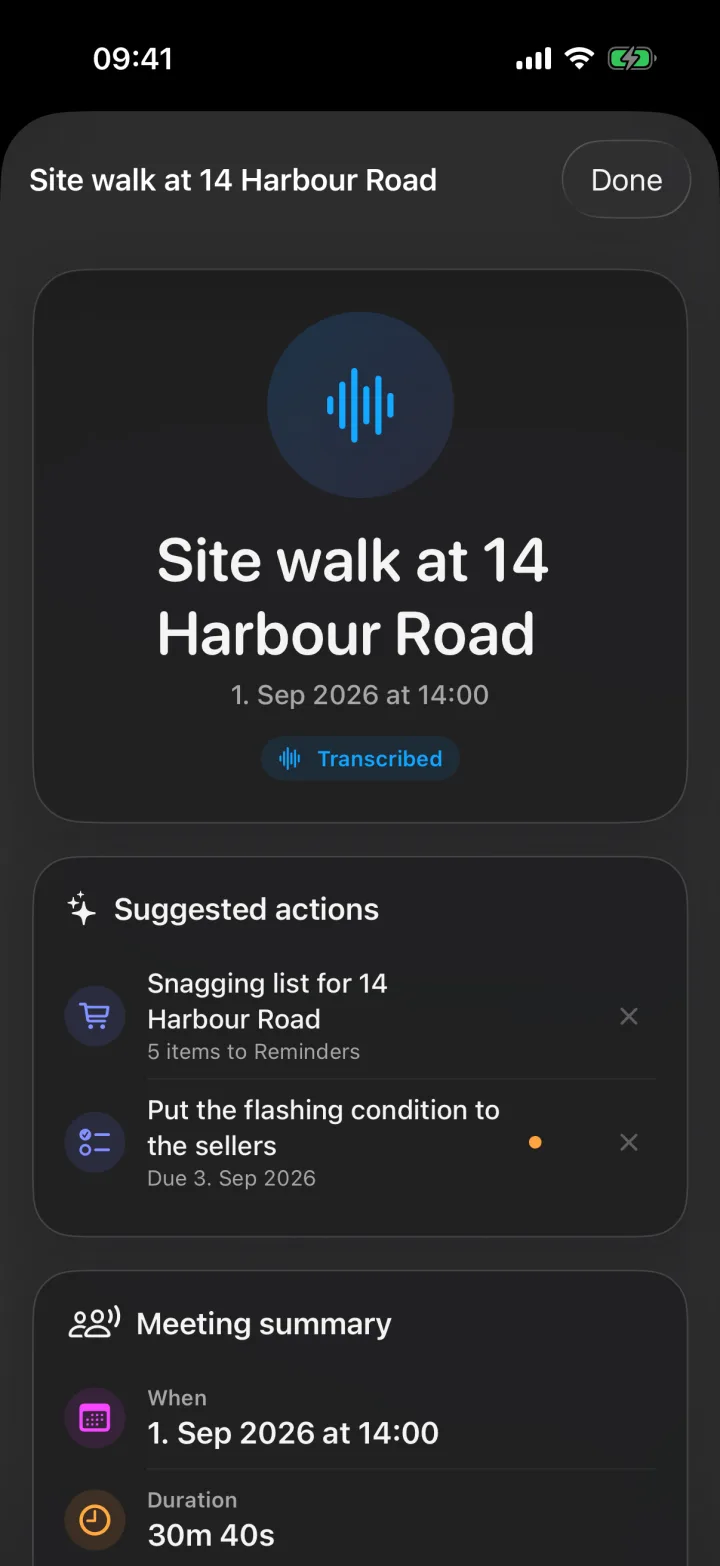
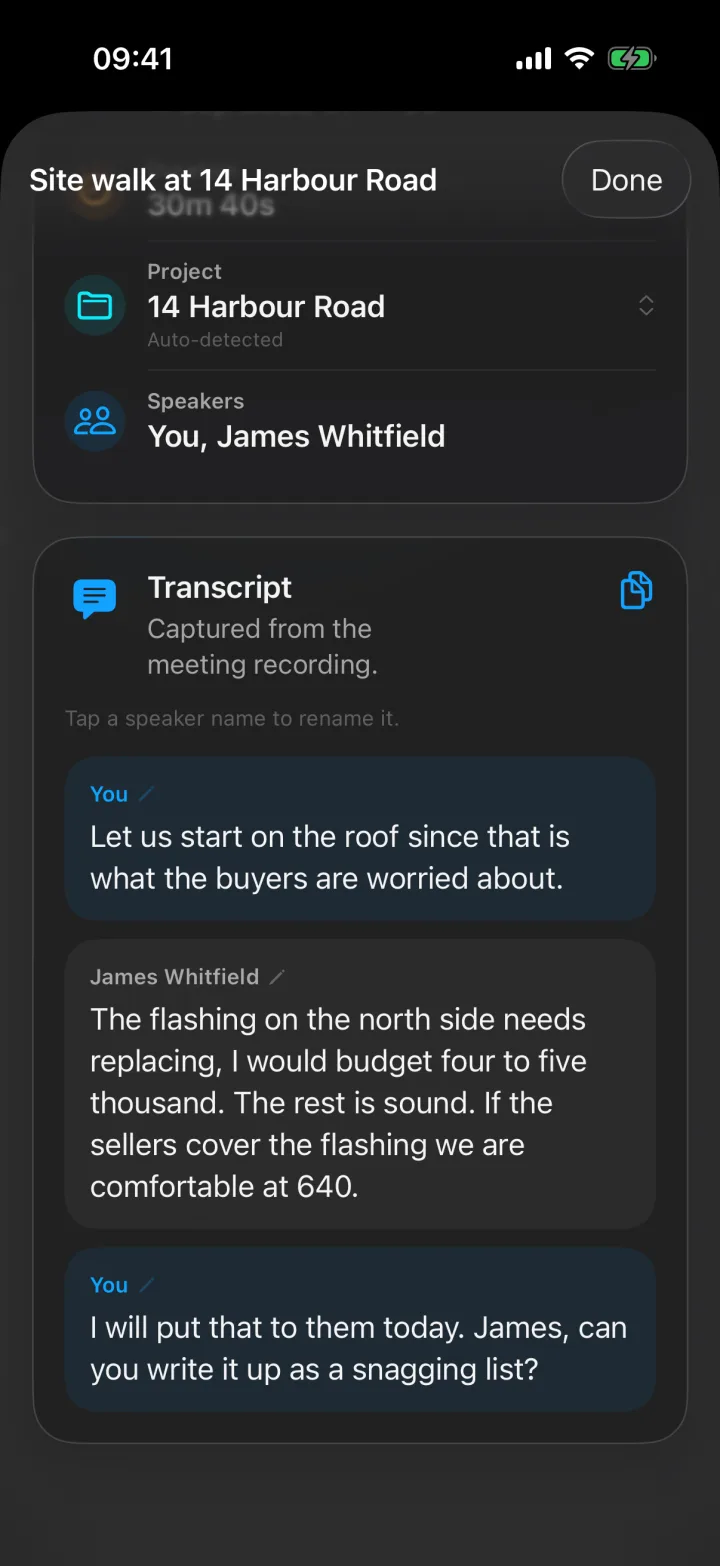
Screens from a demo account. The meeting was recorded on an iPhone during a property inspection; nothing was typed.
I added meetings to Superscribe because the calls were only half of my week. The other half was rooms: a client sitting across the table, a site visit, a planning meeting where three people talked over each other and nobody wrote anything down. The meeting notetakers I tried all wanted a Zoom link. The room had no link.
This page is the straight answer to “how do I get meeting minutes without someone spending the meeting writing them.”
What meeting minutes actually need to contain
Minutes are not a transcript. A transcript is the evidence. Minutes are the four things people look for a week later:
- Who was there, and who said what when it matters.
- What was decided, in the words that were used, not a paraphrase.
- Who does what next, with the date if one was agreed.
- What was left open, so the next meeting starts where this one ended.
A recording gives you the first. The rest used to be manual. Superscribe produces the transcript with named speakers, then a summary of decisions and the follow-ups as suggested actions, and leaves the recording attached so any line can be checked.
Why the meeting notetakers miss the meetings that matter
Otter, Fireflies, Fathom and Granola are built around a calendar invite. A bot joins the video call, listens, and writes. That works for scheduled remote meetings and for nothing else.
The meetings where money and commitments move are mostly not on a link. A buyer walks the property with you. A candidate sits in the room. A client calls and the call turns into a forty-minute planning session. A board meets around one table. None of those have a bot-shaped door, so the “AI meeting minutes” category quietly skips them.
Superscribe Phone flips the model: the recorder is the phone already in your pocket, and the meeting is wherever you are.
How meeting minutes work with Superscribe Phone
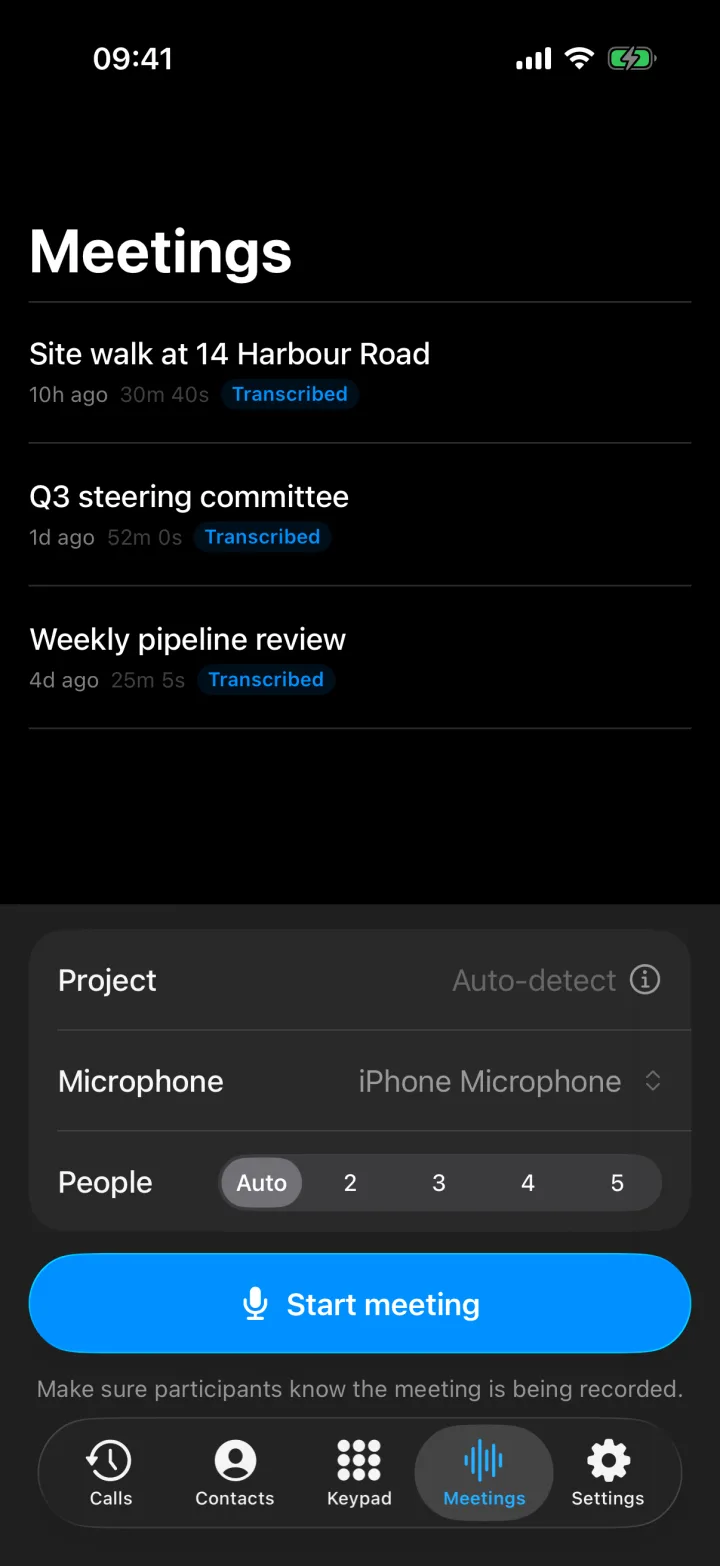
- Tap Start meeting. The iPhone records the room. A visible recording state and an on-screen reminder tell everyone the meeting is being captured. Pick a headset or the built-in mic if the room is noisy.
- Dial people in if you need to. Add a remote participant by phone from inside the meeting. They hear the room, the room hears them, and their side lands on the same transcript.
- Speakers get named. The transcript separates voices. When someone introduces themselves, the name sticks to their lines. Rename anyone with a tap.
- Stop, and the minutes are done. The meeting gets a title, a summary of what was decided, and suggested actions: call someone back, add the agreed date to your calendar, create a reminder, or turn a dictated list into a checkable Reminders list. Time-sensitive ones show up on your lock screen with real buttons.
- Filed and pushed. The meeting is filed to the right project automatically and lands in Pipedrive as a meeting activity. Anything else can pull it through the API and MCP.
Playback stays in the app, so a disputed sentence can be checked against the audio instead of against two memories.
Meetings that must be minuted
Boards, committees, councils and client steering groups have a different problem from a sales team: the minutes are the record, and they have to be defensible. What those meetings need first is a verbatim source with named speakers and timestamps, and a clean list of decisions and owners taken from it. That is what the app produces. The formal layout your organisation uses is still applied by the secretary, but applied to a full record, not to whoever’s notes were least bad. Board meeting minutes software: what to look for goes through the checklist.
Answers to the exact thing you searched for
Deeper reads on meeting minutes
- How to record a meeting on iPhone and get the minutes written for the step-by-step
- AI meeting minutes without a meeting bot if a notetaker has let you down in a real room
- Board meeting minutes software: what to look for for minuted organisations
- Phone call notes vs meeting notes on why calls and meetings need the same capture
- From call notes to meeting minutes when a call turns into a meeting
Related
Meeting minutes pages
The same recording, answered for the exact thing you came here to produce.
Why meeting minutes are still written by hand
Bots cannot join a room
Otter, Fireflies and Fathom attach to a calendar link. A client visit, a site walk, a board meeting around one table or a call that turns into a meeting has no link, so the tools built for Zoom never see the meetings that matter most.
Whoever writes the minutes stops participating
Taking minutes is a full-time job during the meeting. The person doing it argues less, decides less, and still produces notes everyone quietly distrusts.
Minutes written afterwards are a reconstruction
An hour later the exact wording of a decision is gone, the owner of an action item is fuzzy, and the disagreement that mattered has been smoothed into a sentence.
What Superscribe Phone does instead
One transcript, every speaker named
Tap Start meeting and the iPhone records the room. Speakers are separated on the transcript, and when someone introduces themselves their name appears on their lines. Rename anyone with a tap.
Dial people in, keep one record
Add a remote participant by phone from inside the meeting. Their side is captured on the same transcript, so a hybrid meeting still produces one set of minutes.
Decisions, follow-ups and the CRM entry, done
The meeting gets a title, a summary of what was decided, and suggested actions you confirm with one tap: call someone back, add the agreed date to your calendar, create a reminder, or turn a dictated list into a Reminders checklist. It is filed to the right project and lands in Pipedrive as a meeting activity.
FAQ
What is a meeting minutes app?
An app that turns a meeting into a written record: who was there, what was discussed, what was decided, and who does what next. The useful ones do it during the meeting, from the audio, so nobody has to take notes or reconstruct the discussion afterwards.
Do I need a video link or a bot?
No. Superscribe Phone records the room from your iPhone. Nothing joins a call, nothing needs a calendar invite, and it works for in-person meetings, site visits, and phone calls that become meetings.
How are speakers identified?
The transcript separates speakers automatically. When someone introduces themselves, their name is applied to their lines; anyone can be renamed with a tap. Remote participants dialled in by phone are labelled with their contact name.
Can it record a hybrid meeting with people on the phone?
Yes. Add participants by phone from inside the meeting. They join the same recording and appear on the same transcript, so the minutes cover the whole meeting.
Where do the minutes go?
They stay in the app with the recording, are filed to the project automatically, and are pushed to Pipedrive as a meeting activity. Other tools can pull them through the API and MCP. Follow-ups become suggested actions on the meeting and, when they are time-sensitive, on your lock screen.
Is this suitable for board or committee meetings that must be minuted?
It gives you the complete record: a full transcript with named speakers, a summary of decisions, and action items with owners. The formal minutes format your organisation uses is still yours to apply, but you apply it to a verbatim record instead of to memory.