Board Meeting Minutes Software: What to Look For

Board minutes are different from every other kind of meeting note. Nobody reads them for fun. They are read when something went wrong, by someone who was not there, looking for what was decided, by whom, and on what basis. That changes what the software has to do.
Most “board meeting minutes software” is a portal: agendas, board packs, an editor with a minutes template, e-signatures. Useful, and it does nothing about the hard part, which is producing an accurate record of what was actually said in the room.
The job is the record, not the template
A minutes template is easy. The secretary has one already. The thing that is genuinely hard, and genuinely risky, is the source the template is filled from. Today that source is one person’s notes, written while also trying to follow the discussion, then tidied from memory afterwards. Every board has a story about a minute that did not match what a director remembers saying.
So the first thing to look for is not a prettier template. It is a verbatim, attributed record that the formal minutes can be checked against.
A checklist for the record
- Full transcript, not a summary only. Summaries are for reading; transcripts are for disputes. You need both, with the transcript timestamped.
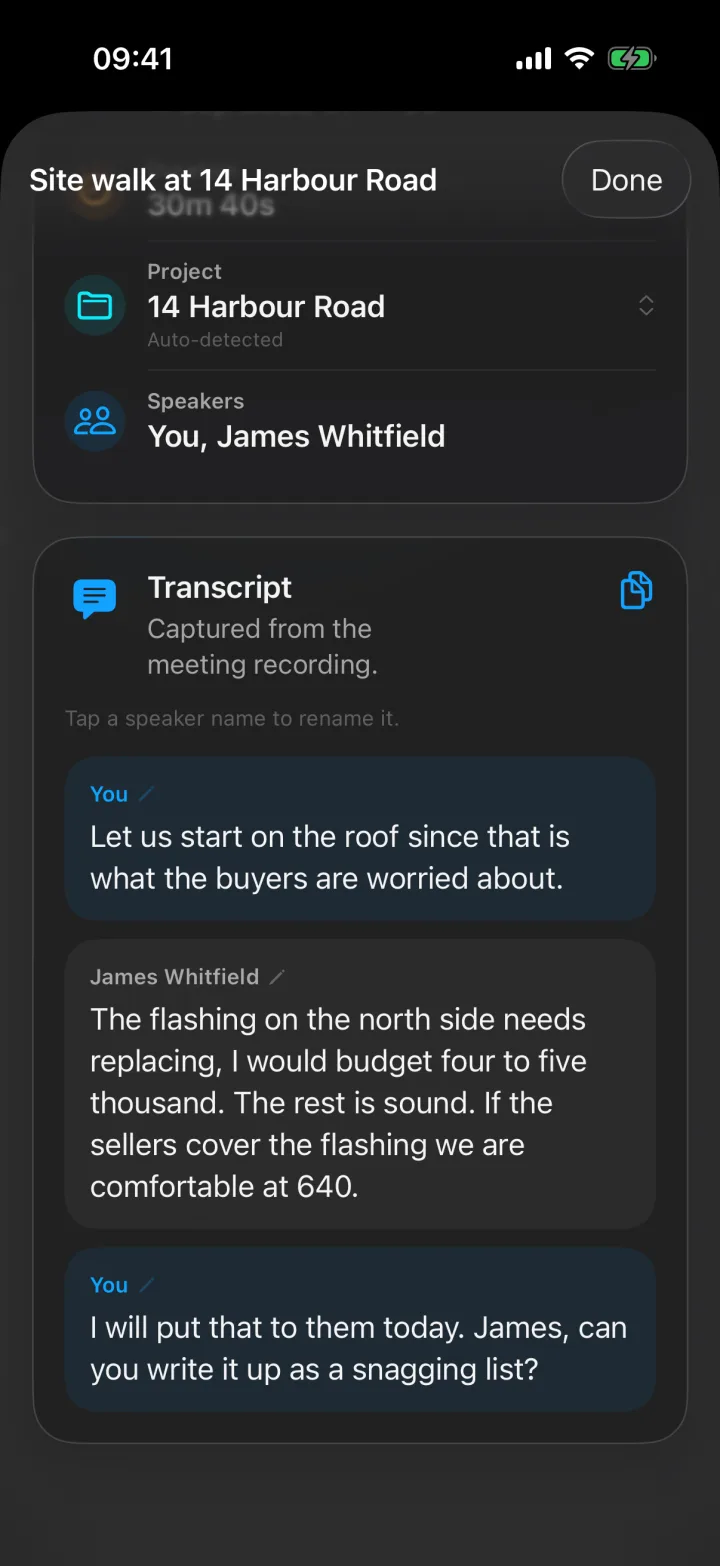
- Named speakers. “Speaker 2 objected” is useless in a governance document. The record should attribute each line to a person.
- Works in the room. Boards meet around a table. A tool that needs a video link records the remote directors and misses the room, which is exactly backwards.
- Hybrid without two records. Remote members must land on the same transcript as the room, or the minutes have two sources that can disagree.
- Audio kept with the text. When a sentence is challenged, play it.
- Decisions and owners extracted. The secretary should start from a list of decisions and action items pulled from the record, not from a blank page.
- Visible consent. Recording must be obvious to everyone present.
- A home for the output. Filed by meeting and body, and reachable from the systems the organisation already uses.
Where Superscribe Phone fits
Superscribe Phone is the iPhone app I built for business calls and meetings, and it covers points one through eight in a way I have not seen the portals do:
- Tap Start meeting and the phone records the room, with a persistent recording state and an on-screen reminder so consent is visible.
- The transcript separates speakers and names them when they introduce themselves; anyone can be renamed with a tap.
- Remote members are dialled in by phone from inside the meeting and appear on the same transcript.
- The recording stays attached for playback.
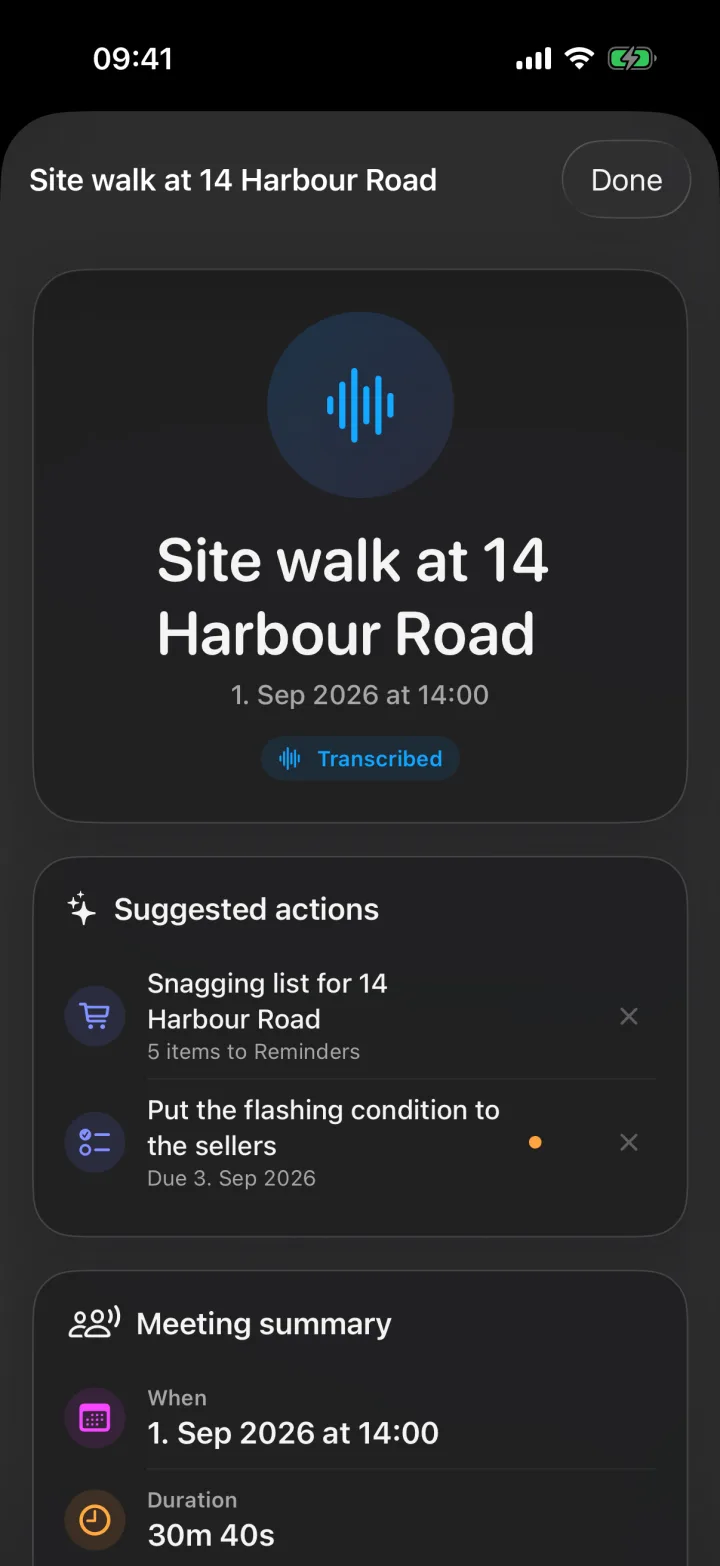
- Each meeting gets a title, a summary of decisions, and suggested follow-ups you confirm with one tap; a dictated list becomes a Reminders checklist.
- Meetings are filed to a project automatically and pushed to Pipedrive as an activity; anything else can pull them through the API and MCP.
What it does not do, and I would rather say so than let you find out: it does not format the formal minutes, hold your agenda, or run resolutions and signatures. Keep the portal for that. Feed it a real record instead of a reconstruction.
Protocol meetings outside the boardroom
The same logic applies to any body that must minute its meetings: councils, committees, associations, client steering groups, works councils. The requirement is always a defensible record of who decided what. The tooling problem is always that the meeting happens in a room, and the room has no link. An iPhone on the table solves the capture; the organisation’s own format handles the rest.
The honest test
Record one meeting alongside your usual minute-taker. Afterwards, compare the secretary’s draft with the transcript and the extracted decisions. In my experience the draft is not wrong, but it is thinner, and the places where it is thin are the places that end up mattering.
Start at meeting minutes that write themselves, or see AI meeting minutes without a meeting bot for why the bot model misses the room.