AI Meeting Minutes Without a Meeting Bot

“AI meeting minutes” has become shorthand for one product shape: a bot that joins your video call, listens, and posts a summary afterwards. Otter does it. Fireflies does it. Fathom and Granola do it well.
The shape has a blind spot the size of your actual week. It only works for meetings that have a link.
Where the bot model breaks
Count the meetings you had this week that a bot could have joined. Now count the ones it could not: the client who came to the office, the site visit, the lunch that turned into a negotiation, the phone call that ran forty minutes and settled the scope. For most people who sell, advise, recruit, or build things, the second list is longer, and it is the one with money in it.
Those meetings have no invite, no link, and no bot-shaped door. So the “AI meeting minutes” category has quietly decided they do not exist.
There is a second, quieter problem. A bot in a call is a third party your client has to accept. In a room, there is no equivalent. Nobody wants a laptop propped open to stream the conversation to a service, and in plenty of settings you could not do that anyway.
The recorder has to be the thing you already carry
The fix is not a smarter bot. It is moving the capture to the device that is already in every meeting: your phone.
That is how Superscribe Phone does meeting minutes. You tap Start meeting, put the iPhone on the table, and it records the room. There is a visible recording state and an on-screen reminder so everyone knows, which is the honest version of a bot announcing itself. If someone is not in the room, you dial them in by phone from inside the meeting and their side lands on the same transcript.
No link. No invite. No third service on the call.
What “AI” means here, concretely
I am wary of the word, so here is exactly what the software does after you stop the recording:
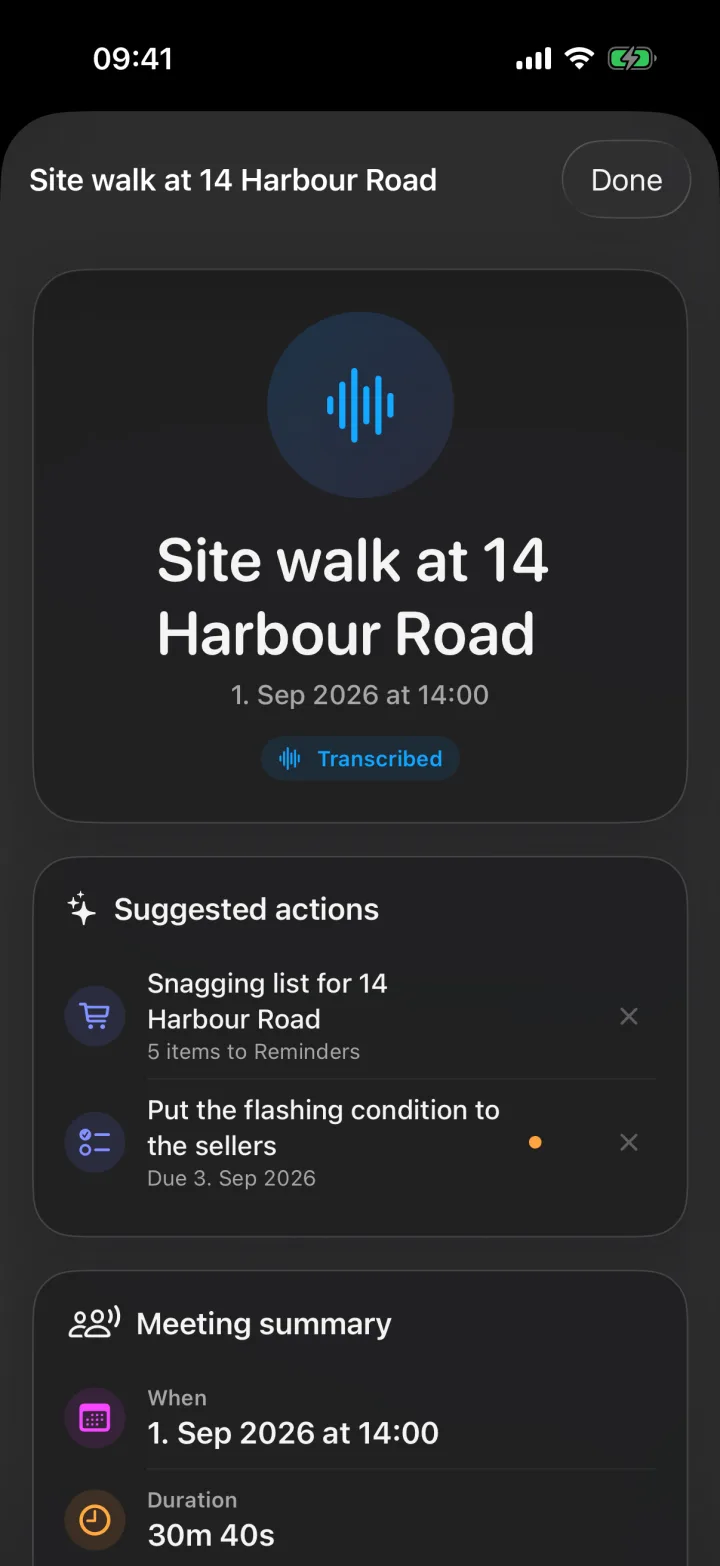
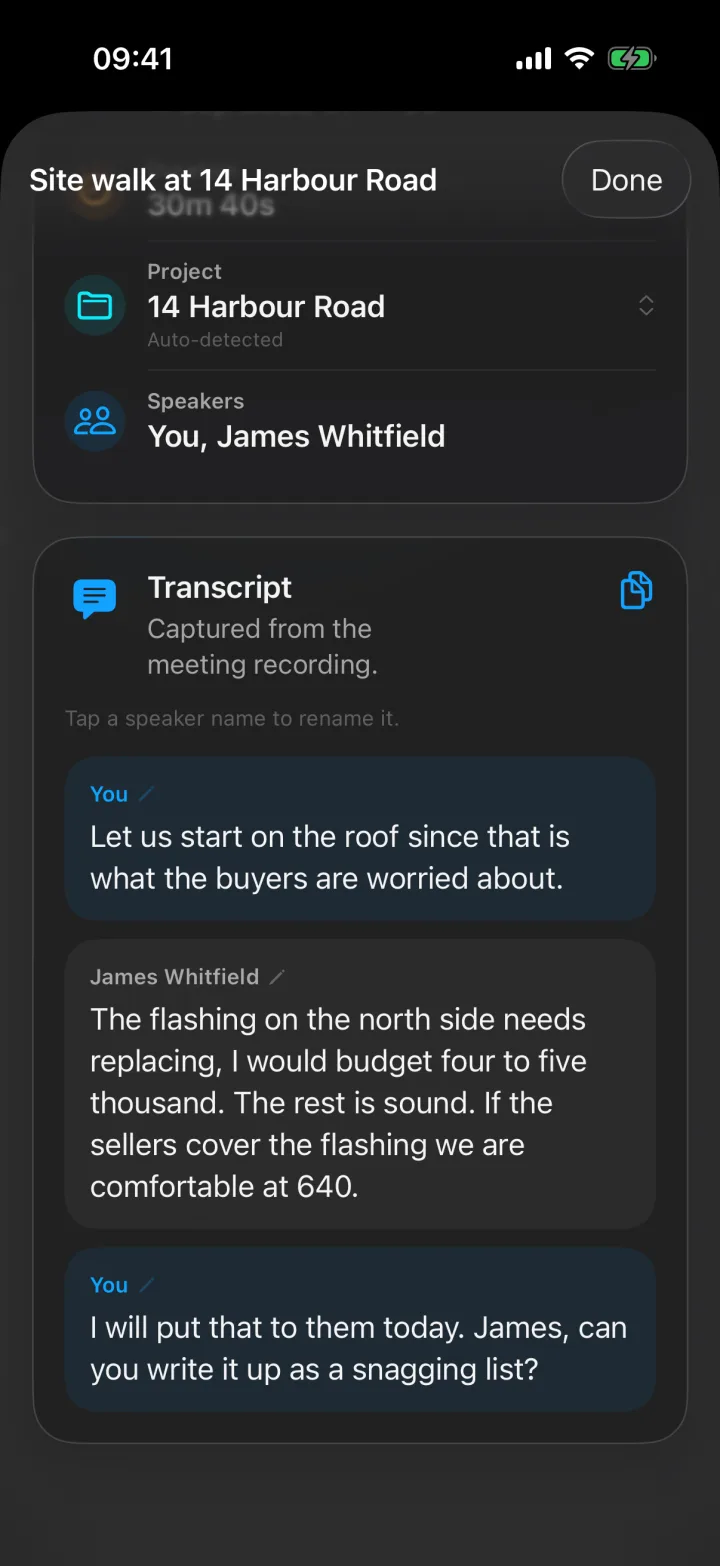
- Separates speakers and names them. When someone introduces themselves, their name sticks to their lines. Rename anyone with a tap.
- Writes a title and a summary of what was discussed and decided.
- Extracts follow-ups as suggested actions: a person to call back, a date that was agreed, a promise that should be a reminder, an unknown caller worth saving. Each is one tap to confirm and nothing runs on its own.
- Turns a dictated list into a checklist: say the list in the meeting, tap once, and it is a Reminders list with a checkable item per entry.
- Files the meeting to the right project and pushes it to Pipedrive as a meeting activity. Other tools can pull it through the API and MCP.
Everything is grounded in the transcript, and the recording stays attached so any line can be checked against the audio.
Minutes versus meeting notes
The bot products produce meeting notes: a recap for people who were there. Minutes are for people who were not, and for the version of you that has to act on them in three weeks. The difference is decisions and owners. That is why the summary here is organised around what was decided and what happens next, with the transcript underneath as the evidence.
Where a bot is still the right tool
If your meetings are all remote, scheduled, and on one platform, a notetaker that joins the call is a fine choice and you should keep it. Superscribe Phone is for everything that model cannot reach, and for people whose day is a mix of calls, rooms, and site visits that all need the same treatment.
Try it on a real meeting
Install Superscribe Phone, open Meetings, and record the next meeting that would never have had a link. Read the summary before you get back to your desk.
Start with meeting minutes that write themselves, or the step-by-step on recording a meeting on iPhone.