Call notes
Call notes that write themselves after every phone call
Phone call notes usually get written late, from memory, or not at all. Superscribe Phone captures the call on your iPhone with your own number and turns it into a summary, action items, and a CRM entry before you open the next tab.

Superscribe Phone
Take the next call. Skip the notes.
Answer with your own number, or hit record in the room. The summary, the tasks, and the CRM update are waiting when you hang up.
What a call looks like after you hang up
Screens from a demo account with synthetic calls. Nothing here was typed; every note came from the call itself.
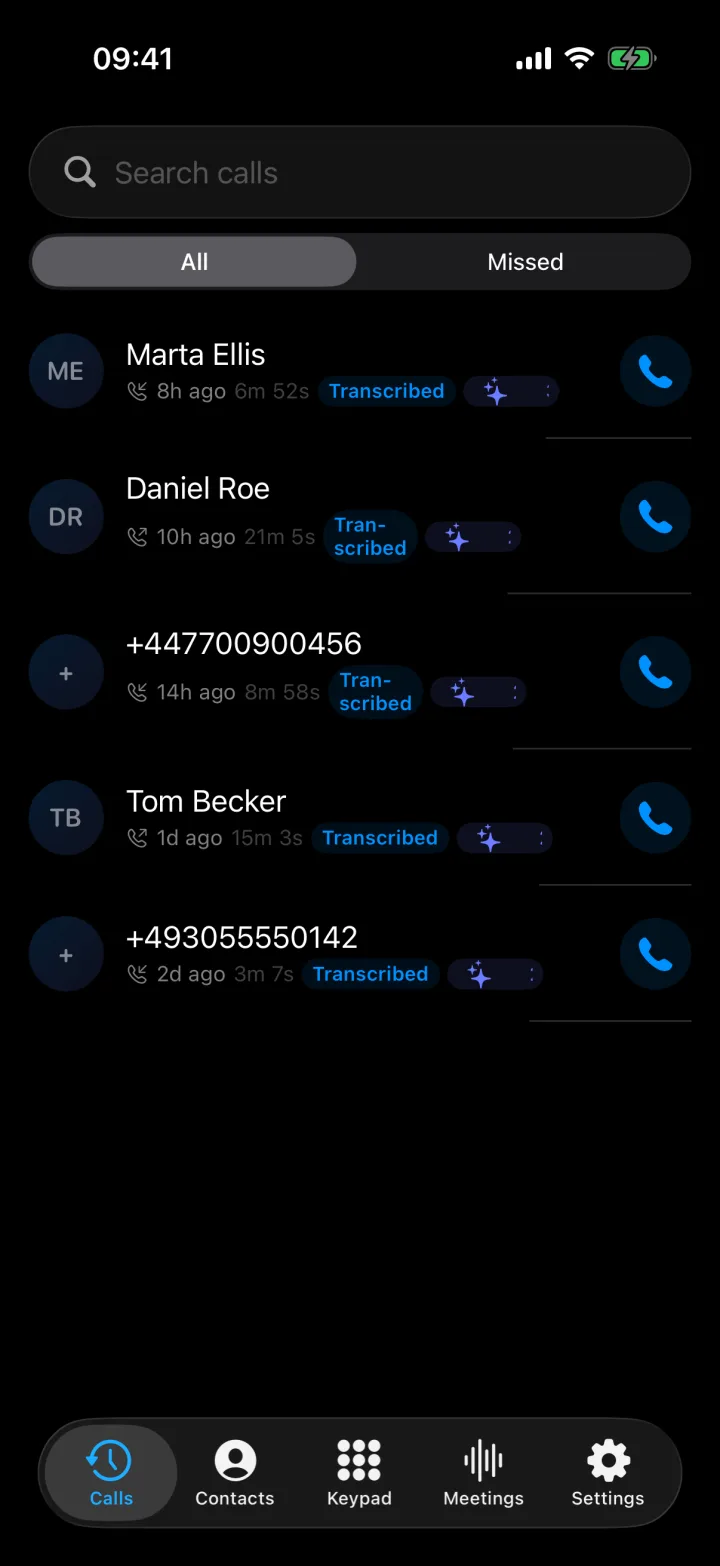
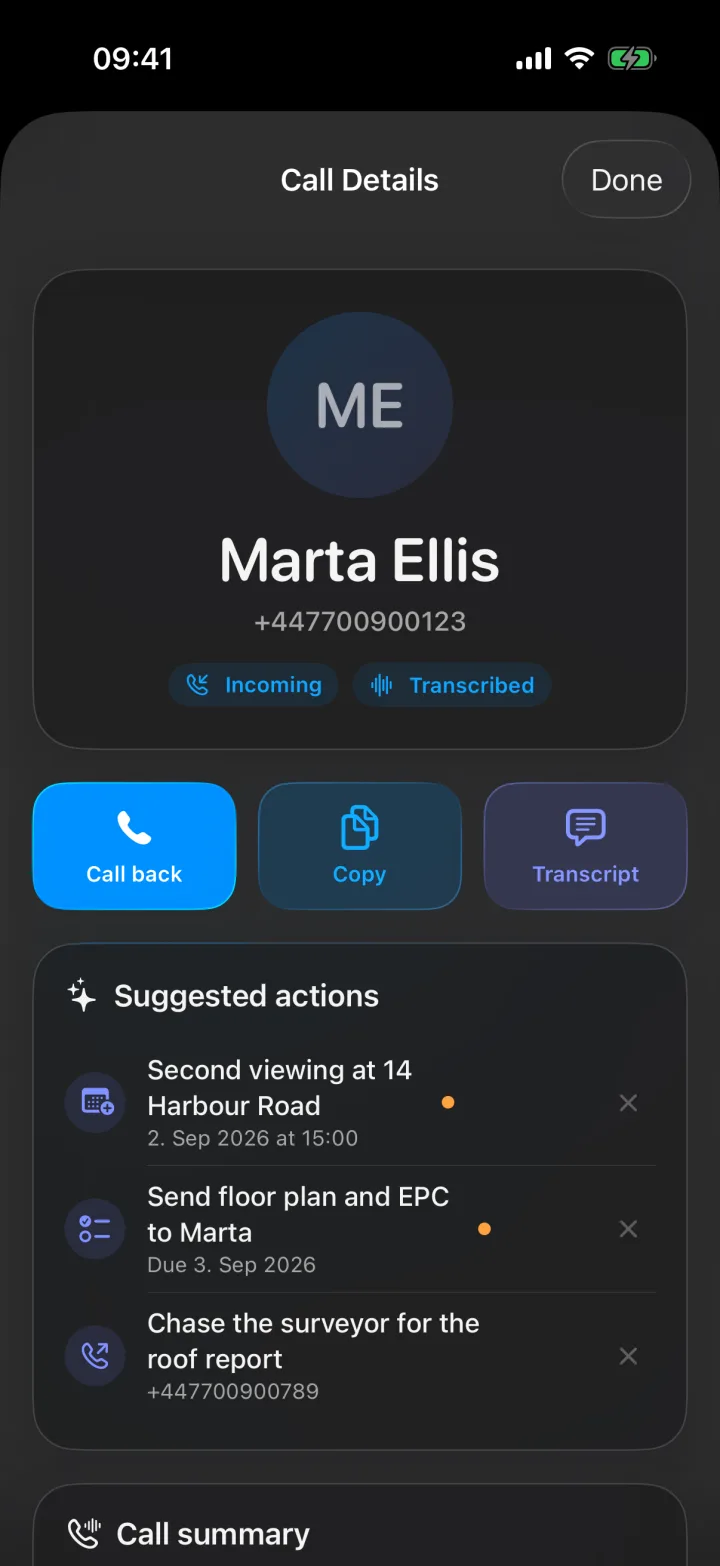
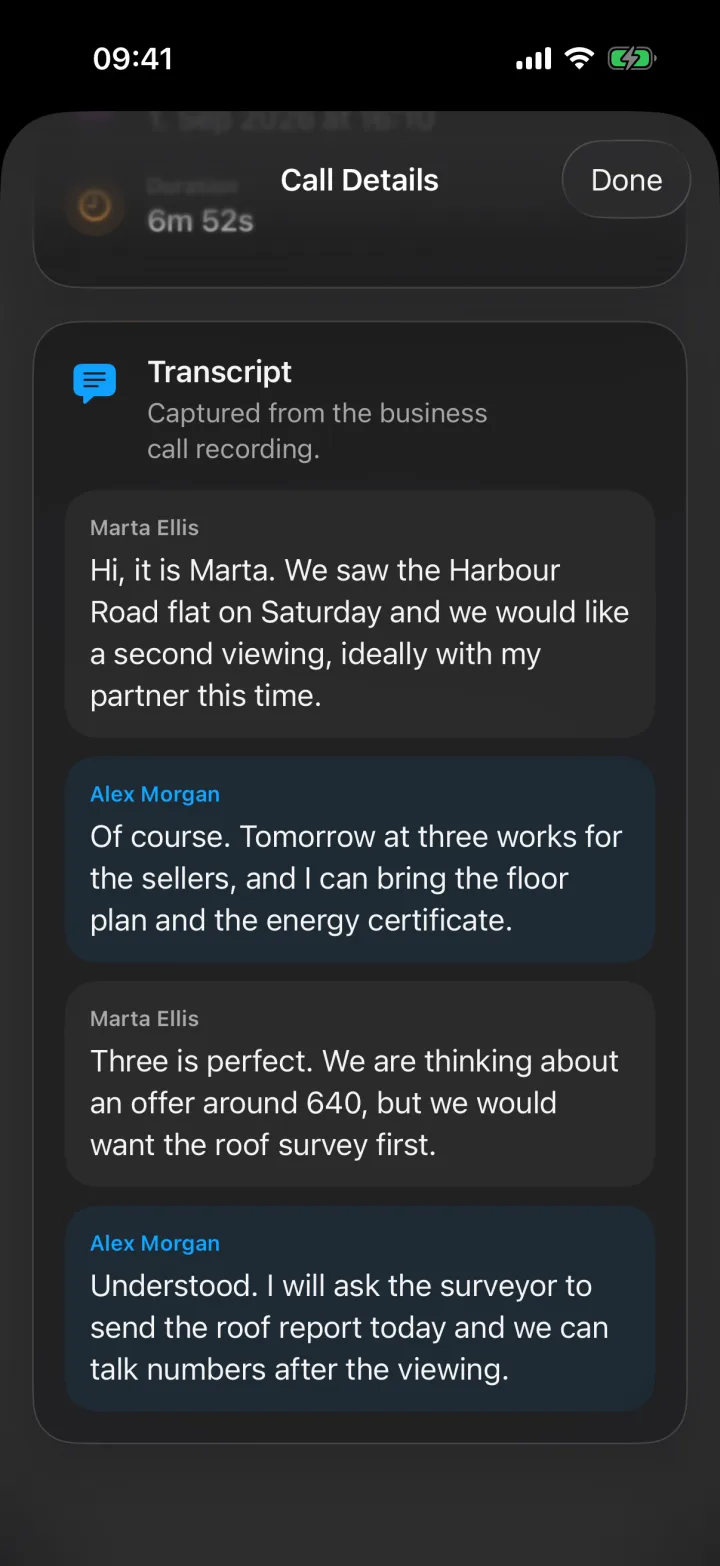
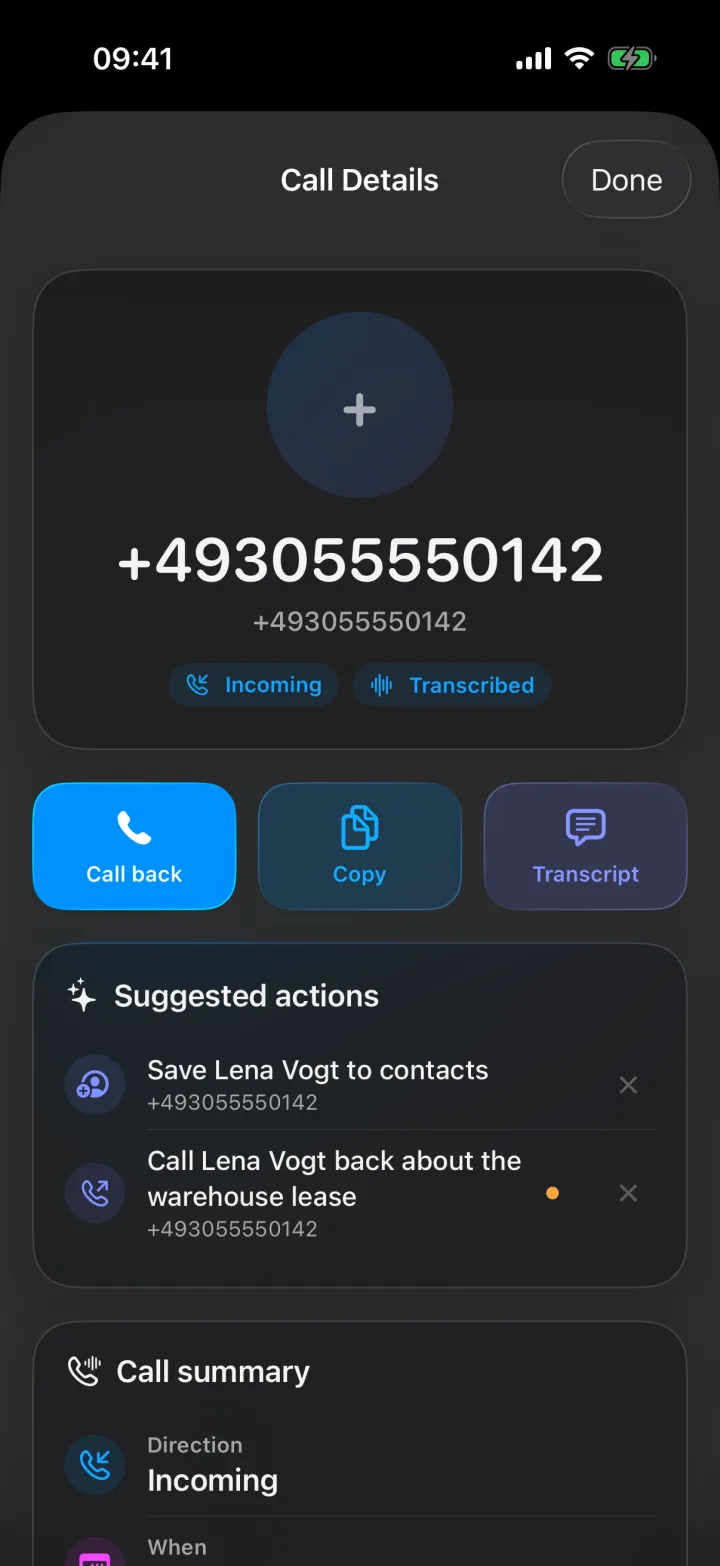
I built the phone side of Superscribe because my own call notes were the weakest part of my work. I would finish a client call, promise myself I would write it up, take the next call, and by the evening I had three conversations blurred into one and no idea which client I had promised what.
This page is the straight answer to “how do I get good call notes without doing the work of taking them.” Everything on it is grounded in how the app actually behaves, not in a generic note-taking pitch.
What good call notes actually contain
A phone call note is not a transcript. A transcript is raw material. The note is what you need thirty seconds after the call and three weeks later:
- A summary in four or five lines: who, what, and why the call happened.
- Decisions that were made, in the words that were used.
- Action items with an owner and, where it was said, a date.
- The follow-up that was promised, waiting as an action you confirm instead of a memory you chase.
- Context for the record: the CRM entry, the ticket note, or the billable time.
If your call notes have those five things, the call is finished. If they have a wall of text or nothing at all, the call is still open and it is costing you.
Why phone call notes are harder than meeting notes
Meeting notes have had years of tooling attention because meetings are easy to instrument. There is a calendar invite, a link, and a bot that can join it.
Phone calls have none of that. A client calls your mobile while you are walking to the car. A support call comes in on the business line during an incident. A discovery call happens on the number printed on your website. There is no link, no invite, and no bot. So the tools built for meetings quietly skip the calls where most real business happens.
That is the gap Superscribe Phone fills. It captures the call itself, on your own iPhone, with your own number.
How automatic call notes work with Superscribe Phone
- Keep your number and answer as usual. Your clients dial the number they already have. Nothing changes on their side, and you do not learn a new phone system.
- The call is transcribed live. Every turn is captured while the call is happening, in 99+ languages with automatic detection.
- The notes are built while you hang up. Summary, decisions, and action items are ready when the call ends.
- The notes go where the work lives. CRM entries (Pipedrive today), tickets and tasks through the API and MCP, and a time entry so the call is billed, not forgotten.
In a meeting room, where no bot could join anyway, you hit record on the phone and get the same output.
Call notes for the calls you actually take
The role pages below map the same workflow onto specific calls: pipeline calls, viewings, candidate calls, client calls, support calls, and the follow-ups that come after them.
Start from what you actually searched for
If you came here with a specific job in mind, these answer it directly.
Deeper reads on call notes
- What to look for in a business call notes app when you are comparing tools
- Call notes that write themselves for the full workflow, step by step
- Phone call notes vs meeting notes if a meeting notetaker has let you down on calls
- Sales call notes straight into the CRM for the CRM hygiene problem
- From call notes to the follow-up email for the follow-up that never gets sent
- How to never lose an action item from a client call
Replacing a phone system, or adding notes to one?
If your calls already run through Dialpad, OpenPhone, RingCentral, Aircall, or a similar system, the comparison posts explain the honest split: those tools move calls, Superscribe finishes them. Start with the alternatives hub.
Related hubs
Every call notes page
The same workflow answered two ways: by the job you searched for, and by the calls each role actually takes.
Why call notes fail today
You cannot listen and write at the same time
Every line you type during a call is a sentence you did not hear. Most people stop typing, promise to write it up later, and then the next call starts.
Notes written after the call are guesses
An hour later the numbers are fuzzy, the objection is gone, and the action item you promised is a vague feeling. That is how deals and tickets slip.
Meeting bots do not work on phone calls
Otter, Fireflies, and Fathom join video meetings through a link. A client calling your mobile has no link, so the calls that matter most stay undocumented.
What automatic call notes give you instead
A summary and action items the moment you hang up
The call is transcribed live and turned into a clean summary, a decision log, and a task list. Nothing waits for you to find ten minutes.
The follow-ups as one-tap actions
What you promised on the call comes back as suggested actions. Call someone back, put the agreed time in the calendar, set a reminder, save a new caller to contacts, or turn a dictated list into a checklist. One tap each, and nothing runs on its own.
CRM entries and billable time without the admin
Call details land as CRM-ready notes (Pipedrive today, anything else through the API and MCP) with the time attached, so the call is billed and logged, not reconstructed on Friday.
FAQ
What are call notes?
Call notes are the written record of a phone call: what was discussed, what was decided, and what happens next. Good call notes have a short summary, the action items with owners, and the follow-up that was promised. Bad call notes are a transcript nobody reads or a memory nobody trusts.
How do automatic call notes work?
Superscribe Phone captures the call on your iPhone, transcribes it live, and turns the transcript into a summary, action items, and CRM-ready notes while the details are still fresh. You do not type during the call and you do not write anything up afterwards.
Do I need a new phone number or a meeting bot?
No. You keep your existing number and answer as usual. Nothing joins the call, so it works for real phone calls and for conversations in a meeting room where no bot could join anyway.
What is the difference between call notes and meeting notes?
Meeting notes come from scheduled video meetings with an agenda and a link a bot can join. Call notes come from phone calls that are shorter, unscheduled, and often the moment a decision is actually made. Meeting notetakers cannot see those calls at all.
Do my clients need to install anything?
No. Your clients call your normal number and nothing changes on their side.
Which languages do call notes support?
Superscribe transcribes calls in 99+ languages with automatic language detection, so a call that switches languages halfway through still produces one clean set of notes.