Otter Alternative for Freelancers Who Need Usable Output
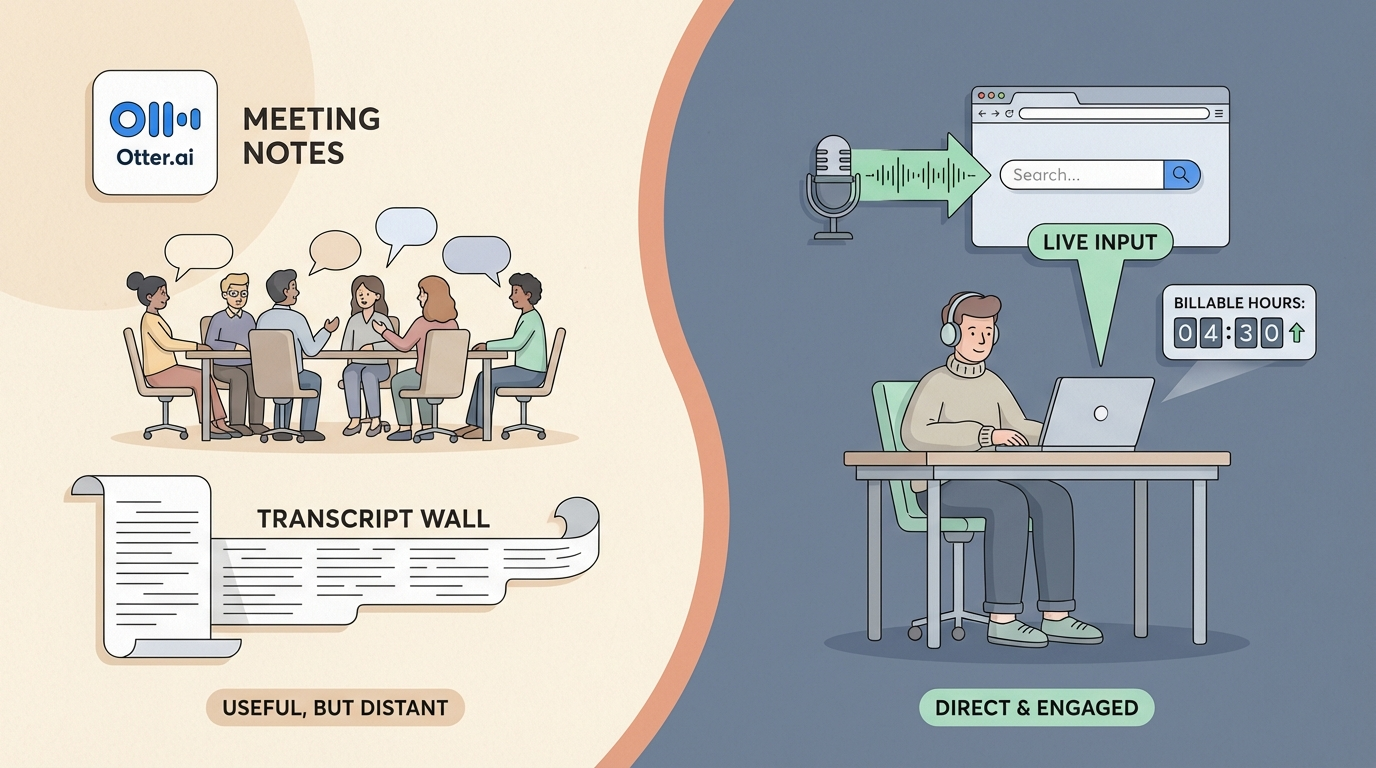
Otter.ai is a good product.
If you record a lot of meetings, Otter is one of the most polished ways to turn those recordings into searchable notes with speaker labels, summaries, and action items. The AI summaries are genuinely useful. The meeting integrations work well. For teams, it is a solid pick.
But a lot of freelancers find Otter useful in exactly one context and frustrating in every other.
The frustration isn’t about transcription quality. It is about what happens after the meeting ends.
What Otter Does Well
Otter is built around one core workflow: you have a meeting, Otter joins automatically or you record it, and an hour later you have a cleaned-up transcript with key moments highlighted.
That is a real problem solved.
For freelancers who do discovery calls, client check-ins, and consulting sessions, not having to take notes while also running the call is genuinely valuable. You stay present. Otter handles the capture.
The AI summaries pull out decisions and action items with reasonable accuracy. You can search across all your past meetings. You can share a transcript with a client or collaborator.
At $8.33 per month on the annual Pro plan (1,200 transcription minutes), it is affordable for frequent use.
Where the Workflow Breaks Down
The problem shows up when the meeting is over.
You have a transcript. You have an AI summary. But now you need to actually do something with that information.
You need to write the follow-up email. You need to update your project notes. You need to draft the proposal they asked for, log the 45 minutes you spent on the call, and move on.
Otter stops at the transcript. It does not type anywhere.
You copy and paste. You summarize from the summary. You open your email client, your CRM, your project tool, and manually move information from one screen to another.
For many freelancers, the transcript itself is not the bottleneck. The bottleneck is all the work that happens between the transcript and the deliverable.
The Bigger Gap: Work That Isn’t a Meeting
Freelancer work is not mostly meetings.
It is the 20 minutes drafting a proposal while you have context from the call. The client update you write before you forget the details. The quick project note you want to get out of your head before the next task.
For all of that, Otter is not the right tool.
You could open a new recording, talk for two minutes, get a transcript in a few seconds, and then copy the text somewhere. But you won’t. That is three extra steps for something that should take one.
What most freelancers actually want is: speak, and have the words appear exactly where they are already working.
That is a different category of tool entirely.
What Superscribe Does Differently
Superscribe is not a meeting transcription app. It is a live dictation tool that types directly into whatever app you already have open.
You hold a keyboard shortcut (Option + Shift + Space on Mac, Shift + F9 on Windows). You speak. The words stream in character by character into the current text field, whether that is your email client, your CRM, Notion, a Google Doc, or a Slack message.
There is no transcript to review. There is no copy-paste step. The output lands where the work already is.
How automatic time tracking fits in
Every dictation session in Superscribe is logged automatically. You can see how many minutes you spent on a client email, a proposal draft, or a project update, without starting a timer or filling in a timesheet.
For freelancers who bill hourly or track time for reporting, this means the act of speaking becomes the act of logging. You don’t do the work and then record the work. You just do the work.
This is the part that Otter, by design, does not try to do.
Side-by-Side: Otter vs Superscribe
| Feature | Otter | Superscribe |
|---|---|---|
| Primary use | Meeting transcription | Live dictation into any app |
| Output | Transcript and summary after the fact | Real-time text in whatever you have open |
| Time tracking | None | Automatic logging per session |
| Meeting notes | Yes (auto-joins Zoom, Meet, Teams) | Not the focus |
| Billing workflow | Separate | Capture is a side effect of working |
| Platforms | macOS, Windows, iOS, Android | macOS, Windows |
| Price | From $8.33/mo (annual) | From $9/mo |
Choose Otter If
Otter is the right pick if:
- Your workflow centers on meetings and you need clean, searchable transcripts
- You want automatic meeting summaries with action items pulled out
- You work on a team that shares meeting notes and wants a shared record
- You record interviews, podcasts, or conversations and need accurate speaker attribution
Choose Superscribe If
Superscribe is the right pick if:
- You want to dictate into email, Slack, Notion, or any other app without leaving it
- You need your billable time tracked automatically, without timers or timesheets
- You do most of your freelance work outside of meetings (writing, proposals, notes, updates)
- You want the words to appear live, without a round-trip to a transcript
- You use your voice for actual work output, not just for capturing what others said
The Practical Test
Here is an easy way to figure out which one fits.
Think about the last five times you needed to create a work output: an email, a proposal draft, a status update, a client note.
Were those mostly from meetings where you needed the transcript? If yes, Otter is built for that.
Were those mostly from your own head, going directly into an app you were already using? If yes, Superscribe is built for that.
Most freelancers find they need both at different moments. Otter for the meeting record. Superscribe for everything else they dictate.
Some freelancers realize they don’t actually need the transcript at all. They need the words in their apps, tracked automatically, without friction.
Try Superscribe at superscribe.io
Speak. Land it where it belongs. Know how long it took.
Related reading
Try Superscribe free
Dictate into any app. Track your time automatically. No credit card required.
Get Started