Dragon Dictation Alternative for Modern Work
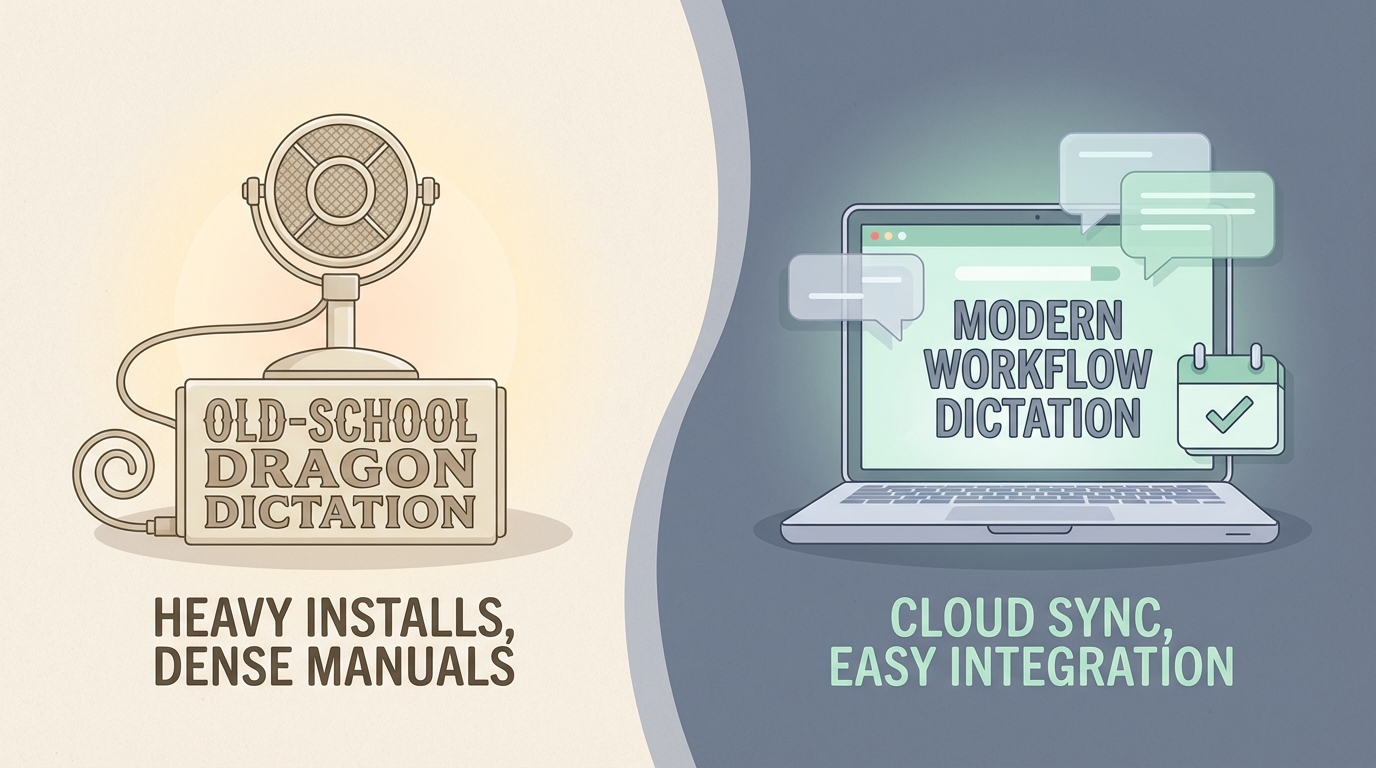
If you are searching for a Dragon dictation alternative, you are probably not looking for a toy.
You want speech recognition that can handle real work. Notes, reports, CRM updates, emails, client follow-ups, maybe a mess of admin you would rather say out loud than type.
Dragon still matters in that conversation. But it is no longer the default answer for everyone.
For a lot of freelancers, consultants, and operators in 2026, the better question is not “is Dragon powerful?”
It is “does Dragon fit the way I work now?”
What Dragon still does well
Dragon earned its reputation for a reason.
On Windows, it is still one of the most established speech recognition products on the market. Nuance positions Dragon Professional as a serious documentation tool for document-heavy industries, with support for live dictation, voice commands, custom words, and transcription from prerecorded audio files. If you need voice commands, macro automation, or batch transcription in a Windows-heavy environment, Dragon is still a legitimate option.
It also has an enterprise story that many newer dictation tools do not. Dragon Professional Anywhere is built for larger deployments, centralized administration, compliance-sensitive environments, and organizations that want dictation tied into formal documentation workflows.
That is real value.
You can see it in Nuance’s own product pages for Dragon Professional and Dragon Professional Anywhere.
Where Dragon starts to feel old
The problem is not accuracy.
The problem is workflow shape.
Dragon comes from a world where speech recognition was a specialized layer sitting on top of desktop software. That made sense when the main goal was producing long-form documentation on Windows.
Modern dictation work looks different.
A lot of people are not dictating into one big document all day. They are jumping between email, Slack, CRMs, browser tabs, project tools, support systems, and notes. They need dictation to feel native inside those apps, not like a separate system they have to manage.
That is where newer tools pull ahead.
1. Mac users are out
This is the bluntest issue.
Dragon for Mac is gone. Nuance ended the Mac product years ago, and there is no modern Apple Silicon version to install in 2026. If your work happens on a Mac, Dragon is not really an option. It is a historical reference point.
That alone sends a lot of people looking for a Dragon alternative.
2. Setup and admin overhead are part of the product
Dragon is built for power, but some of that power comes with weight.
That can be fine in an enterprise IT environment. It is less fine if you are an independent consultant who just wants to hold a shortcut, speak into the app already open, and keep moving.
A lot of modern users do not want to think about training, deployment models, admin tooling, or product editions. They want fast dictation that feels invisible.
3. It is built around documentation, not flow
Dragon is great when your job is heavily document-driven.
But if your actual day is a hundred small bursts of work across different tools, the winning product is often the one that creates less friction between thought and output.
That means questions like:
- Does the text land in the exact field I am already in?
- Does it feel immediate while I am speaking?
- Can I use it naturally across browser fields, project tools, and client systems?
- Does it reduce admin after the work is done?
Those are not classic Dragon questions. They are modern workflow questions.
What Superscribe does differently
Superscribe is not trying to be a legacy enterprise dictation suite.
It is built around live dictation that streams into the input field you already have open. Email draft. CRM note. Google Doc. Browser field. Support reply. Project comment. The point is to finish the work where it already belongs.
That changes the feel immediately.
You are not dictating into a separate documentation layer and then dealing with the handoff. You are speaking straight into the workflow.
Live dictation into real work
This is the part many Dragon alternatives still miss.
With Superscribe, text streams into the active field as you speak. Not after a stop-and-paste event. Not through a separate editor you have to manage first.
If your day is full of short, practical work bursts, this matters more than another feature checklist.
It is the difference between dictation as a system and dictation as a habit.
If that angle is what you care about, read Live Dictation Into Any Input Field next.
Automatic time capture is the real modern upgrade
This is where Superscribe separates itself from Dragon and most of the rest of the market.
Every dictation session is tracked automatically by project and duration.
If you are a freelancer or consultant, that means your notes, updates, drafts, and client work can leave behind a usable record of time without you starting a separate timer. That is not a small convenience. It fixes one of the most common reasons people undercount billable work.
Dragon helps you create documentation faster.
Superscribe helps you create documentation while also leaving behind a record of where the work went.
For people who bill by the hour, that is a better fit.
Dragon vs Superscribe
| Feature | Dragon Professional | Superscribe |
|---|---|---|
| Primary platform | Windows | Mac and Windows |
| Mac support | No modern Mac version | Yes |
| Live dictation | Yes, on Windows | Yes |
| Works across everyday app workflows | Can, but feels more traditional | Built for this use case |
| Voice commands and automation | Strong | Focused on dictation workflow |
| Prerecorded audio transcription | Yes | Not the core angle |
| Automatic time tracking | No | Yes |
| Best fit | Windows-heavy documentation workflows | Fast live dictation inside real work |
Choose Dragon if
Dragon is the better fit if:
- you work on Windows and want a mature speech recognition product with a long track record
- voice commands, macros, or transcription from existing audio files matter to you
- your environment is document-heavy and may involve IT-managed deployment
- you are in a legal, healthcare, public sector, or compliance-sensitive workflow where Dragon is already common
Choose Superscribe if
Superscribe is the better fit if:
- you want a Dragon dictation alternative that works on Mac today
- you need live dictation in the tools you already use, not just in a documentation workflow
- you are a freelancer, consultant, or operator moving across many apps all day
- you want automatic time capture as a side effect of doing the work
- you care more about low-friction workflow than legacy speech-command depth
The honest takeaway
Dragon is not obsolete.
It is just optimized for a different era and a different kind of user.
If you are on Windows, need serious voice-command power, and live inside formal documentation workflows, Dragon can still make sense.
If you want modern dictation that feels native inside everyday work, especially on Mac or in fast-moving client work, Superscribe is the better alternative.
That is the split.
Not old versus new.
Structured, legacy speech-recognition power versus workflow-native dictation that gets out of your way.
Try Superscribe at superscribe.io
Speak where you already work. Let the text land there. Keep the time.
Related reading
- Dictation App for Mac That Types Where You Work
- Live Dictation Into Any Input Field
- Time Tracking for Consultants Who Hate Timers
- Best Voice to Text Apps for Windows in 2026
Frequently asked questions
Is Dragon still good in 2026?
Yes, especially on Windows for professionals who need mature speech recognition, voice commands, and documentation-focused workflows. It is still a serious product.
Does Dragon work on Mac?
No modern version does. Dragon for Mac was discontinued years ago, so Mac users usually need a Dragon alternative.
What is the best Dragon alternative for freelancers and consultants?
If you want live dictation inside the apps you already use and automatic time capture for client work, Superscribe is a strong fit.
What is the main difference between Dragon and Superscribe?
Dragon is a traditional, Windows-first speech recognition product with deep documentation and voice-command features. Superscribe is built for live dictation in everyday workflows, with automatic time tracking attached to the work session.
Try Superscribe free
Dictate into any app. Track your time automatically. No credit card required.
Get Started