Fireflies Alternative for Work You Can Use
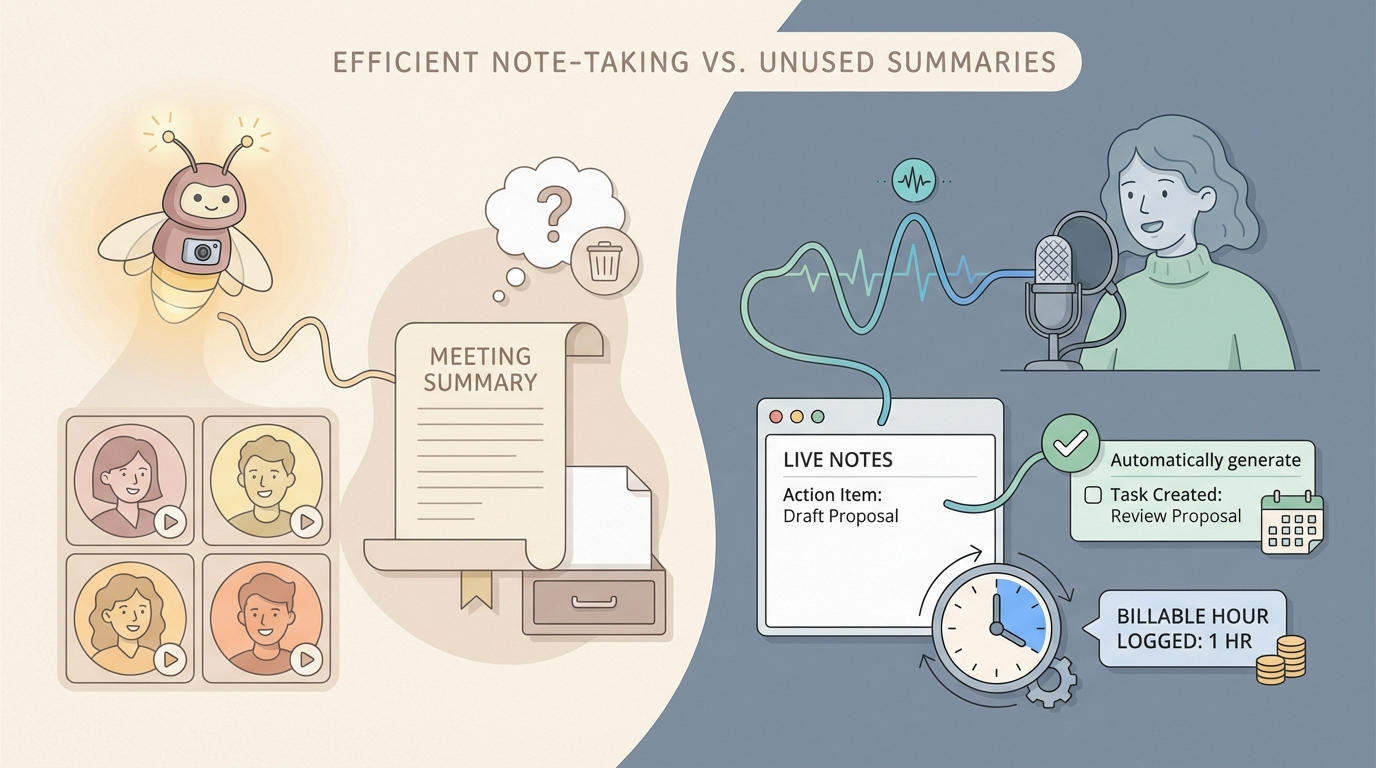
Fireflies has a clear job.
It records meetings, transcribes them, summarizes them, and makes those conversations searchable later. If your team lives in Zoom, Google Meet, or Teams all day, that is useful.
But many people searching for a Fireflies alternative are not really trying to buy a better meeting archive.
They are trying to get work done faster.
They want to speak an email, a client update, a CRM note, a proposal change, or a project summary directly into the app where that work already lives. They do not want to create a transcript first and then figure out what to do with it.
That is the split.
Fireflies is built for meeting memory. Superscribe is built for live work output.
What Fireflies Does Well
Fireflies is good at the thing it is built for.
On its homepage, Fireflies positions itself as an AI notetaker for meetings. Its pricing page highlights real-time notes, live transcriptions, meeting search, AI summaries, uploads, a Chrome extension, and mobile apps.
That makes it a strong fit if your workflow starts with conversations you need to revisit later.
A few real strengths stand out:
- meeting transcription is the core product
- summaries and searchable notes are built into the experience
- it supports major meeting platforms
- it works across team workflows, not just solo dictation
- higher plans add analytics, video recording, and admin controls
If your main problem is “we had the meeting, now where are the notes,” Fireflies makes sense.
Where Fireflies Stops Being the Best Fit
The problem is not that Fireflies is weak.
The problem is that meeting transcription and workflow-native dictation are different categories.
A meeting notetaker helps after a conversation happens.
A live dictation tool helps while the work is happening.
That difference becomes obvious fast if you are a freelancer, consultant, founder, or operator moving through real apps all day.
1. A transcript is not the same thing as finished work
Fireflies helps you capture what happened in a call.
That is useful. It is also only one step removed from the actual work.
After the transcript, you still need to turn it into something usable:
- an email reply
- a CRM update
- a client recap
- a project note
- a support handoff
- an invoice-friendly record of what happened
That is where people start feeling the extra layer.
Superscribe is built around dictation that lands directly in the active field while you speak. You are not speaking into a meeting archive and translating it later. You are finishing the task where it already belongs.
If that is the workflow you care about, read Live Dictation Into Any Input Field next.
2. Meeting capture is not day-to-day work capture
A lot of billable work does not happen inside formal meetings.
It happens in all the small pieces around them.
You send the follow-up. You update the brief. You log the decision. You answer the client. You clean up the deliverable. You write the next step into the project tool.
That is real work. It also gets missed by tools centered on meeting recording.
Superscribe is stronger here because each dictation session can become part of the work trail itself. You speak into the actual task, and the time is tracked by project and duration automatically.
That makes it much more relevant for people who lose money in scattered bursts of untracked work.
If that pain sounds familiar, How to Track Billable Hours Automatically Without Timers goes deeper on it.
3. Fireflies is for conversations about work. Superscribe is for doing the work.
This is the cleanest way to think about the difference.
Fireflies helps you remember and analyze conversations.
Superscribe helps you produce the output itself.
That may sound obvious, but it changes the buying decision.
If your day is heavy on calls, transcripts, and team visibility, Fireflies has the better shape.
If your day is heavy on writing inside real tools, direct dictation matters more than a better meeting summary.
Fireflies vs Superscribe
| Feature | Fireflies | Superscribe |
|---|---|---|
| Primary angle | Meeting transcription and summaries | Live workflow-native dictation |
| Best starting point | Calls, recordings, meeting notes | The active input field where work is happening |
| Real-time notes | Yes | Not the core pitch |
| Live dictation into the field you already have focused | No, not the core workflow | Yes |
| Meeting search and summaries | Yes | No, different job |
| Automatic time tracking | No | Yes |
| Best for | Teams that need searchable meeting memory | Freelancers, consultants, and operators doing real work in many apps |
| Platforms | Web, mobile, browser extension, meeting integrations | Mac and Windows |
Choose Fireflies If
Fireflies is the better pick if:
- your main pain is losing meeting notes
- you need transcripts, summaries, and search across team conversations
- you want a meeting memory system more than a dictation tool
- most of your workflow starts in calls, not in direct written output
- you care about analytics and collaboration around meetings
Choose Superscribe If
Superscribe is the better pick if:
- you want to speak directly into email, docs, CRM fields, support tools, and browser inputs
- you care about live dictation more than post-call summaries
- you want work output, not just meeting records
- you are a freelancer or consultant who needs billable time captured while working
- you hate rebuilding your day from memory after the work is already done
The honest takeaway
Fireflies is not really a bad Superscribe competitor.
It is a good product in a neighboring category.
If you need better meeting notes, summaries, and searchable transcripts, Fireflies is a reasonable choice.
If you need your voice to turn directly into usable work inside the tools you already use, Superscribe is the better alternative.
That is the real comparison.
Meeting memory versus live execution.
A lot of people think they need better notes. What they actually need is less friction between thought and finished work.
That is where Superscribe wins.
Try Superscribe at superscribe.io
Speak where you already work. Let the text land there. Keep the time.
Related reading
- Otter Alternative for Freelancers Who Need Usable Output
- Live Dictation Into Any Input Field
- How to Track Billable Hours Automatically Without Timers
- Time Tracking for Consultants Who Hate Timers
Frequently asked questions
Is Fireflies a dictation app?
Not in the way most people mean it. Fireflies is primarily a meeting transcription and AI notetaking product. It captures conversations well, but that is different from live dictation into the field where you are already working.
What is the main difference between Fireflies and Superscribe?
Fireflies is built around meetings, transcripts, summaries, and searchable conversation history. Superscribe is built around live dictation directly into working apps, with automatic time tracking attached to the work session.
Who should pick Superscribe over Fireflies?
Freelancers, consultants, founders, and operators who want voice to turn directly into usable work output are a better fit for Superscribe.
Try Superscribe free
Dictate into any app. Track your time automatically. No credit card required.
Get Started