Descript Alternative for Live Dictation Into Real Work
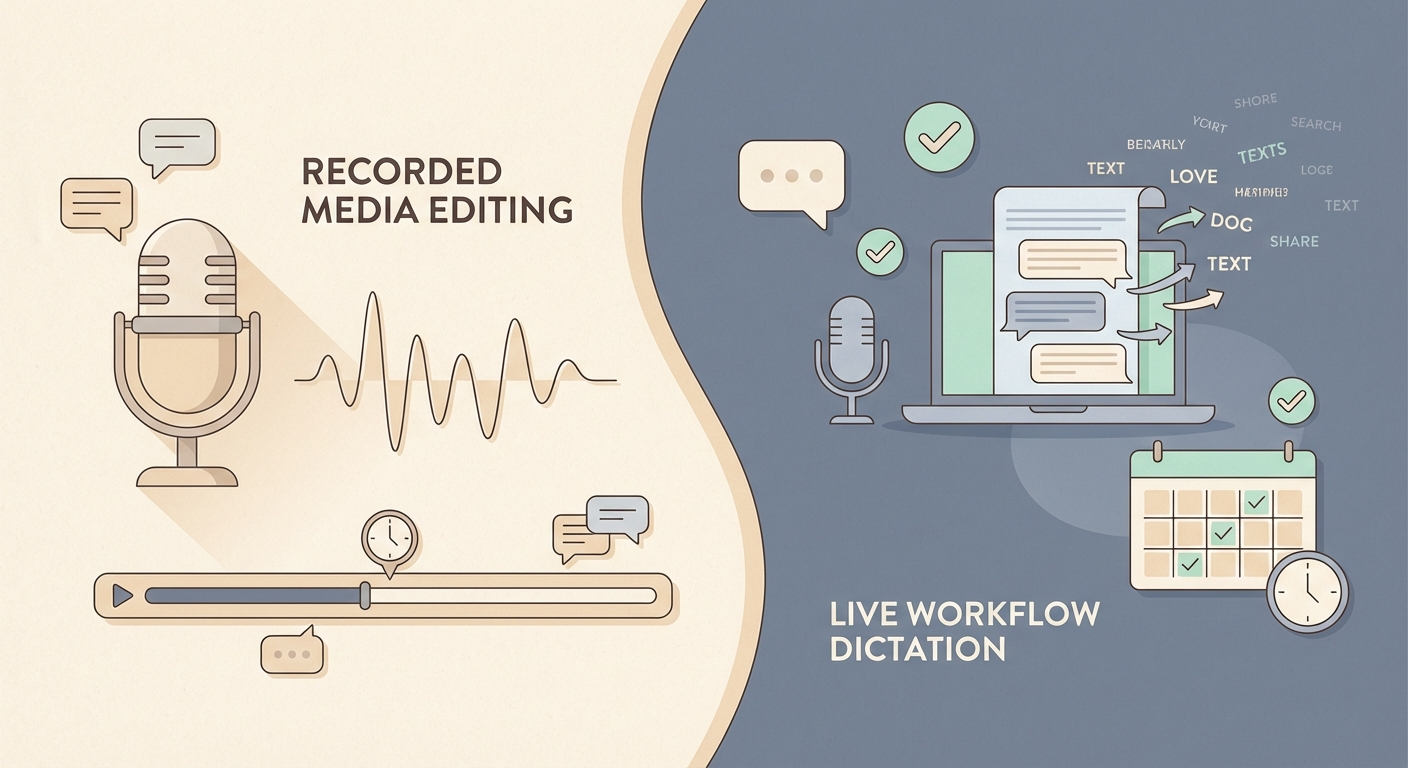
Descript is a genuinely impressive piece of software.
It lets you edit audio and video by editing a transcript. You delete words, the media cuts. You overdub your own voice to fix flubbed sentences. You publish a polished podcast or video without touching a timeline. For content creators and anyone working with recorded audio, it is a category-defining tool.
But if you search for a Descript alternative, the question you are usually asking is different.
You are not trying to edit a podcast episode. You are trying to get words out of your head and into the field where they belong — your email, your CRM, your client brief, your project notes — without the friction of typing everything out by hand.
Those are different problems. Descript solves one of them very well. The other one it was never built for.
What Descript Does Well
Descript is built around recorded media. Its core loop is: record something, read the transcript, edit the text to edit the media.
That is a powerful idea, and it works. Its standout features include:
- transcript-based audio and video editing
- Overdub: AI voice cloning to fix mistakes without re-recording
- screen recording for tutorials and walkthroughs
- podcast and video publishing tools built in
- collaboration features for teams working on shared media projects
If you produce content — podcasts, YouTube videos, recorded demos, webinars — Descript is worth understanding. Its text-driven editing workflow genuinely reduces the time it takes to turn a raw recording into a polished final cut.
Where Descript Is Not the Right Tool
The gap between Descript and what most people searching for a “Descript alternative” actually need is significant.
Descript is a media production tool. Its voice features are about editing what you already recorded — not about capturing work as it happens in real time.
If you want to speak a client update and have it land in your inbox draft while you are on a call, Descript cannot do that. If you want to voice-type a project note directly into Notion without switching windows, Descript is not built for that. If you want your dictation sessions tracked by project automatically so you have a billable record at the end of the week, Descript has no answer for that at all.
These are not edge cases. For freelancers and consultants, this kind of live written output — outside of any recorded session — is most of what the day involves.
1. Descript requires a recording to work on
This is the fundamental structural difference.
Descript’s workflow starts with something already recorded. You import a file, or you record directly in the app, and then you edit from the transcript.
That is not the same as live dictation. It is not the same as speaking into an email as you write it, or dictating a task note while you are already inside a project tool, or verbally filling a CRM field without switching to a separate recording environment.
Live dictation does not require a recording step. It streams your voice into text as you speak, directly into whatever field your cursor is in, across any app on your system. There is no import, no transcript to process afterward, no separate step between speaking and having the output land where it belongs.
Live Dictation Into Any Input Field covers exactly how this works.
2. The output lands in a different place
Descript outputs edited audio or video files. Sometimes it also exports transcripts or clips.
Superscribe outputs live text, directly into the active input field you are already using.
These are not competing approaches to the same job. They are different tools for different workflows. Descript helps you finish a production. Superscribe helps you produce written work without slowing down.
For someone writing client emails, updating project trackers, logging work into a CRM, or drafting proposals throughout the day, the live text output is what matters — not a transcript of a recording that has to be processed and routed somewhere useful.
3. There is no time tracking in Descript
This is the gap that quietly matters most for freelancers.
Descript tracks nothing about your work time. It does not know what project you are working on, how long you have been dictating, or how to connect your voice activity to a billable record.
Superscribe does all of this automatically.
Every time you dictate, the session is logged. You assign it to a project. The duration is captured. By the end of the day, your time trail exists without you running a separate timer or filling in a timesheet.
For freelancers who lose money to untracked gaps between tasks, that matters more than a better transcript editor.
How to Track Billable Hours Automatically Without Timers covers this in more depth.
Descript vs Superscribe
| Feature | Descript | Superscribe |
|---|---|---|
| Primary angle | Audio and video editing via transcript | Live workflow-native dictation |
| Best use case | Podcasts, videos, recorded media editing | Any input field where work is happening |
| Live transcription | No — requires recording first | Yes, streams into active field |
| Transcript-based editing | Yes | No — different category |
| Live dictation into any app | No | Yes |
| Automatic time tracking | No | Yes |
| Overdub / voice cloning | Yes | No |
| Screen recording | Yes | No |
| Free plan | Yes, limited | Trial available |
| Best for | Content creators editing audio and video | Freelancers doing written output across apps |
| Platforms | Mac and Windows | Mac and Windows |
Choose Descript If
Descript is the better pick if:
- you produce podcasts, YouTube videos, or recorded demos
- you want to edit audio by editing a transcript
- you need Overdub to fix recording mistakes without re-recording
- your team collaborates on shared media projects
- screen recording for tutorials is part of your regular output
Choose Superscribe If
Superscribe is the better pick if:
- you want to speak directly into email, CRM fields, docs, project tools, and client apps
- you need live dictation that streams text into whatever your cursor is already in
- you want time tracked automatically without a separate timer app
- most of your work is written output rather than recorded media
- you are a freelancer or consultant losing hours to slow typing and untracked work time
The honest takeaway
Descript is not a bad product. For what it does — transcript-based editing of recorded media — it is one of the best tools in its category. The Overdub feature alone is something genuinely novel, and the workflow it enables for podcast creators is real.
But if you landed on this page looking for a tool that helps you speak your work into existence — email by email, note by note, update by update — Descript was never the answer to that problem.
The tool for that is live dictation into your working environment. Voice that lands in the field your cursor is already in. Time that records itself as you work.
That is the gap Superscribe was built to fill.
Descript edits what you recorded. Superscribe captures what you are doing right now.
For freelancers who live in written output, that difference is the whole day.
Try Superscribe at superscribe.io
Speak where you already work. Let the text land there. Keep the time.
Related reading
- Otter Alternative for Freelancers Who Need Usable Output
- Notta Alternative for Freelancers Who Need Live Work Output
- MacWhisper Alternative for Live Dictation
- Live Dictation Into Any Input Field
- How to Track Billable Hours Automatically Without Timers
Frequently asked questions
Is Descript a dictation app?
No. Descript is an audio and video editing tool that uses transcripts as the editing interface. You record something first, then edit it by editing the transcript. That is fundamentally different from live dictation, which streams voice into text in real time as you work.
What is the main difference between Descript and Superscribe?
Descript is a media production tool. Superscribe is a live dictation tool. Descript helps you edit recordings after the fact. Superscribe lets you speak directly into any app on your desktop — email, CRM, project tools, docs — with automatic time tracking built in.
Can Superscribe replace Descript for podcast editing?
No, and it was not designed to. If you produce podcasts or videos, Descript is the better fit for the editing workflow. If you want live voice-to-text for written work throughout your day, Superscribe is the better fit for that. They solve different problems.
Does Descript track billable time?
No. Descript is focused on media production and has no time tracking features. Superscribe tracks time automatically as you dictate, logging sessions by project so your billable record builds itself without a separate app.
Does Descript work for live dictation outside of recordings?
Descript’s transcription and voice features are tied to its recording workflow. It is not designed to stream live dictation into arbitrary input fields across your desktop apps the way Superscribe does.
What voice tools are similar to Descript but for live dictation?
If you are looking for live voice-to-text rather than recorded media editing, the category you want is live dictation — tools like Superscribe that stream text directly into active input fields without a recording step. See the comparison posts above for how they compare.
Try Superscribe free
Dictate into any app. Track your time automatically. No credit card required.
Get Started