
The incident was fixed in 20 minutes.
The ticket took 45.
That is the frustrating part of IT support work. The valuable work happens during the call, but the record of that work is written afterwards, from memory, chat messages, screenshots and whatever you still remember while the next client is already calling.
For solo IT consultants, small managed service providers and small DevOps teams, the documentation often takes longer than the fix. If you handle five to ten support calls a day, that adds up to hours. It also means lost income, because the ten-minute quick fixes are the ones that never reach the invoice.
The best app for IT support call notes is not only a recorder. It is the app that gives you the material for the support record while the details are still fresh.
Why normal call notes are not enough
A support call is rarely only a conversation. It usually contains:
- the user’s actual problem
- details about their computer, network or system
- what changed before the problem appeared
- the troubleshooting steps
- the fix or the workaround
- follow-up tasks
- billable time
- an explanation the client can understand
- internal notes you do not want to send to the client
A plain transcript records the words, but it does not separate those things. You still read the transcript, find the cause, write the client update, create the ticket, add the private note and log the time.
Giving your manager a fifteen-minute transcript of a troubleshooting call is like giving them raw logs instead of a root cause report. They want to know what was broken, what you did, and what the status is now.
For calls that become tickets
Support calls with the notes already written
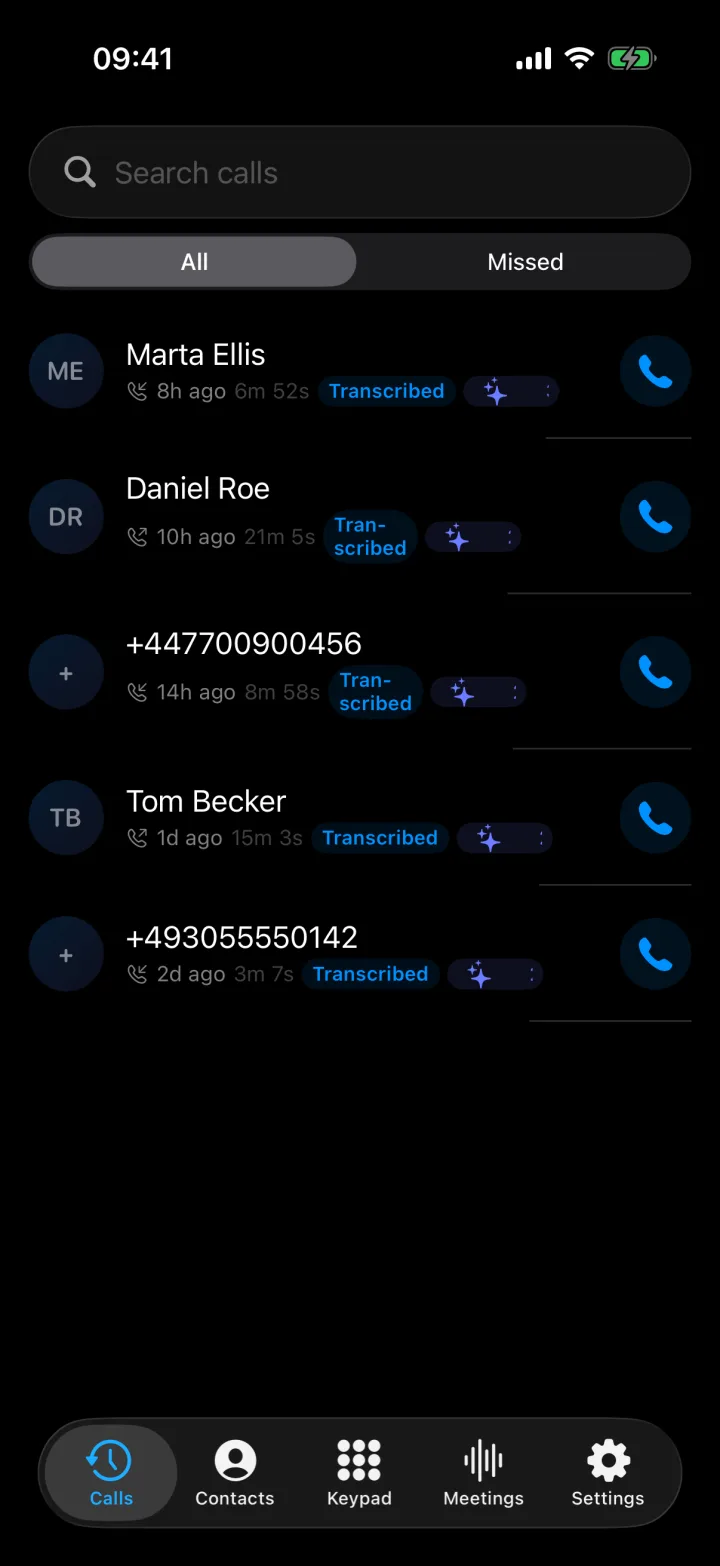
Superscribe Phone records the call on your own number and gives you a summary, the next steps and the full transcript when you hang up.
What an IT support call notes app should do
A useful support notes app should do more than save audio. You should finish the call with most of the documentation already in front of you.
1. Record both sides of the call
Support details come from both people. The client describes the symptoms. You ask questions. They remember a recent change. You test a fix. They confirm it works.
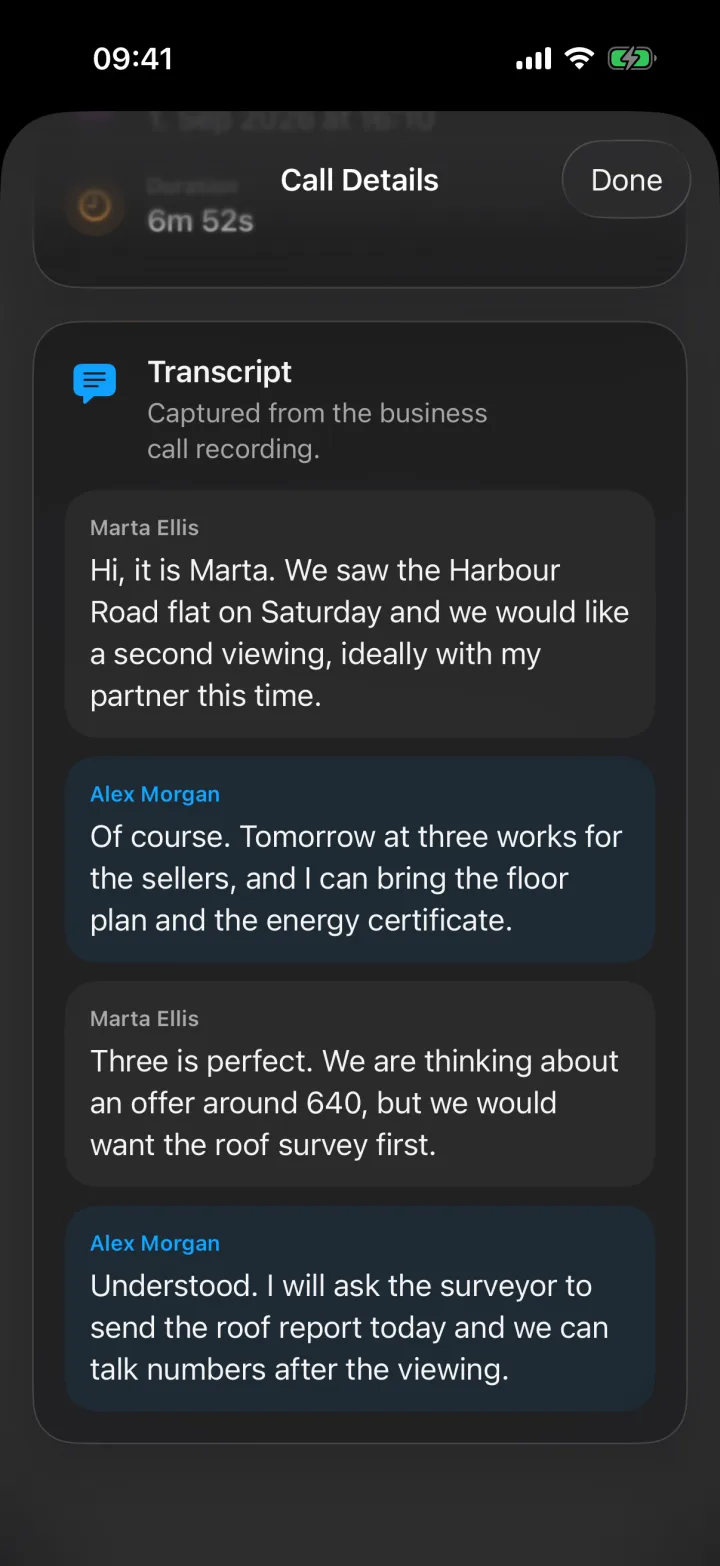
If the tool only records your own typed notes, the client’s details still depend on your memory. Superscribe records the call itself, and the transcript shows who said each line.
2. Give you a summary, not only a transcript
A transcript is raw material. After each call, Superscribe gives you a title, a short summary, the next steps and the full transcript. That is what you use to write the ticket: the problem, the affected system, the likely cause, what you did, the result and what still needs doing.
Superscribe does not fill in fields in your helpdesk tool for you. It gives you everything you need to fill them in within a minute or two, instead of rebuilding the call from memory.
3. Help you keep internal notes and client updates apart
Your internal note and your update to the client are different documents.
Internal note:
- VPN profile was out of date
- user had not restarted the laptop in 19 days
- replaced the saved login details
- check again if it happens a second time
Client update:
- We found an outdated VPN profile and refreshed the connection settings. Access is working again. We will watch for the problem coming back.
Superscribe does not write or send emails or messages. After each call, it gives you a summary and a list of action items. You write the client update yourself, with everything you need in front of you. It can also suggest a call back, a calendar event, a reminder, a new contact or a checklist, and each suggestion waits for your tap.
4. Record the time against the right client
Many IT consultants charge too little because short calls are never written down. Once you have added your client projects, Superscribe tries to file each call to the right one based on what was said, so the time spent on the call is recorded without a timer. Dictation on your Mac or Windows computer is filed the same way. On Business Voice and Sales, you also get billable call records by client and project.
5. Let the information leave the app
Notes that stay inside a call app are still unfinished work. For IT support, the result often needs to become a helpdesk ticket, a client record, a time entry or a task for later.
Superscribe connects directly to Pipedrive, where each business call is logged as an activity with the summary, next steps and transcript. It has no ready-made connection to helpdesk tools. On Business Voice and Sales, your own software or an AI assistant can read your calls and notes, so a developer can use them to create tickets in the tools you already use.
Two typical support calls
The quick fix. A client calls about a printer that stopped working. You fix it in five minutes. Before you hang up, you say what you did: “I have remapped the printer and checked the drivers on the print server.” After the call, that is in the summary and the transcript. You copy it into the ticket, and the call time is recorded against that client.
The bigger incident. A server goes down and you are on a video call with the rest of the team. The Superscribe app for Mac and Windows can record the meeting from your own computer, without a bot joining the call. As you talk through your steps, the transcript keeps them in the order they happened. When the server is back, the timeline for the incident review is already there to read. If a colleague or the client needs to join by phone, you can add them to a call or a meeting on Business Voice and Sales.
Where big helpdesk tools fall short for small teams
Large support platforms handle call centres, queues, reports, routing and analytics. That is useful when you run a full support operation.
But many IT consultants and small teams do not need a new phone system just to document calls better. They need each call to become a clean support record without adding more admin work. This gap hurts most for:
- solo IT consultants
- two-person managed service providers
- freelance DevOps engineers
- small internal IT teams
- technical founders who support their clients directly
These teams do not want another dashboard to watch. They want the support call to give them the summary, the steps and the next action.
When the ticket needs more than a transcript
The summary and the next steps from the call itself
Superscribe Phone records support calls on your own number and gives you what you need to write the ticket and the client update.
How Superscribe fits
Superscribe Phone is built for calls that create work. This is how it works:
- You keep your own mobile number and your phone company. You set up call forwarding once on your iPhone: the app gives you a short code to paste into the Keypad, and your phone company confirms it.
- From then on, all your calls ring in the Superscribe Phone app instead of the normal phone screen, and also in the Superscribe app on your Mac or Windows computer if you are signed in. Clients dial the number they already know.
- The call is recorded and transcribed.
- When you hang up, you get a title, a summary, the next steps and the transcript.
- The call is filed to the client project, and logged in Pipedrive if you use it.
If you do not answer, the call is saved as a missed call. There is no voicemail. When you call a client from the app, they see your own number once you have verified it in Settings.
Superscribe does not play any recording message to the other person. If the law where you work requires it, tell them that you are recording the call.
This is the same idea behind How IT Consultants Stop Losing Billable Time After Support Calls and Automatic Incident Reports from Support Calls.
The limits, in one place
- Superscribe is not a helpdesk and does not create tickets in helpdesk tools by itself.
- It does not write or send emails or messages.
- Phone calls are captured by Superscribe Phone on iPhone. There is no Android app.
- It is not a phone system. There are no queues, extensions, phone menus or call routing.
- Once forwarding is on, all calls to your number go to the app.
- Calls need a paid plan. There are no free minutes.
What it costs
Superscribe Phone is free to download from the App Store. Calls need a paid plan, from €49 a month, with a 30-day money-back guarantee on your first month.
Starter, at €49 a month, suits a solo consultant: 600 minutes a month, of which up to 100 can be outgoing. Business Voice, at €99 per seat a month, suits a small team: 1,200 minutes per seat, shared across the team, plus adding people to calls, billable call records and access for your own software. Prices are before VAT, and yearly billing saves 15%. After your minutes run out, you choose between €0.15 a minute or a hard stop. Incoming calls still connect either way.
A practical checklist
If you are choosing an IT support call notes app, ask these questions:
- Does it record the full call, not only my typed notes?
- Does it give me a summary I can turn into a ticket quickly?
- Does it keep the troubleshooting steps and the fix?
- Does it help me record billable time per client?
- Can the information reach the tools I already use?
- Does it reduce admin after the call, or only give me something else to read?
The last question matters most. If the app gives you a transcript but you still spend 30 minutes turning it into a ticket, the work has only moved. It has not gone away.
Related reading
- Call notes for IT support
- Otter alternative for IT support
- How IT Consultants Stop Losing Billable Time After Support Calls
- Automatic Incident Reports from Support Calls
- Automatic Call Notes for Freelancers
- How to Track Client Work Without Timers
Frequently asked questions
What is the best app for IT support call notes?
The best app records the call and gives you what you need for the support record: a summary, the steps, the fix and the next actions. Superscribe Phone does this for calls on your own mobile number, and the Superscribe app for Mac and Windows does it for video meetings.
Is a transcript enough for IT support calls?
Usually not. A transcript helps, but support teams need tickets, internal notes, client updates and follow-up tasks. The transcript is raw material, not the finished support record.
Can phone calls become support tickets automatically?
Not by themselves in Superscribe. You get the summary and the next steps to write the ticket from. On Business Voice and Sales, a developer can connect your own software to your calls and notes and create tickets from them.
Who needs automatic support call notes most?
Solo IT consultants, small managed service providers, freelance DevOps engineers and small internal IT teams. They often take the call, fix the problem, update the client and write the ticket themselves.
If support calls keep creating admin work
Finish the call with the notes already written
See how Superscribe for IT support records calls on your own number and gives you the summary, the next steps and the time per client.