Otter Alternative for Freelancers Who Need Usable Output
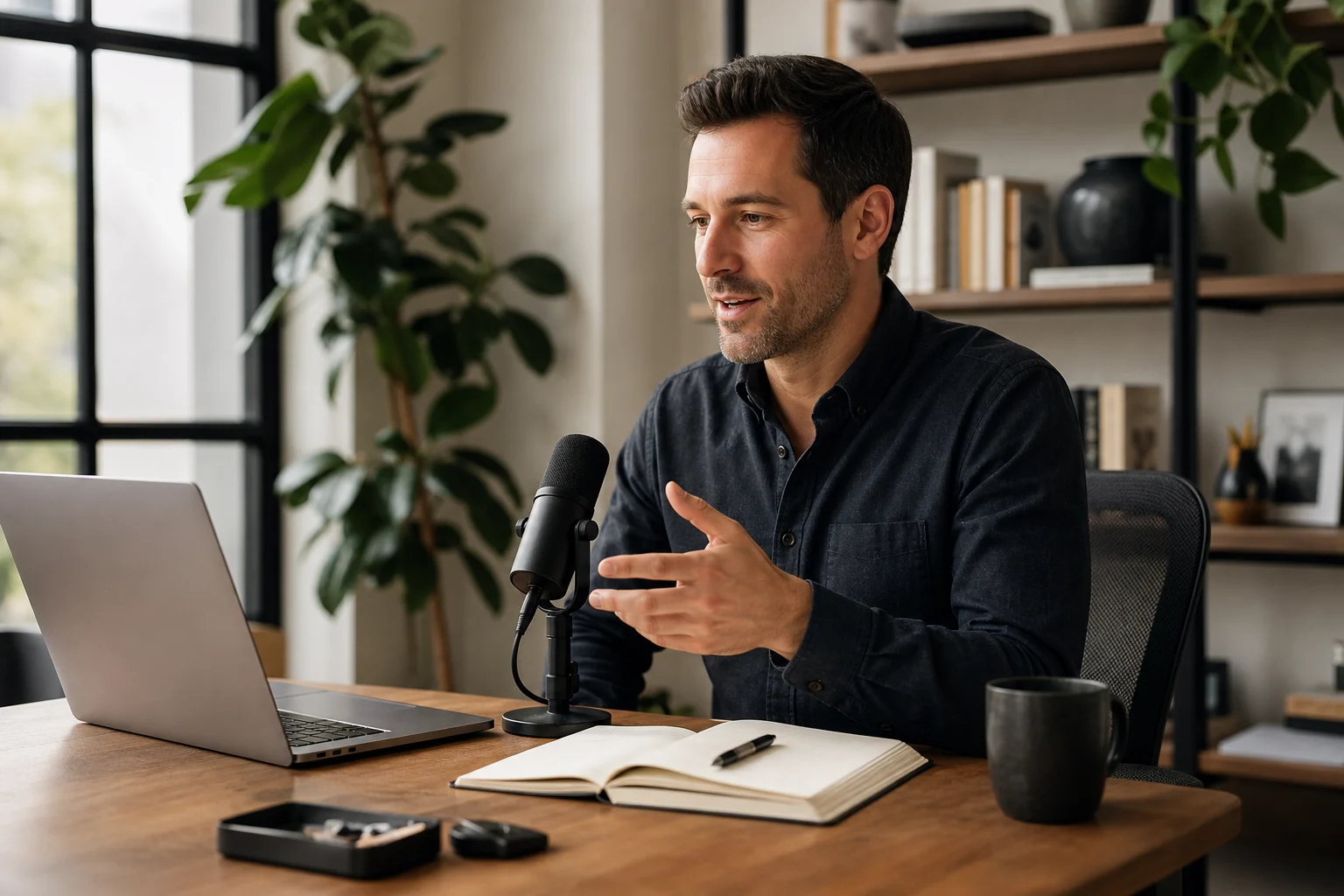
Otter.ai is a good product.
If most of your work happens in video meetings, Otter is one of the most polished ways to get a searchable transcript with a summary and action items. It can join your Zoom, Google Meet or Microsoft Teams calls for you, and a team can keep all its meeting notes in one place.
But many freelancers, consultants, estate agents, recruiters and brokers find that Otter covers only a small part of their day. The problem is usually not the quality of the transcript. The problem is what happens after the conversation ends, and all the conversations that never happen in a video meeting.
What Otter does well
Otter is built around one workflow. You have a meeting, Otter records it, and soon after you have a transcript with the speakers marked, a summary and a list of action items.
That solves a real problem. You can listen to the client instead of taking notes. You can search your old meetings. You can share a transcript with a colleague who was not there.
If your main problem is remembering what was said in video meetings, Otter is a sensible choice.
Where the workflow breaks down for freelancers
The transcript is not the finished work
When the meeting is over, you still have work to do. You need to write to the client, update your CRM, add a task and note the time for the invoice.
Otter gives you the record. Moving that information into your other tools is still your job, usually by copy and paste. For many freelancers, the transcript is not what slows them down. What slows them down is everything between the transcript and the next piece of work.
A lot of client work happens on the phone
A client calls your mobile. You call a candidate back from the car. A buyer rings about a viewing. None of these are video meetings, so a meeting assistant has nothing to join.
Many people who work by phone end up with good notes for the one video call each week, and no notes at all for the twenty phone calls.
Some meetings have no link
A site visit, a property viewing or a meeting at the client’s office has no meeting link. No assistant can join it. If you want a record, you need something that records the room.
Billable time disappears
For a freelancer, lost money is usually not dramatic. It is ten minutes on a call here and a quick clarification there. It is a call back that was real work but never made it onto the invoice.
If those moments are not captured when they happen, they are missing at the end of the month. A better archive of your video meetings does not fix that.
What Superscribe does differently
Superscribe is not a meeting assistant. It covers the three places where spoken work happens: phone calls, meetings, and the text you write at your desk. In each case, the result ends up where the work continues.
Phone calls on your own number
Superscribe Phone is an iPhone app. You keep your own number and your phone company. You set up call forwarding once on your iPhone, and your calls then ring in the Superscribe Phone app.
Forwarding sends all your incoming calls to Superscribe, not only the ones you miss. They ring in the app, and also on your Mac or Windows computer if the Superscribe desktop app is signed in to the same account. The first one you answer takes the call. The person calling you simply dials your normal number. Calls you make from the app are recorded as well, and after you verify your number in Settings, the other person sees your own number.
After each call, Superscribe gives you a transcript, a summary and a list of action items. You write the follow-up yourself, with everything you need in front of you. It can also suggest a call back, a calendar event, a reminder, a new contact or a checklist. Each suggestion waits for you to confirm it with one tap.
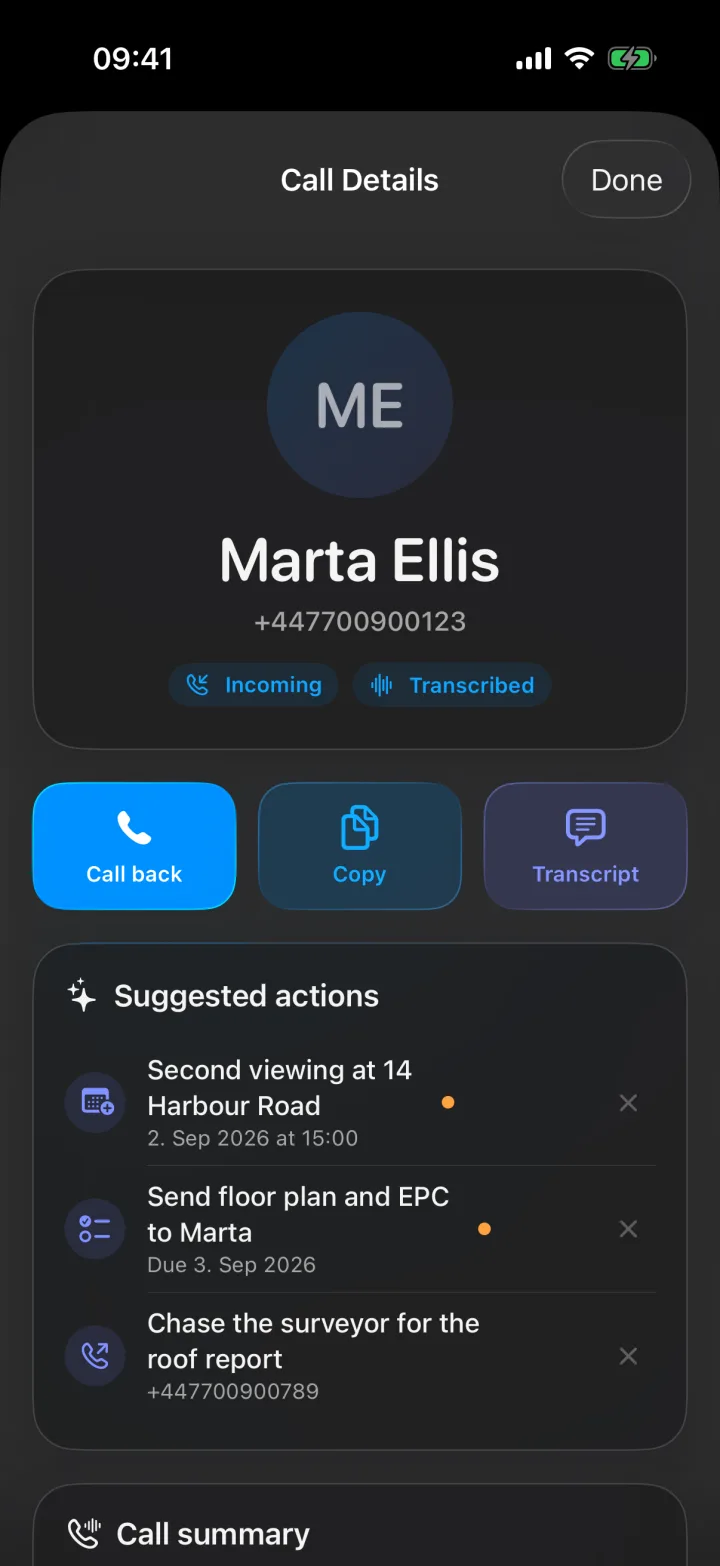
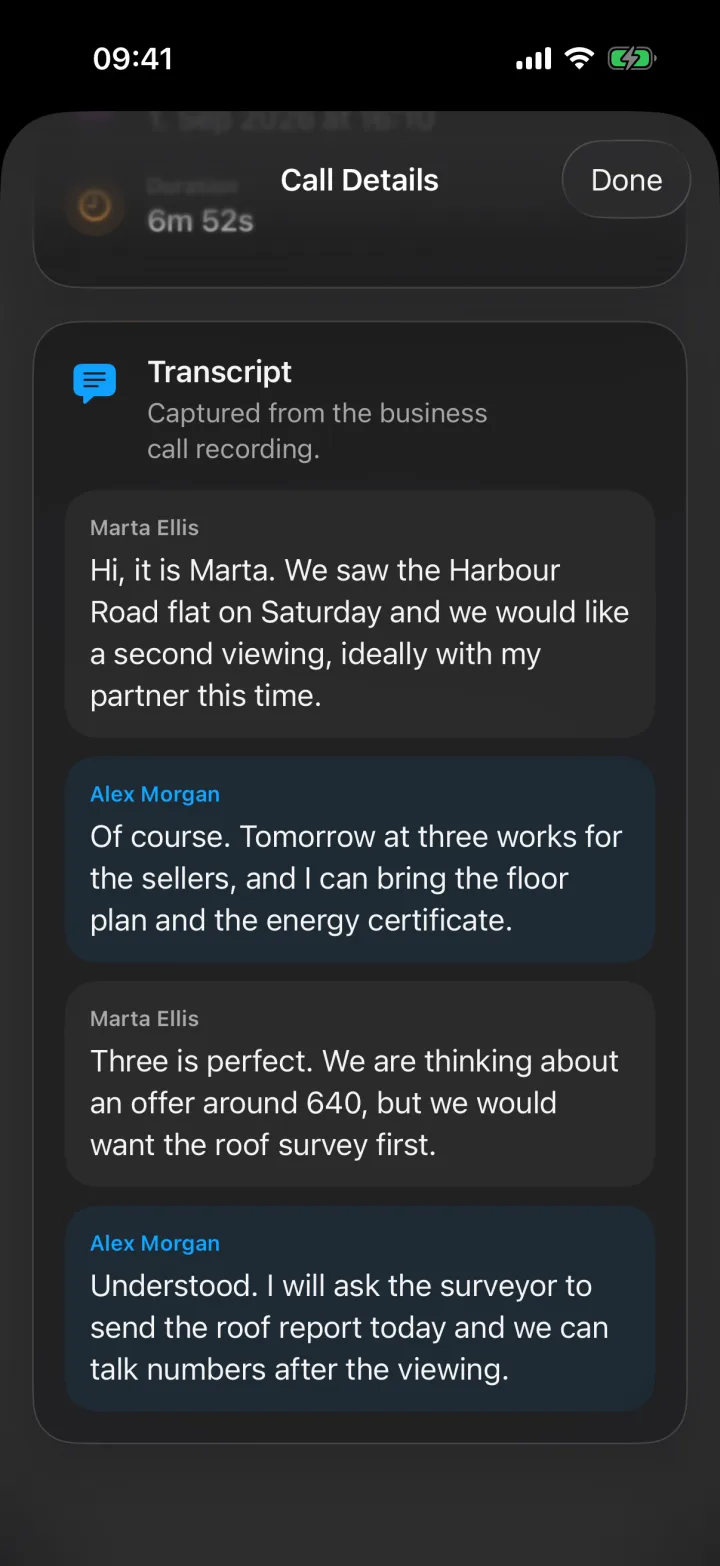
Superscribe does not play any recording message to the other person. If the law where you work requires it, tell them that you are recording the call.
Meetings, with no bot joining
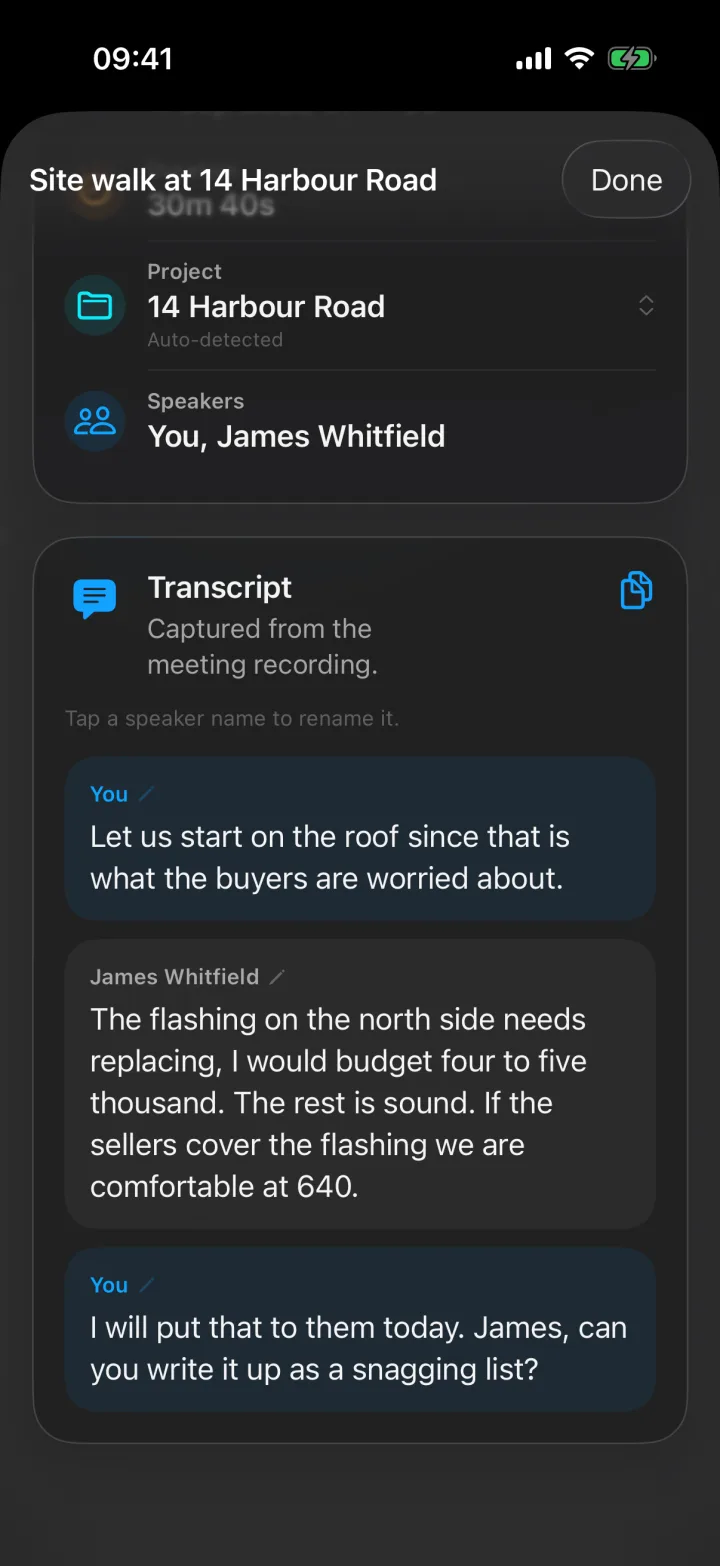
On iPhone. Open Meetings, tap Start meeting and put the phone on the table. When the meeting ends, you get a transcript with each speaker separated, a summary and suggested actions. If someone cannot be in the room, you can dial them into the meeting, and their side goes onto the same transcript. The app reminds you to make sure everyone knows the meeting is being recorded.
On Mac or Windows. The Superscribe desktop app records the video meeting you are already in, from your own computer. It records the sound your computer plays, which is the other people, and your microphone, which is you. Nothing joins the call, so there is no extra participant for anyone to approve. It works with Zoom, Teams, Google Meet or a call in a browser tab.
Dictation that types where you work
Superscribe for Mac and Windows types what you say into the app you already have open: your email, your CRM, a document or a chat window. There is no transcript to copy from.
On a Mac, hold Option + Shift + Space and the words appear at your cursor while you speak. Press Option + Space instead if you want the finished text pasted in when you stop. On Windows, the default keys are Shift + F9 and F9.
This is the part of the day Otter does not try to cover. The client email, the CRM note after a call and the project update are all written in other apps, and that is where your words appear.
Filed to projects and to Pipedrive
Superscribe files your calls and meetings to a project. With cloud dictation, each dictation is also saved to your history and added to a timeline of your day, and Superscribe tries to match it to the right project, for example when you mention the client’s name. You do not start a timer.
If you use Pipedrive, you connect it once in the Superscribe web app. After a call, Superscribe adds a completed call activity to the matching person, with the summary, the key details, the next steps and the transcript. If the call ends with a next step, it can add a follow-up task. If you agreed a date and time, it can add a meeting activity. Recorded meetings are logged as meeting activities. People are matched by their exact phone number, and entries that are not clear wait for your review. Superscribe never changes your deals.
Otter and Superscribe side by side
| Otter | Superscribe | |
|---|---|---|
| Main use | Transcripts of video meetings | Phone calls, meetings and dictation for people who work by phone |
| Video meetings | Joins Zoom, Google Meet and Teams calls for you | The desktop app records the meeting you are in, nothing joins |
| Meetings in a room | Record in the mobile app | Record on iPhone, with speakers separated |
| Calls on your own mobile number | Not built for this | Yes, on iPhone with call forwarding |
| After the conversation | Transcript, summary and action items | Transcript, summary, action items and one-tap suggestions |
| Typing into your other apps | No | Yes, on Mac and Windows |
| Time by client or project | Not the focus | Calls, meetings and dictation filed to projects |
Choose Otter if
- most of your conversations are video meetings
- you want an assistant that joins your calls for you
- your team shares meeting notes in one place
- you record interviews or lectures and mainly need the transcript
Choose Superscribe if
- a lot of your client work happens on calls to and from your mobile number
- you meet people at a site, a viewing or an office, where there is no meeting link
- you want the summary, the action items and the suggested next steps right after the call
- you want to speak straight into your email, CRM or documents at your desk
- you want calls and meetings filed to projects and to Pipedrive without typing them up
A simple test
Think about the last ten conversations that led to paid work.
How many were video meetings? How many were phone calls? How many happened in person? And how much did you write afterwards, in email, in your CRM or in a document?
If most of them were video meetings and you mainly needed the record, Otter is built for that.
If most were phone calls, meetings in person or writing you did afterwards, Superscribe is built for that.
Some people use both. Otter for the video meeting record, and Superscribe for the calls, the rooms and everything they write.
What it costs
Superscribe Phone is free to download from the App Store. Calls need a paid plan, from €49 a month, with a 30-day money-back guarantee on your first month.
The Starter plan includes 600 minutes a month, of which up to 100 can be outgoing calls. It also includes meeting recording, Pipedrive filing, and Superscribe Pro dictation for Mac and Windows. Prices are in euros, before VAT.
If you only need dictation at your desk, Superscribe Pro costs €18 a month. Dictation with the speech models that run on your own computer costs nothing.
Honest limits
- Superscribe Phone is an iPhone app.
- There is no voicemail. A call you do not answer is saved as a missed call.
- Superscribe does not write your emails or messages. It gives you the summary and the action items, and you write the follow-up.
- The desktop app records what your computer can hear. If several people sit around one table, the phone on the table is the better recorder.
FAQ
Is Otter mainly for meetings?
Yes. Otter is strongest when you want transcripts, summaries and a searchable record of your video meetings.
Can Superscribe record calls on my own mobile number?
Yes, on iPhone. You set up call forwarding once, and your incoming calls then ring in the Superscribe Phone app. Calls you make from the app are recorded even without forwarding. Superscribe does not give you a new number.
Does Superscribe join my Zoom call?
No. The desktop app records the meeting from your own computer, so nothing joins the call. For a meeting in a room, you record it with the iPhone app.
Does Superscribe write my follow-up emails?
No. After each call or meeting you get a summary and a list of action items. You write the follow-up yourself. Superscribe can suggest a call back, a calendar event, a reminder, a new contact or a checklist.
Which is better for freelancers?
If you mainly want a searchable record of video meetings, choose Otter. If your work happens on phone calls, in person and in the apps where you write, Superscribe is usually the better fit.
Related reading
If this starts with a call
Try Superscribe Phone on your next business call
Capture the conversation, then turn it into notes, follow-ups, CRM updates, and billable context without rebuilding it from memory.
See the phone workflow