Time Tracking for Consultants Who Hate Timers

Most consultants are good at their work. What they are not good at is the five-second task of starting a timer before the work begins.
That sounds like a discipline problem. It is not. A timer expects you to know, before you start, that billable work is about to happen. A consultant’s day does not work like that.
A client calls while you are finishing a proposal. A quick question turns into a 40-minute conversation. You write the notes, answer an email and call a colleague about the next step. The timer app stays closed. On Friday you have an empty timesheet and a lot of guessing to do.
The short answer
If most of your work happens in long, planned blocks at the computer, a normal timer app such as Harvest, Toggl or Clockify works well.
If your day is split into calls, meetings and short tasks, track the time from the work itself. Record the calls and meetings, speak your notes, and let the time be counted from those recordings.
Why timers fail consultants
Timers work best when the work is:
- planned in advance
- done in long blocks
- clearly for one project
- rarely interrupted
Consulting work is often the opposite. It reacts to clients, it comes in small pieces, and it moves from one client to another many times a day. That causes three problems.
1. Billable work happens between the big tasks
The meeting is easy to remember. The email after it, the call back and the change to the proposal are easy to forget. These small pieces add up quickly over a week.
2. Starting a timer interrupts you
Five seconds is not much. But you need those five seconds many times a day, often while someone is talking to you. After you skip it twice, you stop trusting your timesheet.
3. Friday becomes the day you rebuild the week
You open your calendar, your sent emails and your call history and try to remember what happened. That is not time tracking. It is guessing after the fact.
Two kinds of accuracy
A timer is accurate in one way. Once it runs, it counts the minutes correctly.
Consultants need a different kind of accuracy. Does the record show what really happened on a busy day?
Consultants rarely lose time because a timer counted 38 minutes wrongly. They lose it because nobody started the timer for those 38 minutes.
What consultants actually lose
Here is a simple example. You bill 30 hours a week at €120 an hour, which is €3,600 a week.
Now say you miss 15 percent of your billable time: the short calls, the notes after them and the emails that nobody logged. That is 4.5 hours a week, or €540. Over 42 working weeks, it comes to almost €23,000.
Your own numbers will be different. The one-week test further down shows how to find them.
The consultants who lose the most are often the busiest ones. They are too focused on the client to stop and start a timer every twenty minutes.
A different model: track the work, not the clock
The better model is not “be more careful with timers”. It is “record the work while you do it, and let the time come from that record”.
In practice, that means:
- your client calls are recorded, so their time is already known
- your meetings are recorded in the same way
- the notes you speak after a call also count as work on that project
- at the end of the week you check the hours instead of rebuilding them
This is how Superscribe works.
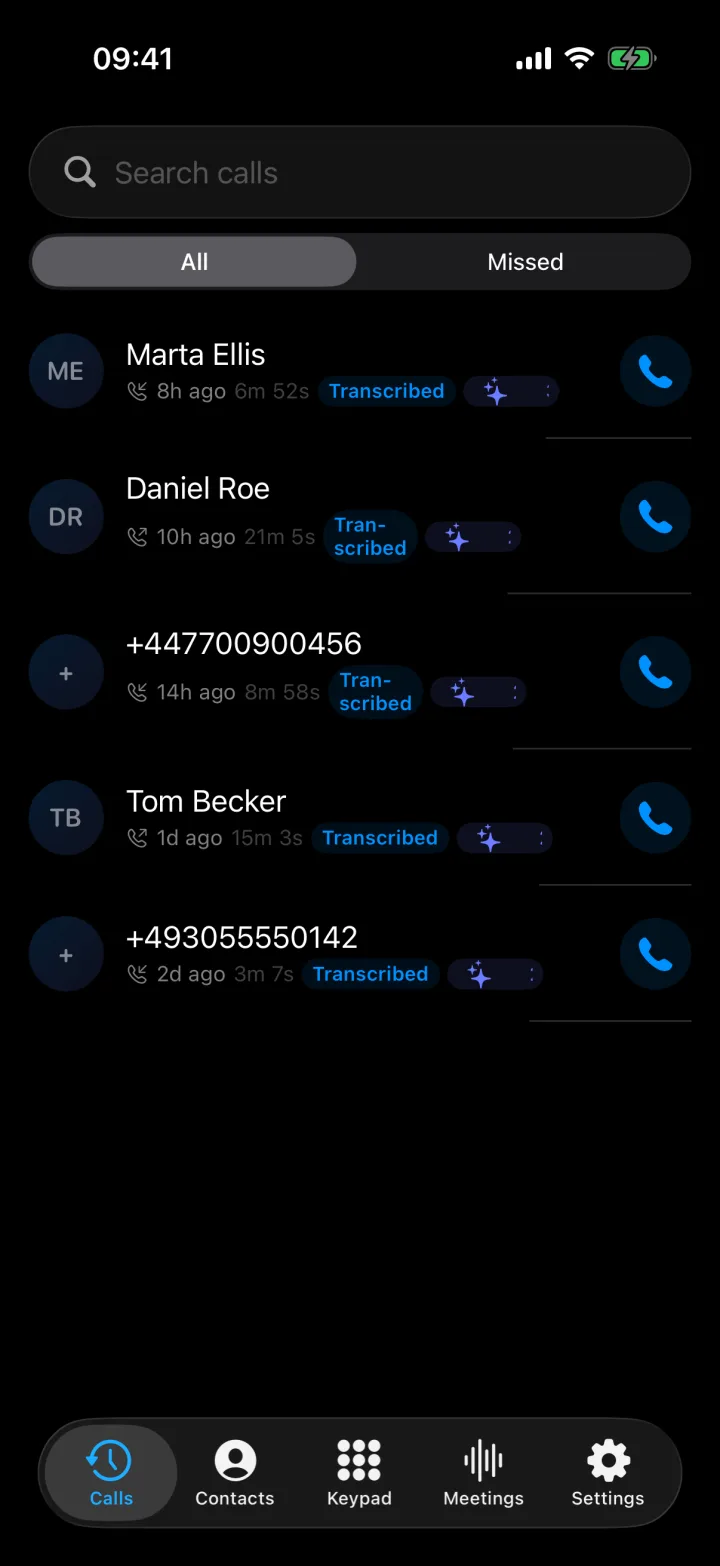
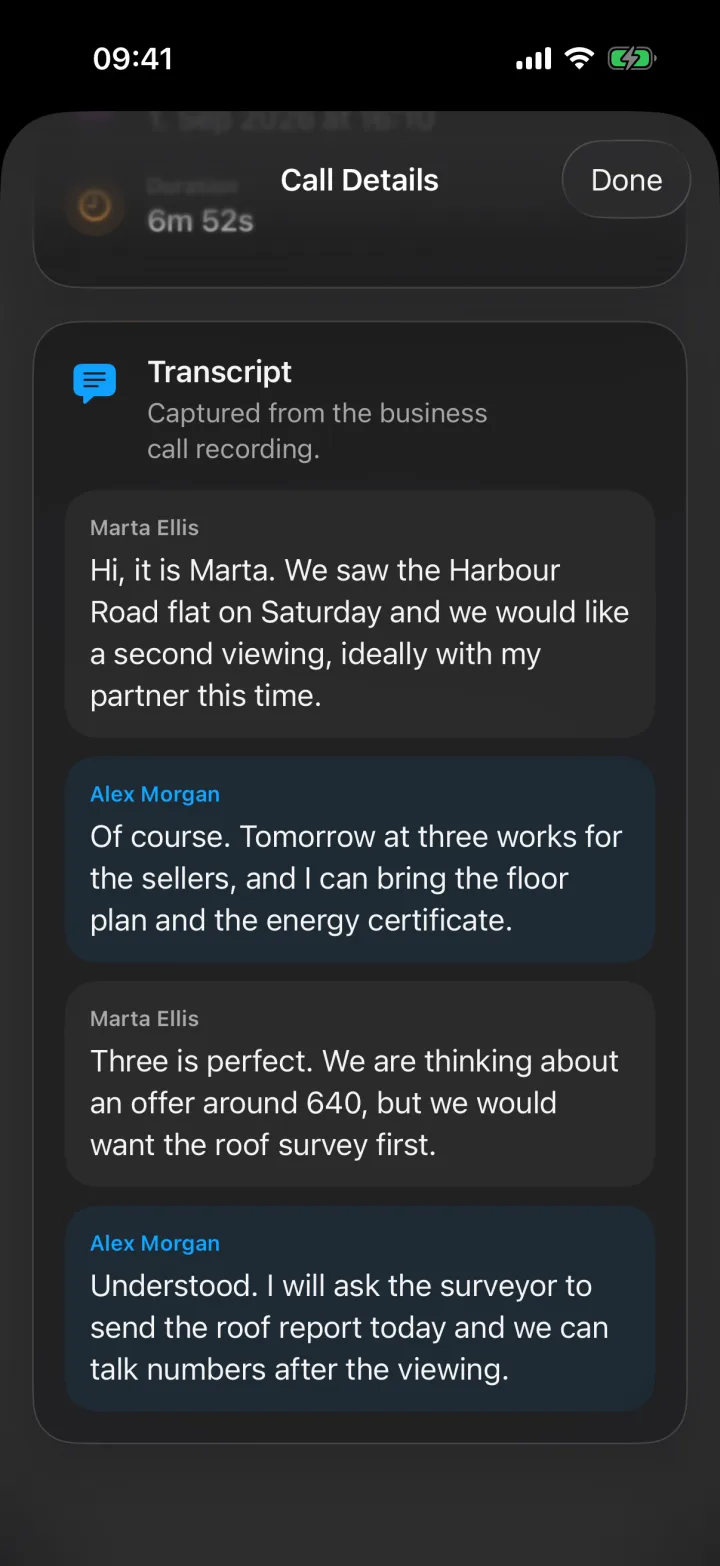
Calls. Superscribe Phone is an iPhone app for business calls on your own number. You keep your number and your phone company. You set up call forwarding once on your iPhone, and your calls then ring in the app. If you are signed in to the Superscribe app on your Mac or Windows computer, calls ring there too. Each call is recorded and transcribed, and you get a summary and a list of action items. Superscribe does not play any recording message to the other person. If the law where you work requires it, tell them that you are recording the call.
Meetings. Record a meeting with your iPhone on the table, or record a video meeting from the Superscribe app on your computer. No bot joins the meeting. Make sure the people in the meeting know that it is being recorded.
Dictation. On your Mac or Windows computer, press a keyboard shortcut and speak. The words appear where your cursor is, in your email, a document or your CRM.
Every call, meeting and dictation goes into a 30-minute time block and is filed to a project. If the project or client name was said, Superscribe uses that project. If not, it compares what was said with your projects and your earlier work. When it is not sure, it suggests a project and you confirm it. You can move a recording to another project at any time.
For each project you choose the billing precision, and the default is 30 minutes. If you add hourly rates to your clients, the Reports page shows the hours and the estimated amount per project, and you can download the report as a PDF.
Timers and recorded work, side by side
With a timer:
- Remember to start the timer before the task
- Pick the project and the task
- Stop the timer when the task ends, or forget to
- Rebuild what you forgot at the end of the week
- Check and correct everything before the invoice
With recorded work:
- Make the call or hold the meeting as usual
- Speak your notes after it, if you want to
- The time goes to the right project, or to a suggestion that you confirm
- Check the report at the end of the week
| Approach | Works best for | Weak point |
|---|---|---|
| Timers | Long, planned work at the computer | Easy to forget on a day full of short tasks |
| Rebuilding the week on Friday | Nobody, but it is common | Slow and inaccurate |
| Recording the work | Consultants who work on the phone and in meetings | You set up call forwarding once and check the suggested projects |
When timers still make sense
Timers are fine when your work is linear. If you sit down for four hours on one project, starting and stopping a timer is easy and accurate. There is no reason to change something that works.
Most consultant days are not like that. They are a long list of separate tasks, many of them shorter than ten minutes, often unplanned and often interrupted.
Choose a timer app if
- your work usually happens in long blocks without interruptions
- you already keep accurate timesheets without much effort
- invoices and expenses matter more to you than easy capture
- you do not mind a separate step for tracking time
Choose recorded work if
- your day is split across calls, meetings, notes and short client tasks
- you keep losing small billable pieces between the big tasks
- you want call notes and action items without typing them
- you are tired of rebuilding your week from memory
How to check your own setup
Answer three questions honestly.
Is your data accurate? Open your time tracking app and look at last Tuesday. Does it show what you really did, or is it a guess?
How long does rebuilding take? If you spend more than 15 minutes a week rebuilding your timesheet from memory, you are already paying for the timer model.
What happens to the short tasks? Are the short client calls, emails and quick reviews in your timesheet? If not, how much time do they add up to in a week?
A simple one-week test
You can try this without any new software. For one week, after each task, write or speak one sentence: what you did, for which client, and roughly how long it took. Keep all the sentences in one note for the day.
At the end of the week, compare that list with your normal timesheet. The difference is an estimate of how much time you lose.
Most consultants who try this find more missing time than they expected. If you want the record to build itself, without that extra sentence after every task, try Superscribe on your calls for a week.
Where to get it
Superscribe Phone is free to download from the App Store. Calls need a paid plan, from €49 a month, with a 30-day money-back guarantee on your first month. Every plan includes meeting recording, dictation on Mac and Windows, and time tracking. See pricing for the details.
If you only want dictation and time tracking on your computer, without phone calls, Superscribe Pro costs €18 a month.
For a direct comparison with a classic timesheet and invoicing tool, read Harvest Alternative for Consultants and Consulting Firms.
FAQ
What is the best time tracking method for consultants?
The best method is the one you use every day without thinking about it. For consultants who spend much of the day on the phone and in meetings, that usually means tracking time from the calls and meetings themselves, not from a timer.
Why do consultants lose billable hours with timers?
They lose the time between the larger tasks: short calls, emails, notes and quick reviews. These are easy to skip when logging depends on remembering to start a timer.
Can I track billable hours without a timer?
Yes. Superscribe counts the time from your recorded calls, meetings and dictation and files it to a project. If you add hourly rates, it shows the hours and the estimated amount per project, and you can download the report as a PDF.
Do I have to stop using Harvest, Toggl or Clockify?
No. If they work for you, keep them. Superscribe does not connect to them, so you enter the weekly totals from the Superscribe report yourself.
Does the other person hear that the call is recorded?
No. Superscribe does not play any recording message. If the law where you work requires it, tell the other person that you are recording the call.
If this starts with a call
Try Superscribe Phone on your next business call
Capture the conversation, then turn it into notes, follow-ups, CRM updates, and billable context without rebuilding it from memory.
See the phone workflow