Call Transcript to Action Items
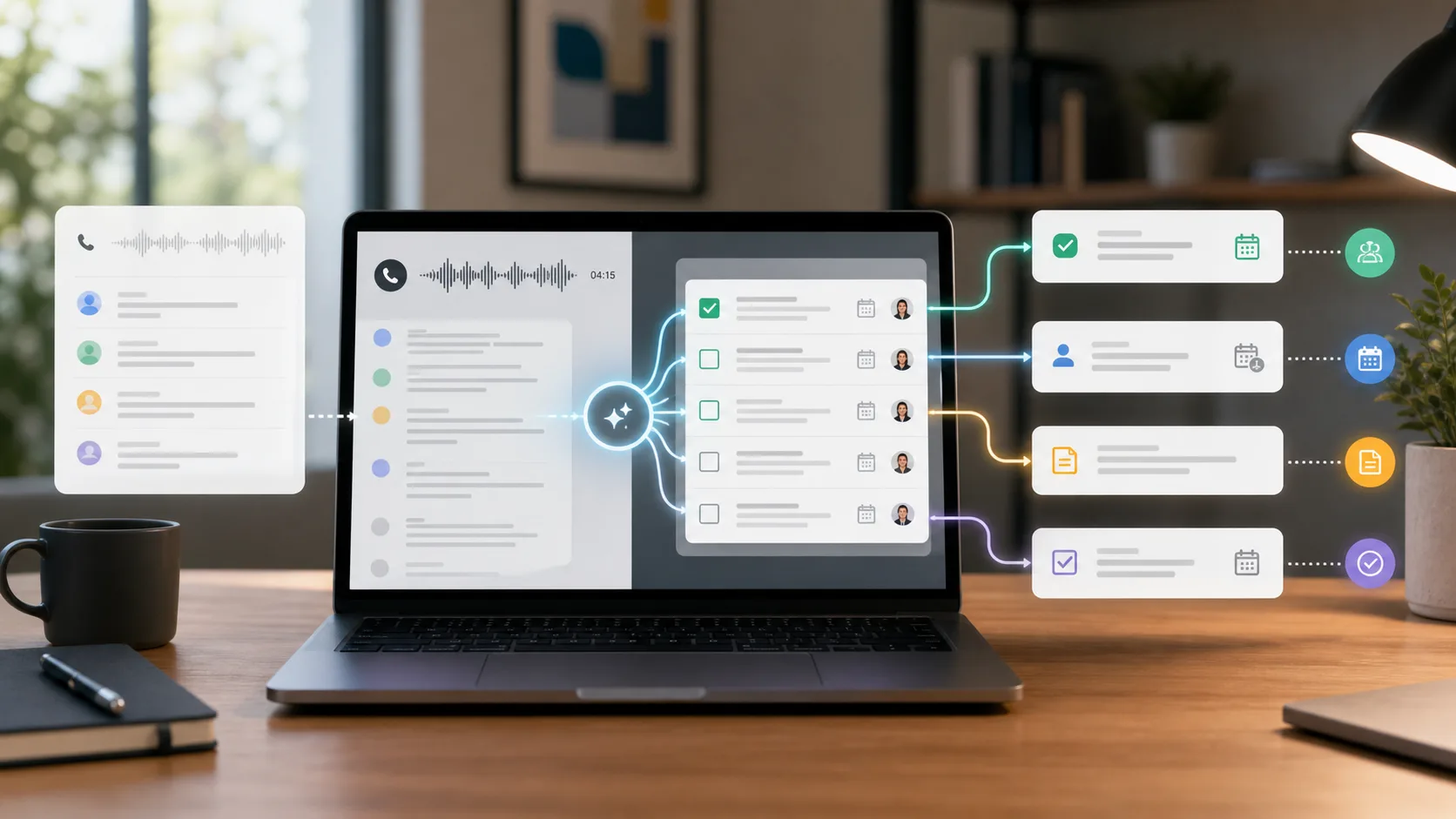
A call transcript is not finished when the words are saved.
That is when the second job starts.
The client promised to send a file. Your team promised a revised scope. Someone mentioned a blocker. A support issue needs a ticket. A follow-up email has to go out before the detail goes soft.
The transcript contains all of that.
It just does not separate the work from the conversation.
That is why turning a call transcript to action items matters. The useful output is not the raw record. The useful output is a clear list of who owes what, by when, and where the next update belongs.
When calls should become next steps
Turn transcripts into reviewed actions
Superscribe Phone helps turn business calls into summaries, action items, follow-ups, CRM context, tickets, tasks, and billable detail before the next conversation starts.
The short version
A good call transcript to action items workflow should extract:
- the decision
- the action item
- the owner
- the deadline
- the related customer, account, project, ticket, or deal
- the follow-up that should be sent
- any risk, blocker, or open question
The test is simple.
Could someone who missed the call understand what needs to happen next?
If the answer is no, the transcript has not become work yet.
A transcript preserves too much
Transcripts are valuable because they keep the full record.
They are also hard to act on for the same reason.
A normal business call includes greetings, repeats, corrections, false starts, side comments, and context that only mattered for three minutes. Buried inside that noise are the few lines that matter after the call ends.
For example:
- “Can you send the updated import file by Thursday?”
- “We should open a support ticket for the permissions issue.”
- “Legal still needs to review the data clause.”
- “Let’s move option B forward if the estimate stays under four hours.”
Those lines are not just transcript fragments.
They are work instructions.
The problem is that most transcript tools still leave a person to find them, rewrite them, assign them, and move them into the right system.
That is the same gap behind AI phone call notes. A summary helps, but the next workflow still needs structured output.
Action items need more than verbs
Many tools can spot phrases that sound like tasks.
That is not enough.
“Follow up with client” is technically an action item. It is also weak.
A useful action item should say:
- who owns it
- what the next step is
- who or what it affects
- when it is due, if known
- where it should be tracked
- what context the owner needs
Weak:
Follow up about onboarding.
Useful:
Maria to send the revised onboarding checklist to Priya by Thursday and add the import-risk note to the CRM account.
The second version can become real work. It has an owner, a recipient, a deadline, and a destination.
That is the difference between extracting a task-shaped sentence and turning a call into a workflow.
The transcript should produce several outputs
One call often creates more than one action.
A client call might create:
- a CRM note for account history
- a task for the project owner
- a follow-up email for the client
- a ticket for the support queue
- a handoff note for the next teammate
- a billing or scope note for later invoicing
One generic list cannot serve every destination equally well.
The CRM needs customer context. The project board needs owner and deadline. The ticket needs reproduction detail and current status. The follow-up email needs client-safe language.
That is why client call notes software should be judged by what happens after capture. A prettier transcript is not the same as usable output.
What to capture from a call transcript
Use this as a checklist when reviewing any transcript-to-action workflow.
1. Decisions
Capture what was settled.
Good decisions are written as facts:
- Client approved option B if estimate stays under four hours.
- Team postponed migration until legal reviews the data clause.
- Support will treat the permissions issue as a new ticket, not a reopen.
“Discussed option B” is not enough.
2. Commitments
Separate what your team promised from what the client promised.
This matters because both sides can block the next step.
Your team might owe a recap, quote, fix, document, or revised timeline. The client might owe an approval, file, stakeholder answer, access change, or procurement detail.
The transcript should not flatten both into “follow-up needed.”
3. Owners
Every action item needs an owner.
If ownership is unclear, keep that visible.
An unowned action item should not pretend to be assigned. “Owner unclear” is better than a fake name that sends the work to the wrong person.
4. Dates and urgency
Dates hide in casual language.
“Before Friday’s demo,” “once legal replies,” “after the import finishes,” and “by next invoice run” all matter. They may not look like formal due dates, but they shape what happens next.
The action item should preserve the timing signal, even when the exact date needs review.
5. Destination
The most useful question is not only “what is the task?”
It is “where should this go?”
Some outputs belong in CRM. Some belong in a ticket. Some belong in a project board. Some belong in a follow-up email. Some should stay internal.
That routing step is where call notes to tasks becomes more useful than a plain recap.
Review before routing
Action items from transcripts should be reviewed before they become record.
AI can misread who promised what. It can turn a suggestion into a commitment. It can miss that a deadline was conditional. It can make a support ticket too vague to solve.
The better flow is:
- Capture the call.
- Structure the transcript into summary, decisions, action items, risks, and destinations.
- Review the output while the call is still fresh.
- Send each piece to the right place.
That gives speed without filling the CRM, ticket queue, or task board with half-true notes.
Where Superscribe fits
Superscribe Phone is built for the layer after the call.
It helps business calls become reviewed summaries, action items, follow-ups, CRM context, tickets, tasks, and billable detail instead of another transcript to clean up.
That matters because a call transcript is only source material.
The work starts when someone knows what changed, who owns the next step, and where the update belongs.
A simple template
If you are still doing this by hand, use this structure after each call.
Summary:
What changed during the call.
Decisions:
What was approved, rejected, delayed, or left open.
Action items:
Owner, next step, destination, and deadline when known.
Client commitments:
What the client agreed to send, confirm, review, or decide.
Internal commitments:
What your team agreed to send, fix, draft, create, or update.
Risks and blockers:
Budget, timing, stakeholder, technical, legal, or scope issues.
Follow-up:
The client-safe recap that should be sent.
FAQ
How do you turn a call transcript into action items?
Read the transcript for decisions, commitments, owners, dates, risks, and destinations. Then rewrite each useful item as a concrete next step with an owner and where it should be tracked.
Are action items the same as a call summary?
No. A summary explains what happened. Action items explain what needs to happen next.
Should AI action items from calls be reviewed?
Yes. Calls contain conditional promises, unclear ownership, and sensitive context. Review the output before sending it to CRM, tickets, task boards, or clients.
Can Superscribe help with call transcripts and action items?
Yes. Superscribe Phone helps turn business calls into reviewed summaries, action items, follow-ups, CRM context, tickets, tasks, and billable detail.