Call Notes to Tasks
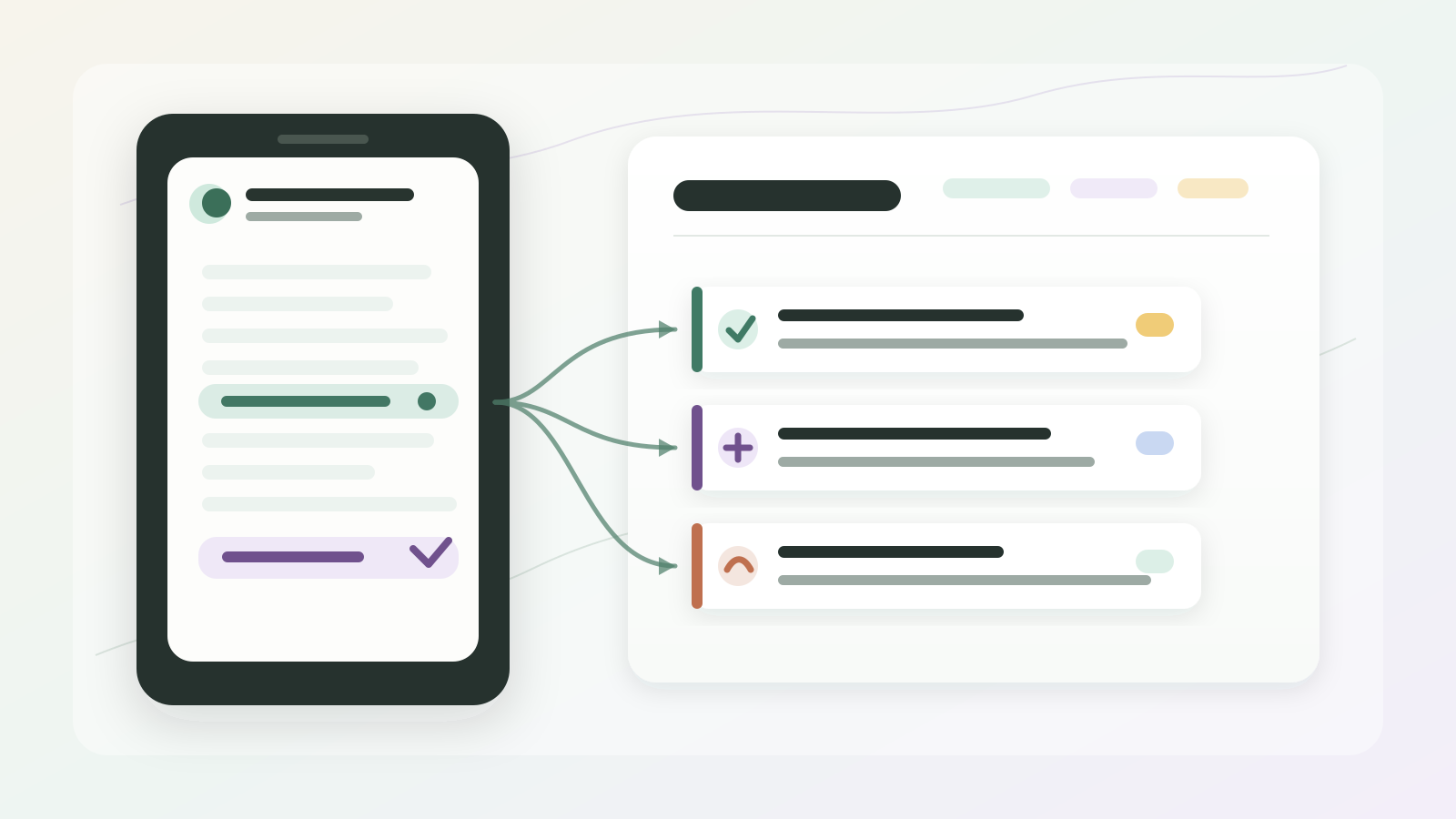
Call notes are not the finish line.
They are the raw material.
The useful part happens when the note becomes a task someone can actually do. A client asks for a revised proposal. You promise to send a link. A teammate needs to check an integration. A support issue needs a ticket. None of that is finished because it appears somewhere in a recap.
The note has to become work.
That is the real job behind call notes to tasks: pull the next steps out of the conversation, give them owners, add the missing context, and put them somewhere they will not be forgotten.
When call notes should become work
Turn calls into reviewed tasks and follow-ups
Superscribe Phone helps turn business calls into summaries, tasks, follow-ups, CRM context, tickets, and billable detail before the next call pushes everything out of your head.
The short version
A good call notes to tasks workflow should capture:
- what needs to happen next
- who owns it
- who requested it
- the client, project, deal, ticket, or account it belongs to
- the due date or promised timing
- the follow-up you promised the client
- any blocker, risk, or open question
- where the task should live after the call
The task should make sense to someone who was not on the call.
If it only says “follow up with client,” the workflow failed. That is not a task. It is a reminder that another person still has to reconstruct the call.
Why call notes fail as task lists
Most call notes preserve the conversation order.
Tasks do not work in conversation order.
A client might mention the actual ask in minute four, change the scope in minute eleven, add the deadline in minute twenty, and confirm the owner as everyone is saying goodbye. A transcript can hold all of that. A normal summary may even mention all of it.
But the task needs a shaped version:
Send the revised onboarding checklist to Priya by Thursday, including the import-risk note and the new SSO requirement.
That is usable.
It has an owner, a recipient, a due date, and the context that keeps the task from turning into a vague to-do item.
This is the same problem behind call transcript to action items. A transcript can preserve everything and still leave the next step unclear.
A task needs a destination
“Create task” sounds simple until you ask where it should go.
One call can produce several different kinds of work:
- a project task for the delivery team
- a CRM note for account history
- a ticket for support
- a follow-up email for the client
- a calendar reminder for a deadline
- a scope or billing note for later
Those are not the same object.
If everything lands in one generic task list, the team still has to sort it later. The better workflow is to decide the destination while the call context is still fresh.
For a consultant, that might mean the client promise goes into the project board, the account context goes into CRM, and you write the follow-up email from the summary while the call is still fresh.
For an IT support team, the troubleshooting detail belongs in the ticket, while the customer update belongs in the reply thread. That is why support call notes need more structure than a plain recap.
The useful structure
Use this checklist when turning call notes into tasks.
1. Extract the commitment
Look for promises, requests, decisions, blockers, and open questions.
Examples:
- “Can you send the updated pricing by Friday?”
- “We need engineering to confirm whether SSO supports this setup.”
- “Open a support ticket for the permission issue.”
- “Let’s move forward if the estimate stays under four hours.”
These are not just sentences from the call.
They are commitments that need a place to live.
2. Add the missing fields
A task should not depend on memory.
Before it lands in a tool, add:
- owner
- client or account
- project or ticket
- due date
- source call
- short context note
- next visible action
Weak:
- Check SSO.
Useful:
- Alex to confirm whether Acme’s SSO setup supports contractor accounts before Thursday’s onboarding call. Add answer to the Acme implementation ticket.
The second version removes the reconstruction work.
3. Separate tasks from notes
Not every useful detail is a task.
Some details are reference context:
- the client prefers email over Slack
- budget approval is waiting on finance
- the production issue started after a password policy change
- the stakeholder is worried about migration timing
Those details should stay in the note, CRM record, ticket, or account history. Turning everything into a task creates noise.
The best workflow separates:
- tasks, because someone must act
- notes, because someone may need context
- follow-ups, because the client expects a response
- records, because the business needs history
That split is where call notes become useful work output instead of another pile of text.
Why real-time capture helps
Post-call cleanup is fragile because the next call starts too soon.
You hang up with clear memory. Ten minutes later, another client calls. By lunch, two deadlines and one blocker have blended together.
Real-time capture changes that because the call is already being shaped while the detail is fresh. You can review the task list, correct the owner, and send the follow-up before the context decays.
That does not mean every task should be blindly automated.
It means the summary and the task list should exist before you are forced to rebuild the call from memory.
That is also the reason client call notes software matters. The capture step is only valuable if it reduces the admin that normally happens after the conversation.
A simple call notes to tasks template
After each client call, create this output:
Call summary
One paragraph with the client, topic, decision, and current state.
Tasks
Each task should include:
- owner
- action
- client or project
- deadline
- destination
- source context
The follow-up you send
A short message confirming what was agreed, what happens next, and who owns each step. You write it yourself, but the summary and the task list already hold every detail it needs.
CRM, ticket, or project note
The durable context that should survive beyond the task list.
That gives you four useful outputs from one call. The task list is only one of them, but it is the one that prevents the next step from disappearing.
Where Superscribe fits
Superscribe Phone is built for the moment after a business call, when the conversation has to become work.
The goal is not just to store a transcript.
The goal is to turn the call into reviewed notes, tasks, follow-ups, CRM context, tickets, and billable detail while the call still makes sense.
That is the difference between “we have call notes somewhere” and “the next step is already in motion.”