Call Notes That Go Straight Into CRM

The call ends, and the client record in your CRM is still empty.
You remember that the buyer asked about the service charge. You remember that you promised to send the floor plan. You remember that the seller wants an answer by Friday. Then the phone rings again.
Later, writing the CRM note means rebuilding the call from memory. That is how a small task after each call turns into a cost on every client conversation.
The short version
Your CRM should not depend on your memory.
After a client call, the useful parts should be saved on the person, the deal or the project they belong to. That usually means:
- a short summary of the call
- the person or company involved
- what changed
- what was decided
- objections or risks
- what was promised, and by whom
- dates and deadlines
- when the next contact should happen
The goal is not to store more words. The goal is that the next person who opens the record, including you next week, knows what happened.
Why CRM notes get skipped
Most people do not skip CRM notes because they dislike admin. They skip them because calls create work faster than anyone can write it down.
A recruiter finishes a call with a candidate and goes straight into a call with the hiring manager. An estate agent hangs up in the car and drives to the next viewing. A broker takes one urgent call, then another. The CRM update was supposed to happen after the call, but there is no quiet moment after the call.
A transcript does not update the CRM
Many call tools record the conversation, write a summary and list the action items. That helps at first. Then the summaries collect in their own app.
Now you have your email, your messages, your calendar, your CRM and a call notes app. The information exists, but it sits in one more place that you have to remember to check.
A transcript keeps the conversation. A CRM note changes the client record. If the transcript is in one tool and the CRM is in another, someone still has to read the call, pick out what matters and type it into the CRM. That is the step that gets skipped. There is more on this in why CRM notes are not transcripts.
The CRM note is a handoff
A good CRM note is not a diary entry. It is a handoff to the next person. It should tell them:
- why the call happened
- what the client wanted
- what changed since the last contact
- what was promised
- what is still in the way
- who does the next step, and when
This note is weak:
Good call. Client interested. Follow up next week.
This note is useful:
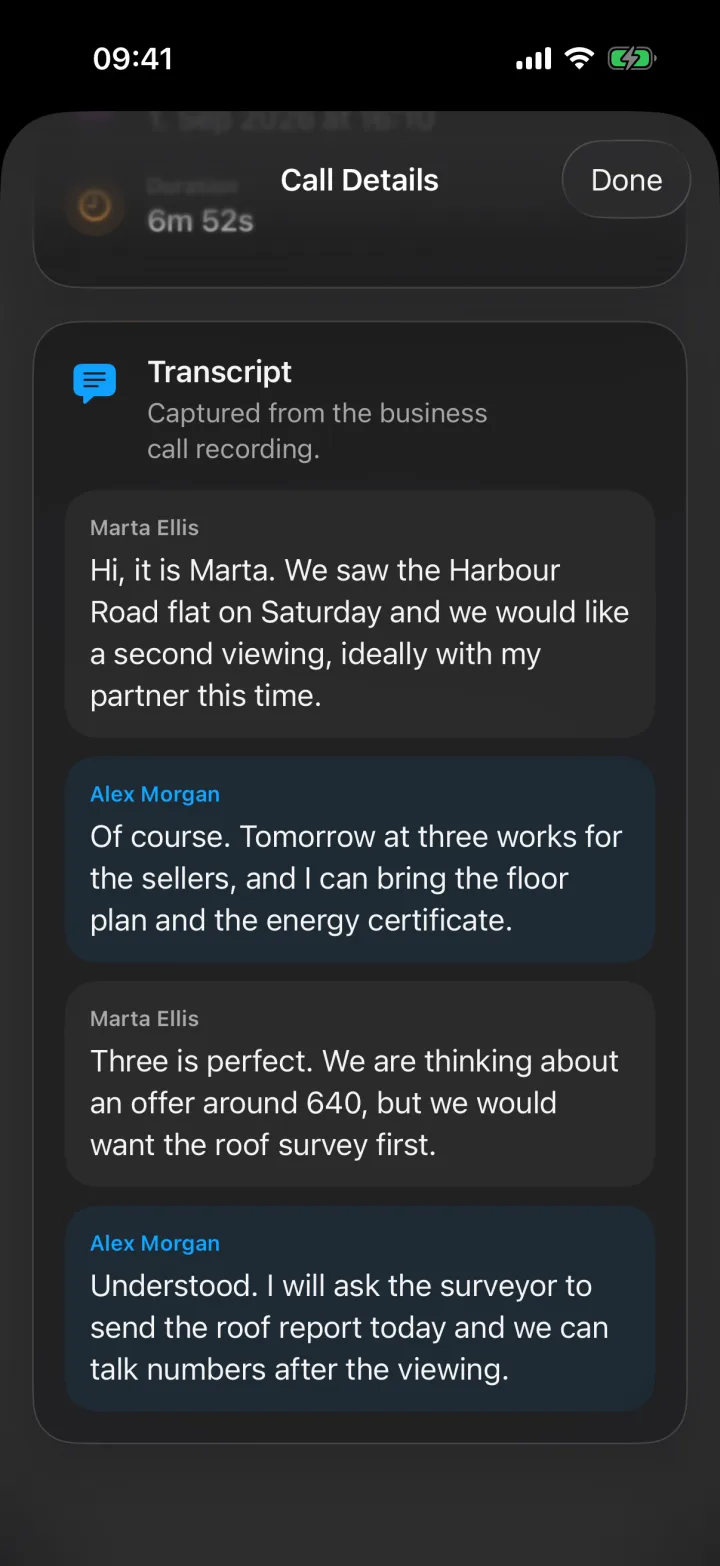
Buyer wants a second viewing with her partner, Tuesday at 15:00. She is thinking about an offer of around 640,000, but only after a roof survey. Ask the surveyor to send the roof report today.
The second note gives the context, the time, the condition and the next action. Anyone on the team can pick it up.
Four questions every CRM call note should answer
Which record does it belong to?
The note should be saved on the right person, company, deal or project. If it lands in a general list of calls, it is easy to forget. If it is on the client record, it becomes part of the history with that client.
What changed?
Most calls matter because something changed. The client accepted the price. The candidate can now start a month later. The seller lowered the asking price. The buyer got a mortgage offer.
That change should be visible without reading the whole call.
What needs action?
The note should keep facts apart from follow-ups. If someone promised to send a document, book a viewing, check a reference or confirm a date, that belongs in the note as an action. Even better, it becomes a task with a date.
What should the team know later?
Some details are not tasks, but they still matter. The client is also talking to another agency. The budget is tight. The timing worries them. The client used certain words to describe what they want.
These details are the first to disappear when a note is written from memory.
The risky moment is after the call
During the call, you know which comment was casual and which one mattered. You know when the client sounded worried. You know which “maybe later” really meant no.
That context fades quickly. By the end of the day you remember the general outline of the call, but not the exact promise or why it mattered. That is how CRM notes become vague.
A simple note format
If you still write notes by hand, use a format that is short enough to finish after every call. Here is an example from a recruiter’s call:
- Context. Why did the call happen? “Check-in with the candidate before her second interview.”
- Change. What is different now? “She has a counter-offer from her current employer.”
- Decision. What was decided? “She will still go to the interview on Thursday.”
- Follow-up. What needs action? “Send her the salary range by Wednesday. Tell the hiring manager about the counter-offer.”
- Risk. What could stop the plan? “She may accept the counter-offer if the start date moves.”
- Next contact. When is the next conversation? “Call her on Friday after the interview.”
That is enough for a colleague to understand the situation without listening to the call.
How Superscribe files calls into Pipedrive
Superscribe Phone records business calls on your own number, and Pipedrive is the CRM it writes to. This is what happens today.
Setting it up
In the Superscribe web app, open Integrations and choose Connect Pipedrive. Superscribe asks Pipedrive only for what it needs: contacts, search, activities, call logs, and read-only access to deals.
On your iPhone, install Superscribe Phone and verify your mobile number. You keep your own number and your phone company. You set up call forwarding once on your iPhone, and your calls then ring in the Superscribe Phone app.
What Superscribe writes after a call
- A completed call activity for incoming and outgoing business calls. The note has a summary, the key details, the next steps and the transcript, in the language the call was in.
- A follow-up task when the call ended with a clear next step but no agreed time.
- A meeting activity when you agreed a date and a time on the call.
- Meetings you record with Superscribe, saved as meeting activities marked as done.
- The call recording, only if you turn on “Attach call recording”. It is off by default. Recordings of calls longer than about 13 minutes are too large and are not attached.
Personal calls, spam and wrong numbers are skipped. Missed calls are not written to Pipedrive.
How it finds the right person
Superscribe looks up the caller in Pipedrive by their exact phone number.
- If one person has that number, the activity is saved on that person.
- If more than one person has that number, the entry waits for you to review it.
- If nobody has that number and you have not approved the contact, the entry waits for your review before a new person is created. Once the contact is approved, Superscribe creates the person with their name, or with the number if there is no name.
Superscribe links an activity to a deal only when you have set that deal on the contact in Superscribe. It never changes your deals, their stages or their values.
What goes in without review
- A completed call activity for a person who already exists in Pipedrive goes in on its own. The default rules are set to automatic.
- Follow-up tasks and meeting activities go in without review only for contacts you have approved.
- Anything that is not linked to a person waits for your review.
- New rules that you create yourself start in manual mode, so nothing is written until you approve it.
Review still matters. Calls contain personal details, jokes, half-made decisions and things that should not be shared with the whole team. Read the note, and remove anything that does not belong in the client record.
In the app, straight after the call
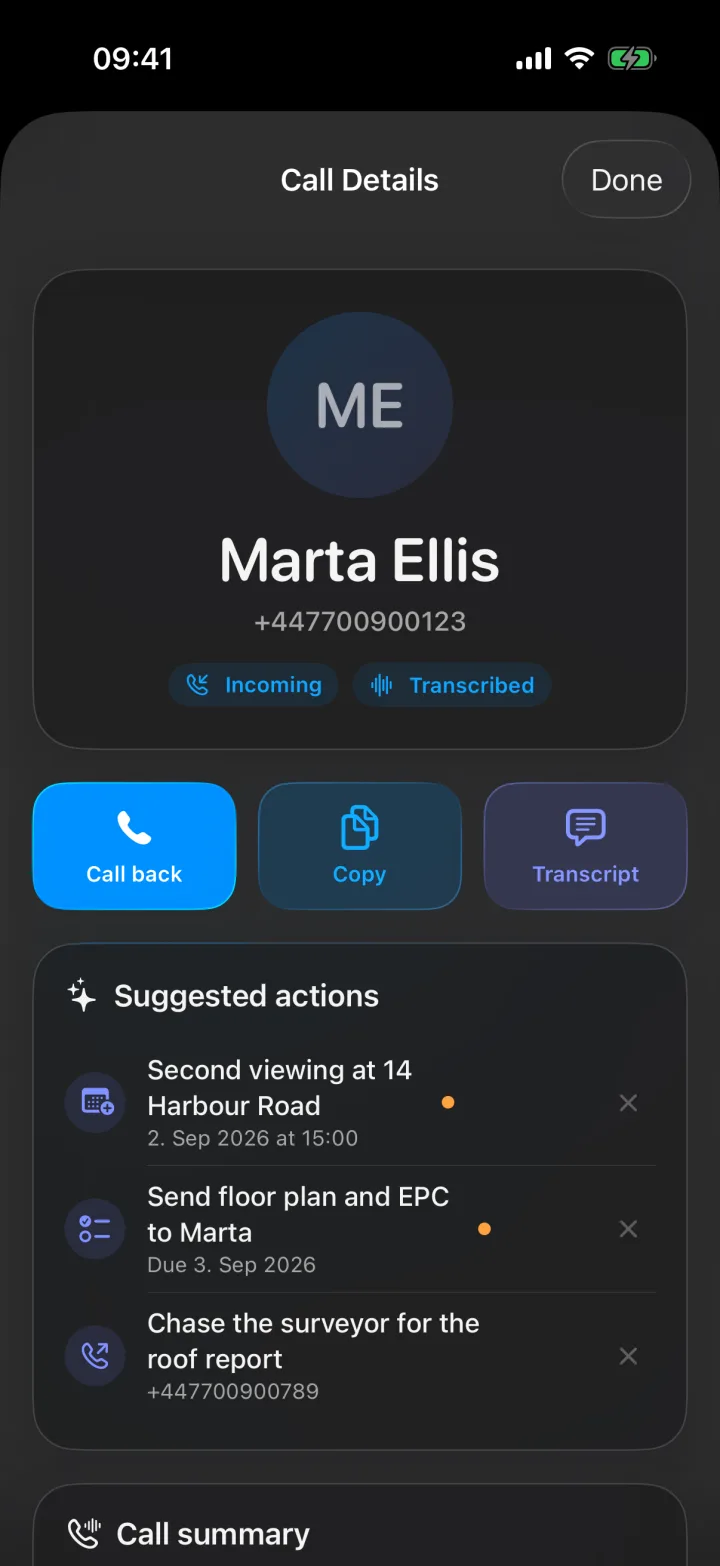
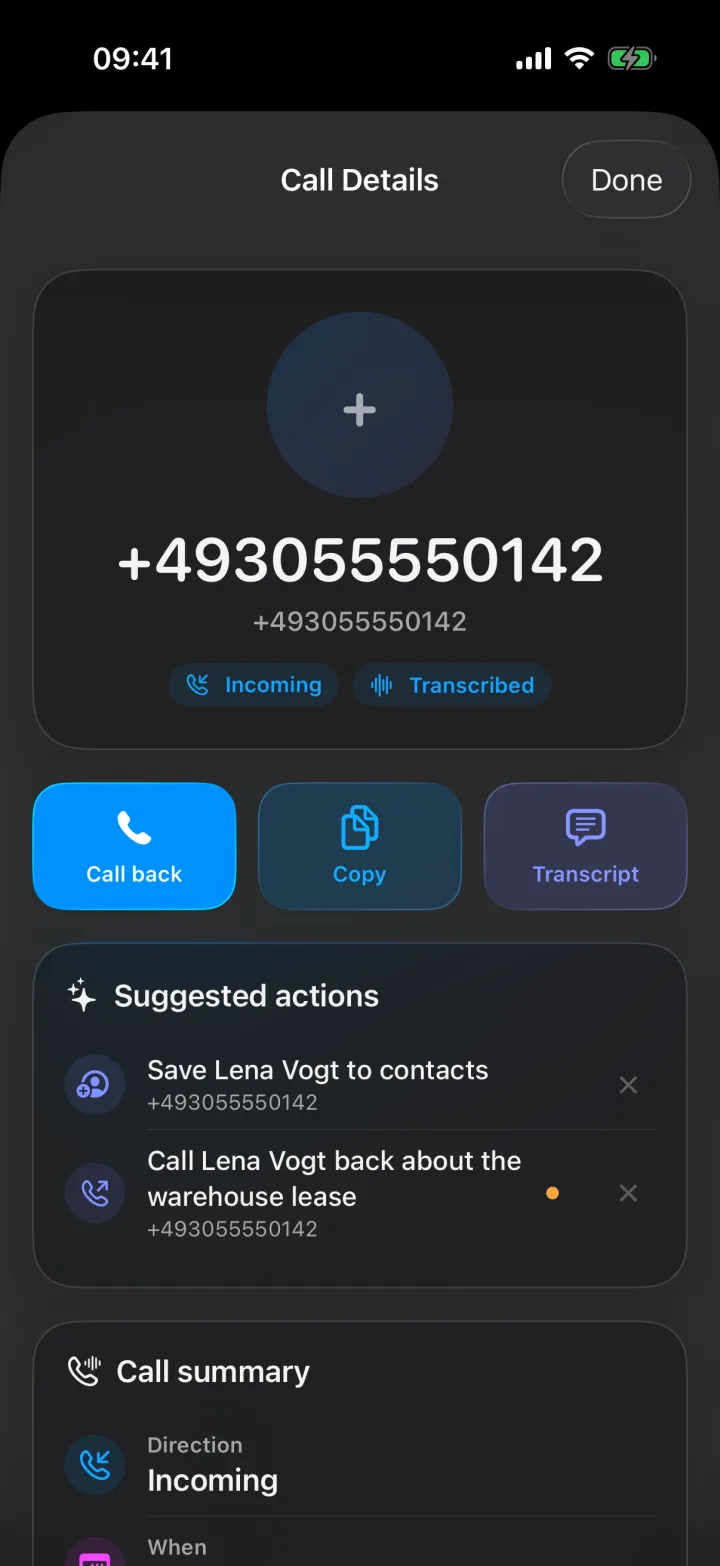
Before anything reaches Pipedrive, Superscribe Phone shows up to four suggested actions for the call. Each one is a call back, a calendar event, a reminder, a new contact to save, or a checklist. Nothing happens until you tap to confirm, and you can dismiss what you do not need.
Compared with logging calls in the Pipedrive app
Pipedrive’s own mobile app can log calls too, but on iPhone it has clear limits. According to Pipedrive’s help page, an iPhone can log only the outgoing calls you start from the Pipedrive app, and you type the activity details and notes yourself. On an incoming call, the iPhone shows the contact name from Pipedrive, but the call is not logged. Android phones can log both incoming and outgoing calls. The help page does not mention recordings or transcripts.
With Superscribe and call forwarding on, both incoming and outgoing calls on your own number are captured, and the note is written for you.
Your number, and telling people you record
Call forwarding sends every call on your number to Superscribe, so the normal phone line on your iPhone does not ring. The call rings in Superscribe Phone, and also in the Superscribe app on your Mac or Windows computer if you are signed in there. The person calling you dials your usual number, and when you call out, they see your own number once you have verified it.
Superscribe does not play any recording message to the other person. If the law where you work requires it, tell them that you are recording the call.
You still write the follow-up
After each call, Superscribe gives you a summary and a list of action items. You write the follow-up yourself, with everything you need in front of you. Superscribe does not write or send emails or messages.
What it costs
Pipedrive filing is included in all three plans: Starter, Business Voice and Sales.
Superscribe Phone is free to download from the App Store. Calls need a paid plan, from €49 a month, with a 30-day money-back guarantee on your first month.
The test
After your next client call, open the record in your CRM and ask one question: could a colleague take over this client tomorrow without asking me what happened?
If the answer is no, the note is not finished.
More transcription will not fix that. What fixes it is getting the right parts of the call onto the right record while you still remember them.
Related reading
If this starts with a call
Try Superscribe Phone on your next business call
Capture the conversation, then turn it into notes, follow-ups, CRM updates, and billable context without rebuilding it from memory.
See the phone workflow