Superscribe Phone Is Now on Android
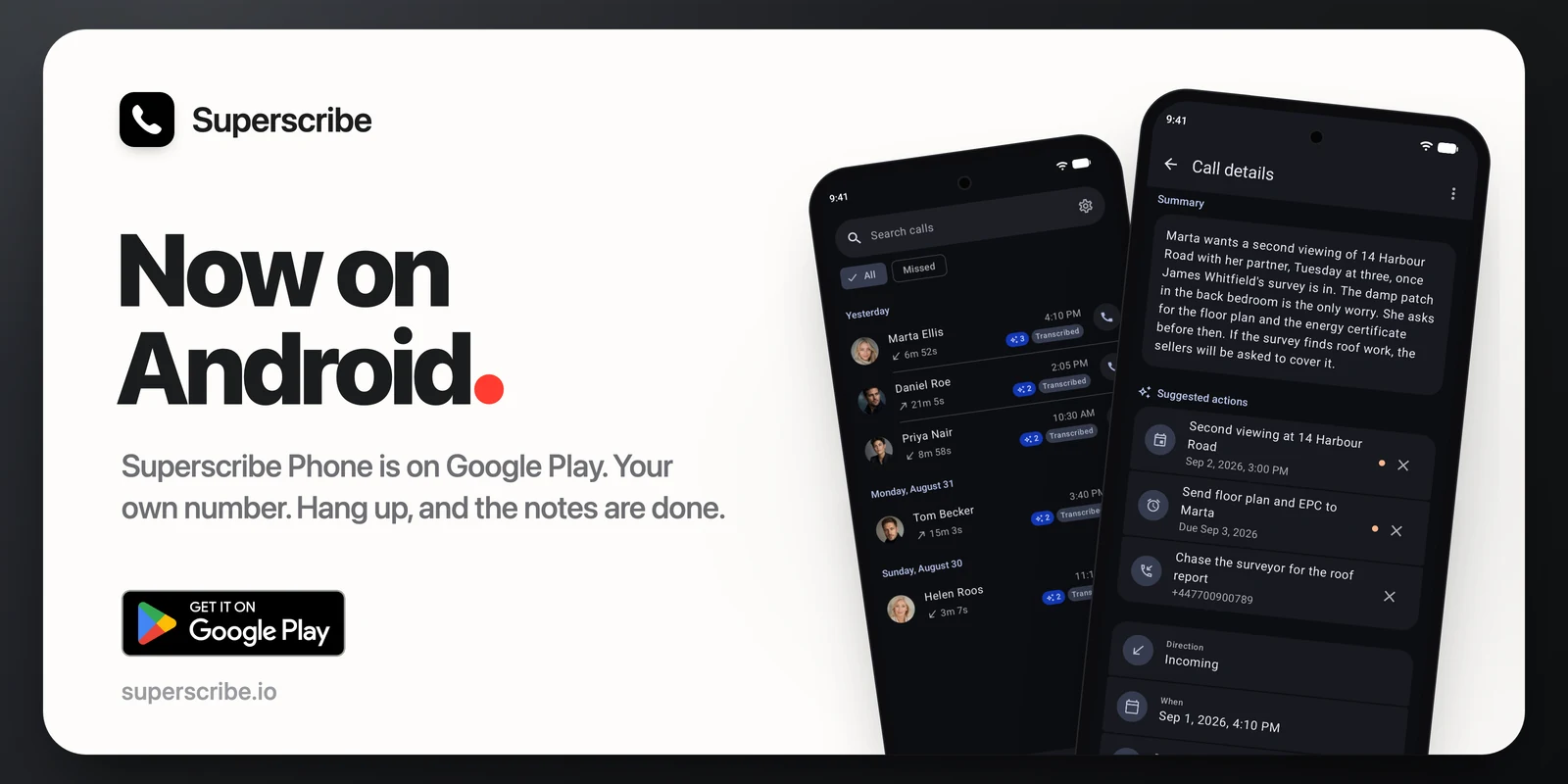
Superscribe Phone is now on Android, on Google Play.
It works like the iPhone app, with the Android look and a few gaps I list below. You take a work call, you hang up, and a minute or two later the notes are done.
What it does
Calls on your own number. Answer work calls on your Android phone with the number you already have. The setup guide in the app shows you how to forward your calls to Superscribe. Forwarding depends on your country and your carrier. You can also call out from the app.
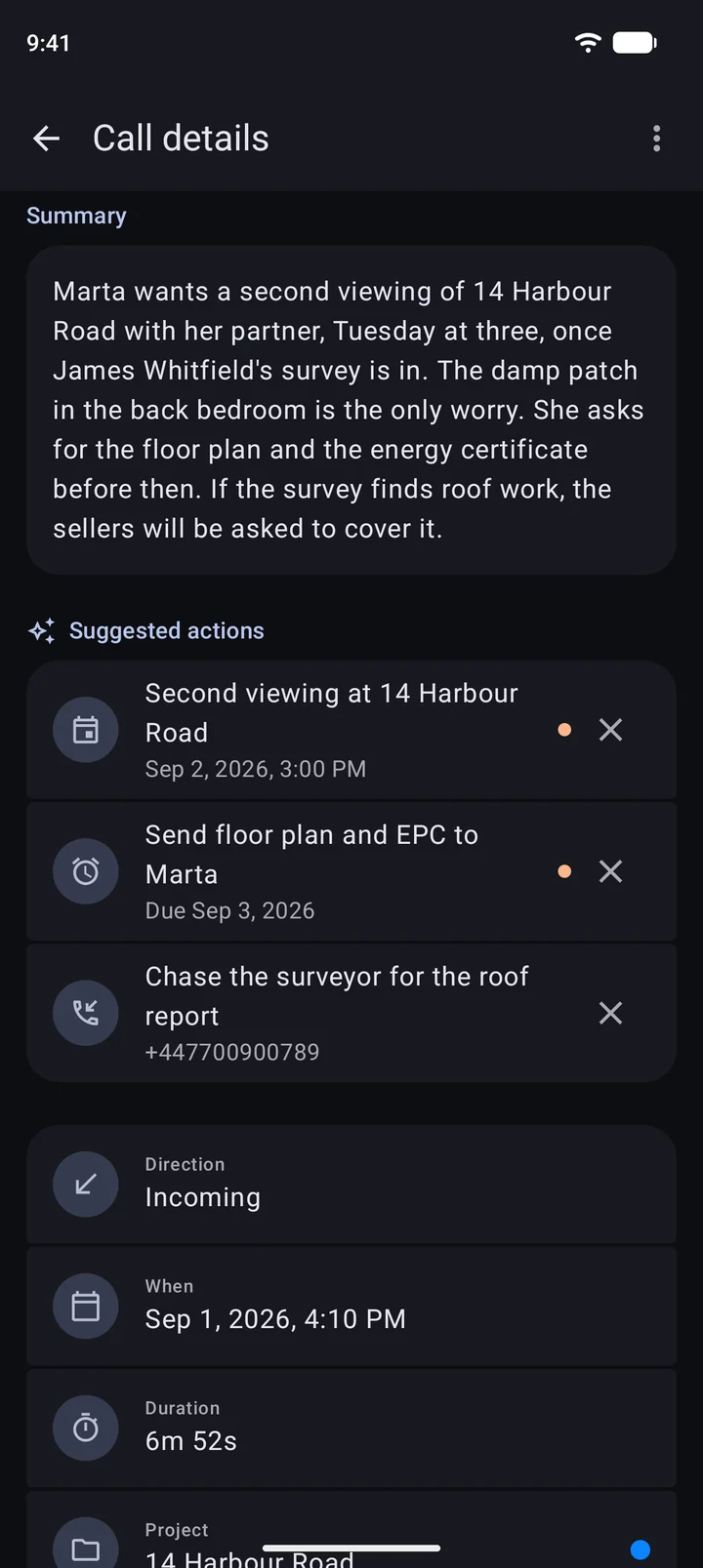
Live transcript. The transcript appears while you talk. After the call you get a summary, the next steps and the full transcript.
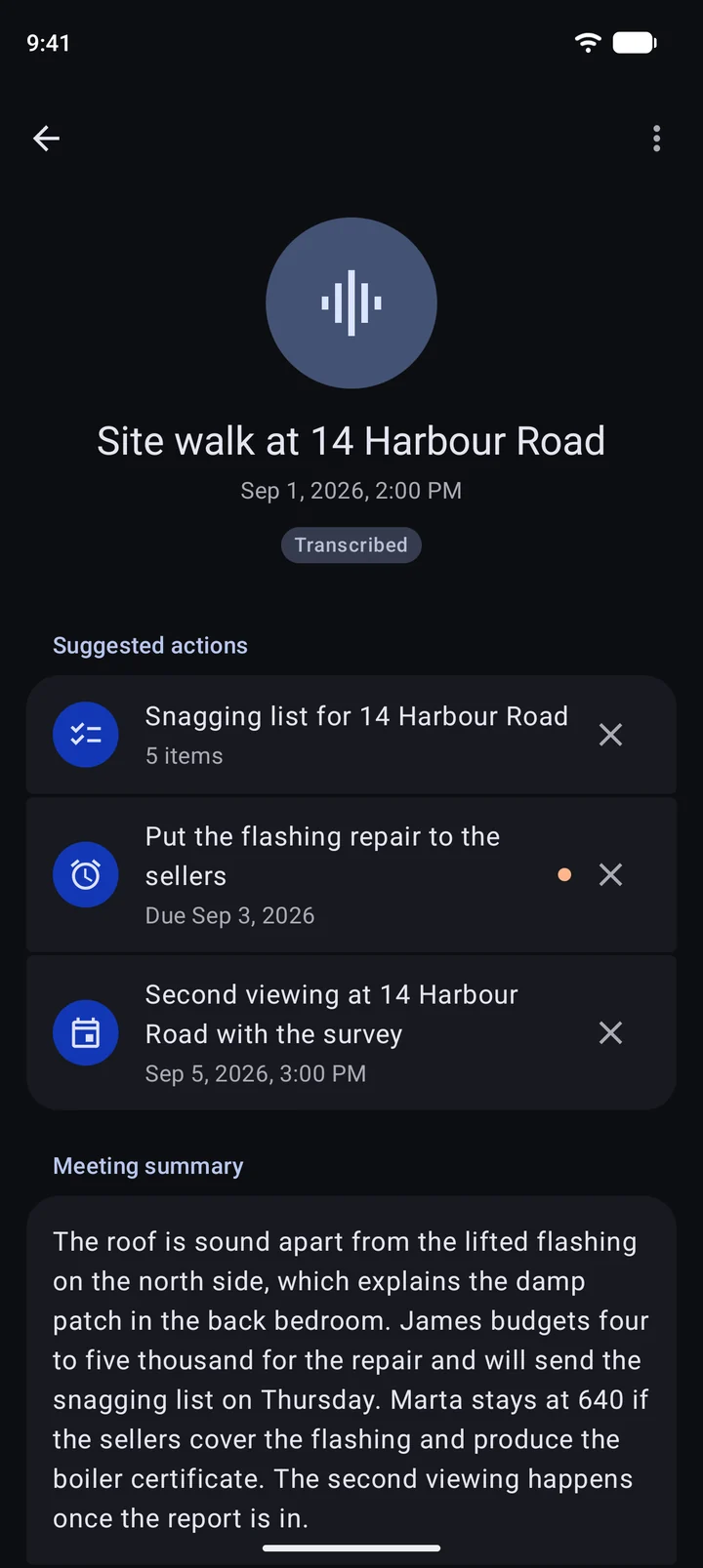
Follow-ups. Superscribe suggests what to do next: call someone back, put the agreed time in your calendar, set a reminder, save a new caller. One tap each. Nothing happens until you tap.
Meetings. Tap record for a meeting in the room. You get a transcript with each speaker on their own lines. Every meeting gets a title, and Superscribe files it to a project.
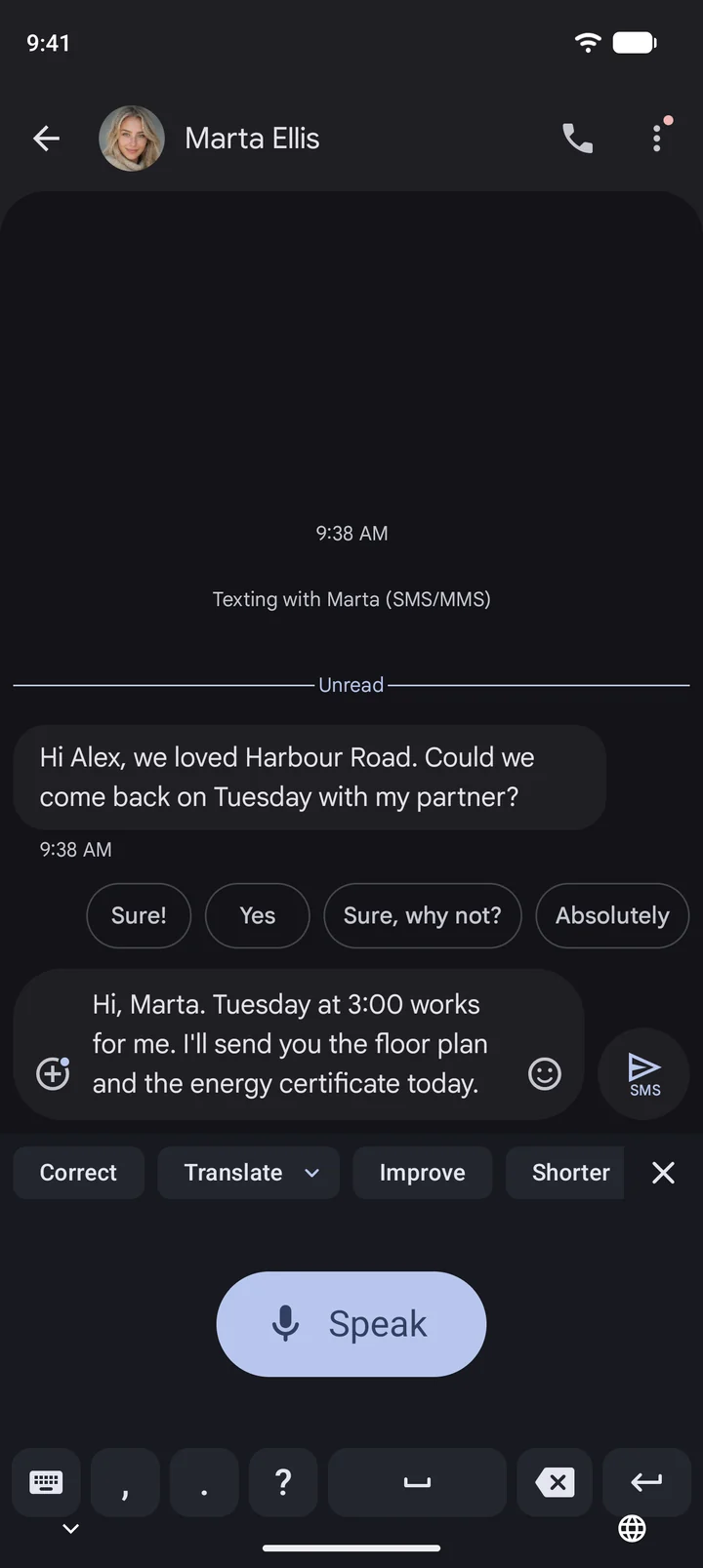
The Superscribe keyboard. Dictate into any app: messages, email, notes. Your words appear while you speak. Then correct, translate, shorten or improve the text with one tap.
Pipedrive. Connect Pipedrive once. When the person you spoke with is already in Pipedrive, the call note goes in by itself. Tasks and meetings wait for your OK.
Plans and buying
In the app you can choose Solo, Business Voice or Sales. You pay through your Google Play account, the same way as for any other app, and you manage or cancel the plan in Google Play. You can see all plans on the pricing page.
What is not on Android yet
I want to be honest about the gaps:
- You cannot add a third person to a call or a meeting yet.
- There is no Android Auto yet, so no notes on the car screen.
- The iPhone shows follow-ups on the lock screen. On Android they come as a notification with buttons instead.
Recording rules differ by country, so let people know you record. Review the notes before you share them.
Update, 3 Nov 2026: version 1.0.1 added the Recording notice in Settings. When it is on, the other side of a call hears a short notice that the call is recorded, or a beep. It is off until you turn it on. More in the Recording notice post.
Get it
- Android: Superscribe Phone on Google Play, version 1.0.0 at launch.
- iPhone: Superscribe Phone on the App Store.
- Mac: download for Mac (0.4.27).
- Windows: download for Windows (0.4.16).