Recording Notice: Tell the Other Side a Call Is Recorded
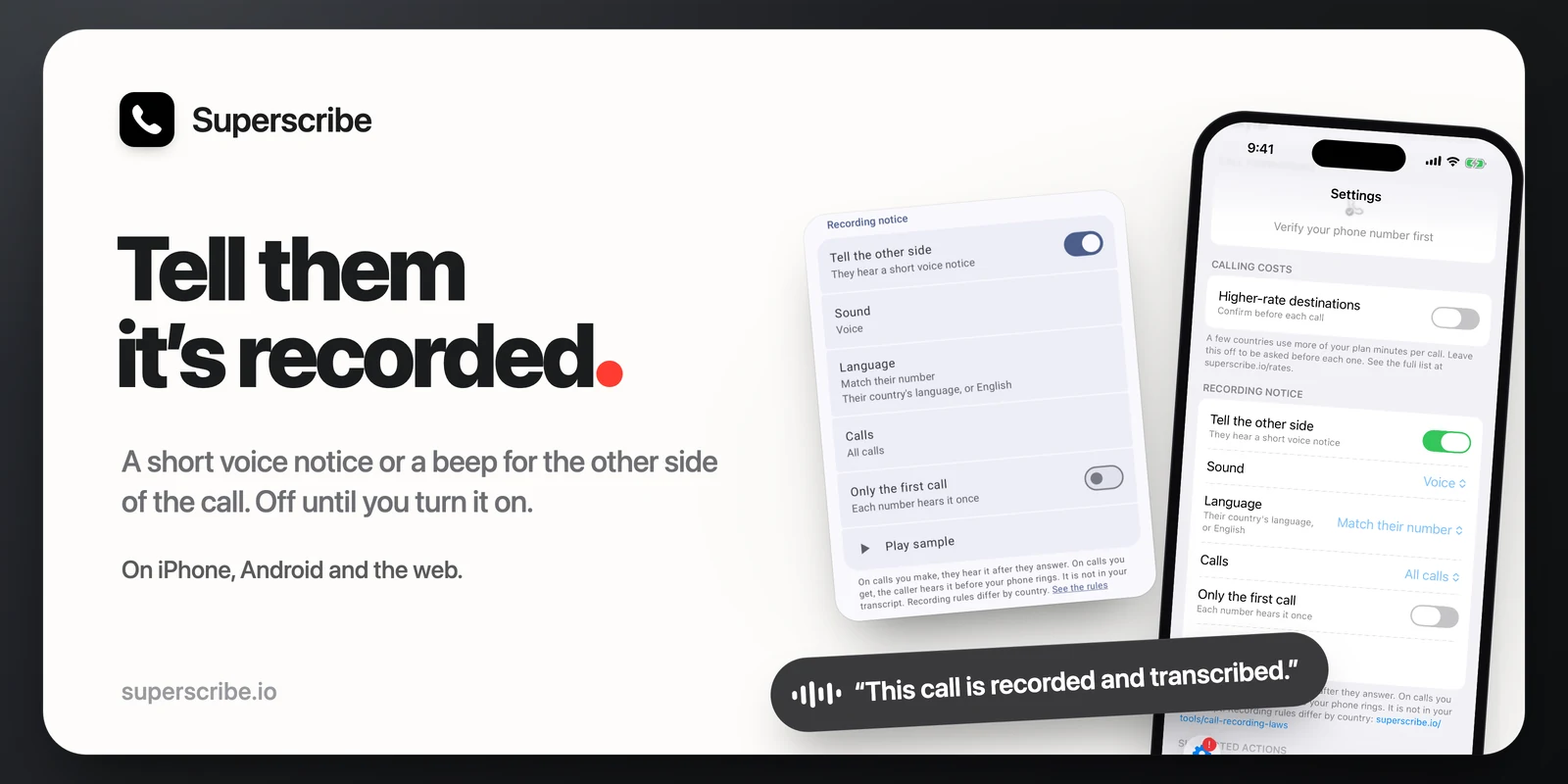
Superscribe records and transcribes your work calls. Some people want the other side to know that, without saying it themselves at the start of every call. Now Superscribe can say it for you.
What the other person hears
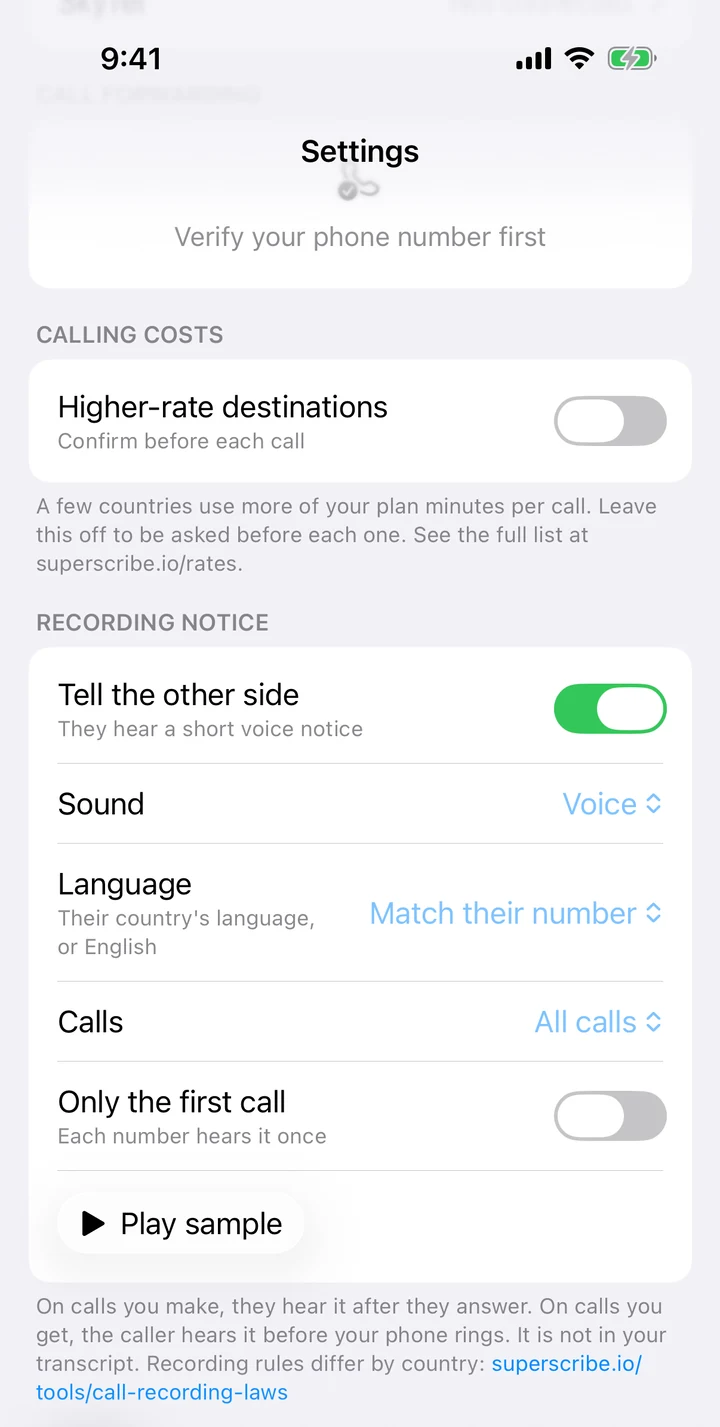
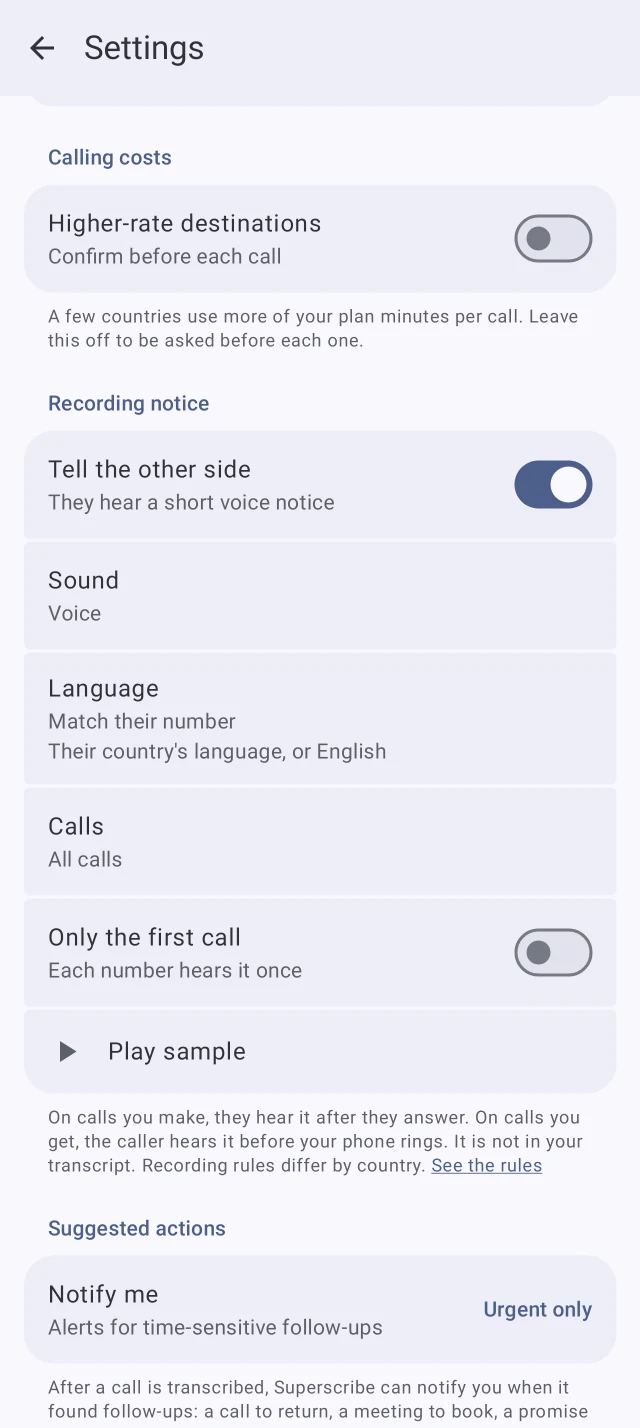
Turn on Recording notice and the other side of the call hears one of three things:
- a short voice notice: “This call is recorded and transcribed.”
- a beep
- the voice notice and a beep
The voice notice speaks their language. Superscribe picks it from the country of their phone number, and uses English when it has no match. There are 26 languages. If you prefer, you can choose one language for every call. You can play a sample in the settings to hear it first.
When they hear it
On calls you make, they hear it right after they answer, before you are connected. On calls you get, the caller hears it before the Superscribe app rings. If you add another person to a call, they hear it when they answer.
The notice is not in your transcript. Calls between two Superscribe apps do not play it.
You choose which calls get it: all calls, only calls you make, or only calls you get.
Only the first call
If you call the same people every week, hearing the notice each time gets old. Switch on Only the first call and each number hears it once. Superscribe remembers a number only after the notice has played to it. The card shows how many numbers have heard it, and Forget clears that list, so they hear it again on their next call.
Where to turn it on
It is off until you turn it on. The setting belongs to your account, so it works for your calls from every Superscribe app. You find it in three places:
- On the web: your dashboard, Settings, the Recording notice card
- On iPhone: Settings, Recording notice
- On Android: Settings, Recording notice
A word on the law
Rules for recording calls differ by country, and in the US by state. Some places require you to tell the other person. I cannot give legal advice. The notice makes telling them easy, but whether it is enough where you work is for you to check. The free call recording law checker gives a plain summary by country and US state, with links to the laws. For how the iPhone’s own recorder compares, see How to Record a Phone Call on iPhone and Get the Notes.
Get it
- iPhone: version 1.3.11 or later from the App Store.
- Android: version 1.0.1 or later from Google Play.
- Web: in your dashboard Settings now, nothing to install.