
Hang up.
The notes are done.
After a call you should log the viewing, write up the candidate, or bill the time. Usually you don’t, because the next call is already ringing.
Superscribe does it for you, on your own number, with no bot on the line. The notes, tasks and Pipedrive entry get written while you are already on the next call.
Keep the number your clients already have.
No new number to give out, no bot on the line, no change of carrier. Superscribe works behind the number you use today.
Turn it on once
In the app, tap Activate and dial the short code it shows you.
Clients call your number
The number they always had. Your carrier passes the call on to Superscribe.
Answer where you are
It rings on your iPhone, and on your Mac or PC if you like. Calls you make show your number too.
Turn it off any time
Tap Deactivate. You keep your carrier, your contract and your number.

- Where the audio goes
- Calls run through Superscribe’s cloud, where they are transcribed and kept in your account. Nothing is recorded on the phone itself.
- Recording rules
- They differ by country. Where the law asks for it, tell the other person the call is recorded. Superscribe plays no message on the line.
- Where it works
- 29 home countries: most of the EU, plus the UK, Norway, Switzerland, Iceland, the US, Canada and Australia. Not yet France, Italy, Spain, Finland or Belgium. Full list on the rates page.
The call is only half the work.
After the call come the notes, the follow-up and the CRM. Superscribe does that part while you move on.
Take the call. Or start a meeting.
Answer on your iPhone as usual, or tap Start meeting for the people in the room. You can add people by phone. No bot joins.
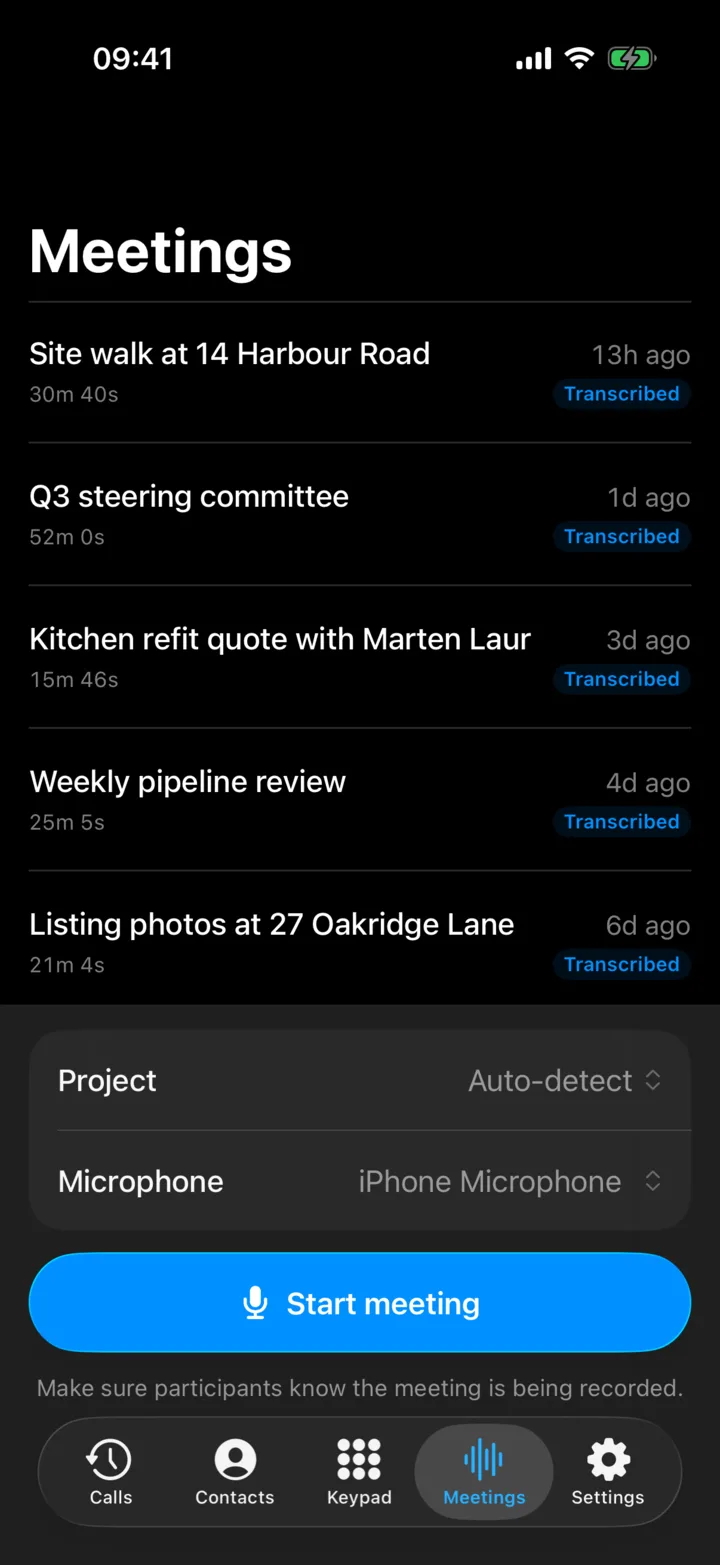
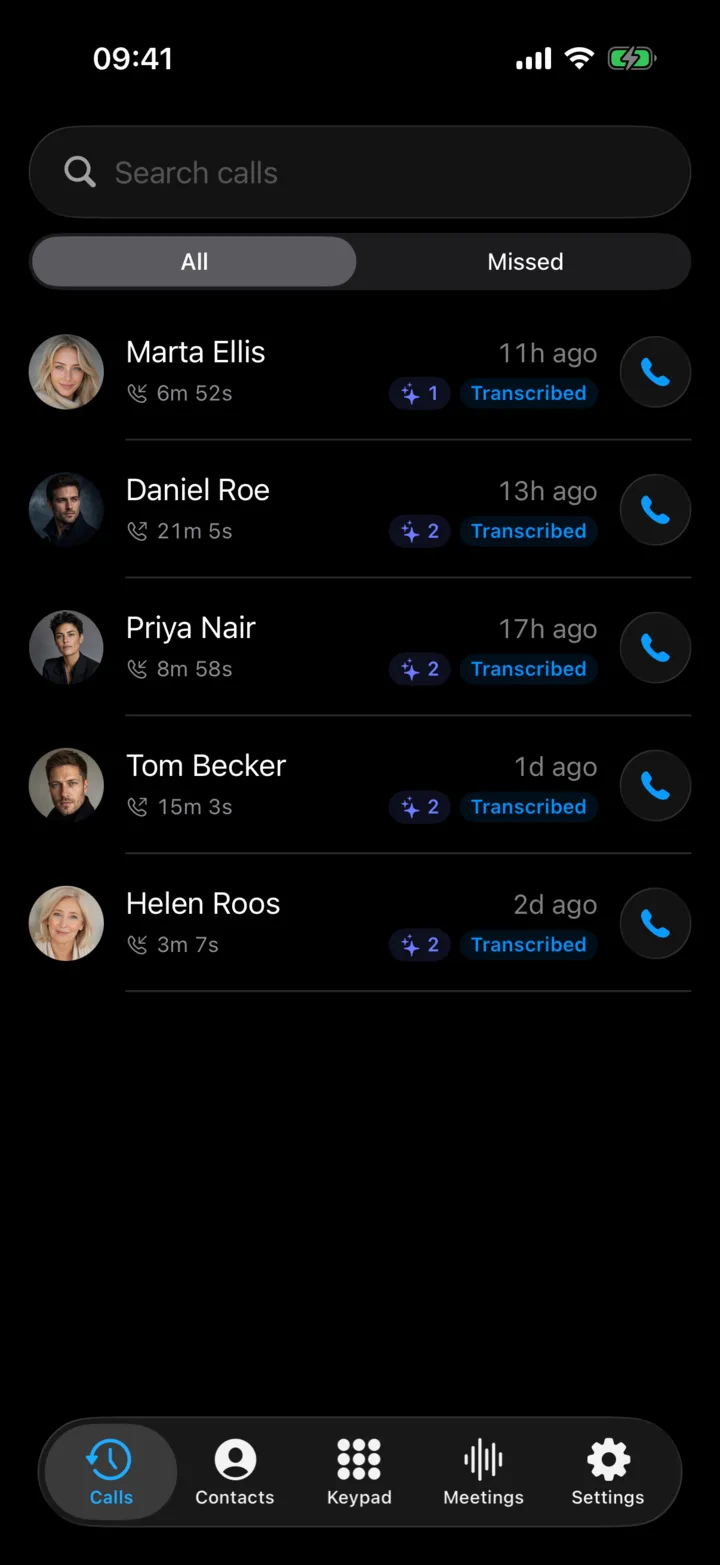
Every word, and who said it.
The whole conversation is written down with names. In meetings every speaker is kept apart, and you can search it all later.
Hang up. The next steps are ready.
A short summary, what was decided and what to do next: the viewing to book, the plan to send, the call to make.
Filed in Pipedrive for you.
The summary, the decisions and the next steps go to the right person and deal, found by phone number. The call log can carry the recording.
Reply to your client without typing.
The Superscribe keyboard works in every app on your iPhone. Tap Speak and talk, in English or in a smaller language like Estonian. The words appear in the message while you are still speaking.
- Strong in smaller languages. Estonian runs on a speech model made for Estonian, not a general one.
- Any app you type in: WhatsApp, Messages, Mail, your CRM.
- One tap to fix it: correct it, make it shorter or more formal, or put it in another language.
- Nothing changes in Superscribe. Each dictation is saved to your account, matched to a project and counted in your time reports, the same as on your Mac.
The keyboard comes with Superscribe Phone. It uses the same dictation as the Mac and PC app, so every plan includes it.
 superscribe.io
Pricing
Work follows you now. Superscribe does too.
Every plan has Superscribe Phone for your calls and meetings, and Superscribe Pro dictation for your Mac or PC.
Solo
Starter
One person, real call capture. Transcripts, summaries, search, and Pipedrive filing, all automatic.
Single seat. Prices in EUR, excl. VAT. Includes Superscribe Pro.
Seats
One seat, upgrade to Business anytime.
1
seat
Monthly billing
€49
/month total
- 600 minutes / month (100 outbound, EU zone)
- Superscribe Phone for iPhone, existing-number call capture
- In-person meetings: record the room, get a diarized transcript
- Live transcription, summaries, and searchable history
- Pipedrive automation: notes and call logs filed for you
- Superscribe Pro dictation for Mac and Windows
- Desktop app: record the video meeting you are in, no bot; calls ring on and dial from your Mac or PC
- On-device speech models: free, works offline
Need automation and team seats? Business Voice.
Start StarterFull setup
Business Voice
For sales, client work, and business calls that need summaries, decisions, tasks, follow-ups, client history, and billable records.
Minutes pool across seats. Prices in EUR, excl. VAT. Includes Superscribe Pro for each seat.
Seats
Start solo or with a team. Adjust anytime.
5
seats
Monthly billing
€495
/month total
- 1,200 pooled minutes per seat / month (250 outbound, EU zone)
- Superscribe Phone for iPhone, existing-number call capture
- In-person meetings: record the room, get a diarized transcript
- Add people to a call or meeting by phone, all in one transcript
- Live transcription and searchable history
- Pipedrive automation: notes, call logs, recordings filed for you
- Call summaries, tasks, and follow-up drafts
- Billable call records by client and project
- API and MCP access for your own automations
- Superscribe Pro dictation for Mac and Windows
- Desktop app: record the video meeting you are in, no bot; calls ring on and dial from your Mac or PC
- On-device speech models: free, works offline
- Beyond included minutes: €0.15/min, or a hard stop. Your choice.
More than 10 seats? Contact sales.
Start with Business VoiceOutbound teams
Sales
For teams that live on the phone. Everything in Business Voice, sized for full-time calling.
Minutes pool across the whole team. Prices in EUR, excl. VAT. Includes Superscribe Pro for each seat.
Seats
Start solo or with a team. Adjust anytime.
3
seats
Monthly billing
€537
/month total
- 2,500 pooled minutes per seat / month (500 outbound, EU zone)
- Everything in Business Voice, including Pipedrive automation
- Priority support
- Overage €0.15/min. Published, no surprises.
Larger team or an industry edition? Talk to us.
Start SalesOnly need desktop dictation? See Superscribe Pro. See standard call rates. Special-rate destinations use up included minutes faster. 30-day money-back on your first month.
On your phone, at your desk, in the car.
One Superscribe wherever you take calls. The Mac and Windows app sits in the menu bar, and everything lands next to your phone calls.
Calls ring at your desk
Included in every planAnswer on your Mac or PC, or call out from your own number. The notes are written like on your phone.

Record the meeting you are in
Included in every planAny video call, and no bot joins. Every speaker is kept apart, and once someone says their name, the transcript uses it.
Dictate into any app
Free on your deviceSpeak, and the text appears where your cursor is. On your own Mac or PC it is free and works offline.
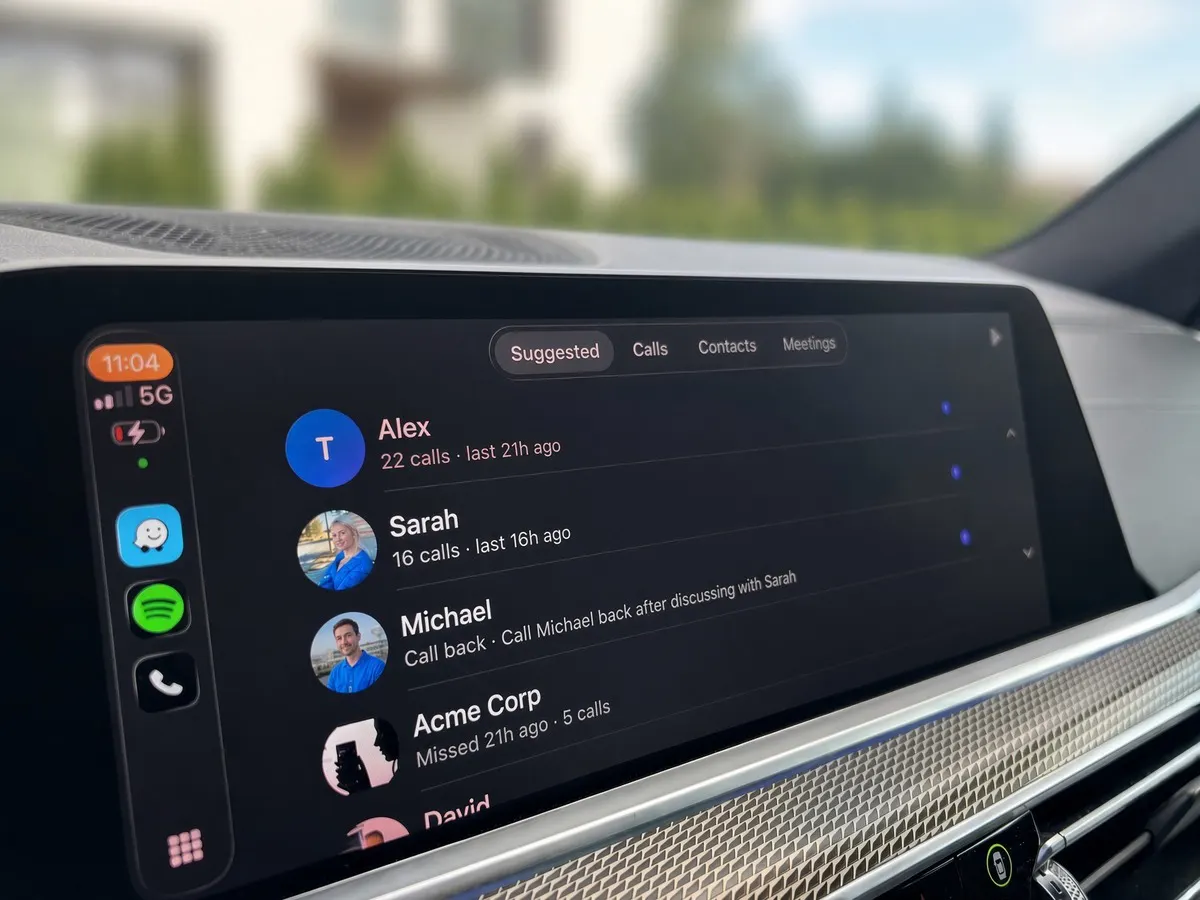
Your calls in the car
Calls, contacts and meetings on the CarPlay screen, each call with its gist. Call back with one tap.
Get the desktop app
Calls and meetings on your Mac or PC are included in every plan above: Starter, Business Voice and Sales. Dictation on your own device is free, with or without a plan.
No account? Superscribe Lite dictates on your device only, free: macOS · Windows
Only need dictation? See Superscribe Pro.
Get Superscribe Phone.
Use your existing number and turn business calls into notes, tasks, summaries, and follow-ups.